Agency Payments Received
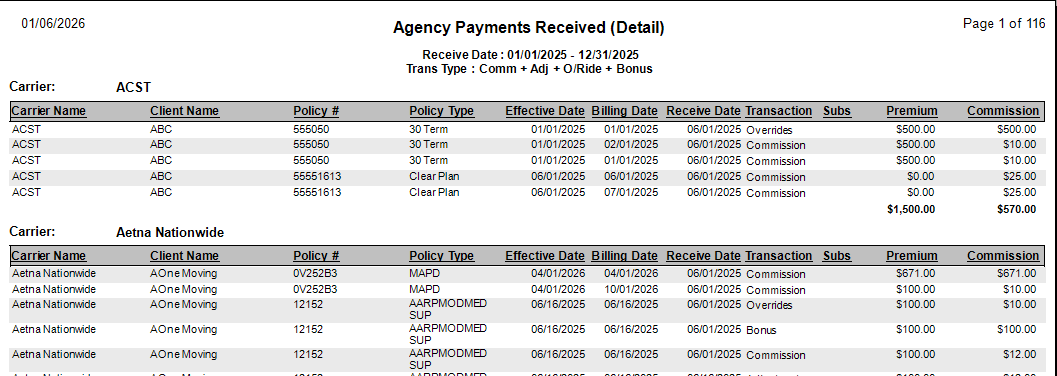
The Agency Payments Received report displays the total commission received from carriers before any agent splits are applied. It is the primary tool for verifying that carrier statements have been entered correctly into the system.
When to Use This Report
Use this report when you need to:
-
Verify Statement Entry - Confirm the total Premium and Commission entered for a specific carrier statement matches your records.
-
Audit Agency Revenue - View the total "Gross" commission received by the agency.
-
Perform Reconciliation - Compare this report against the Agent Commissions Earned report to ensure total income equals total payout (including House splits).
Report Customization & Filters
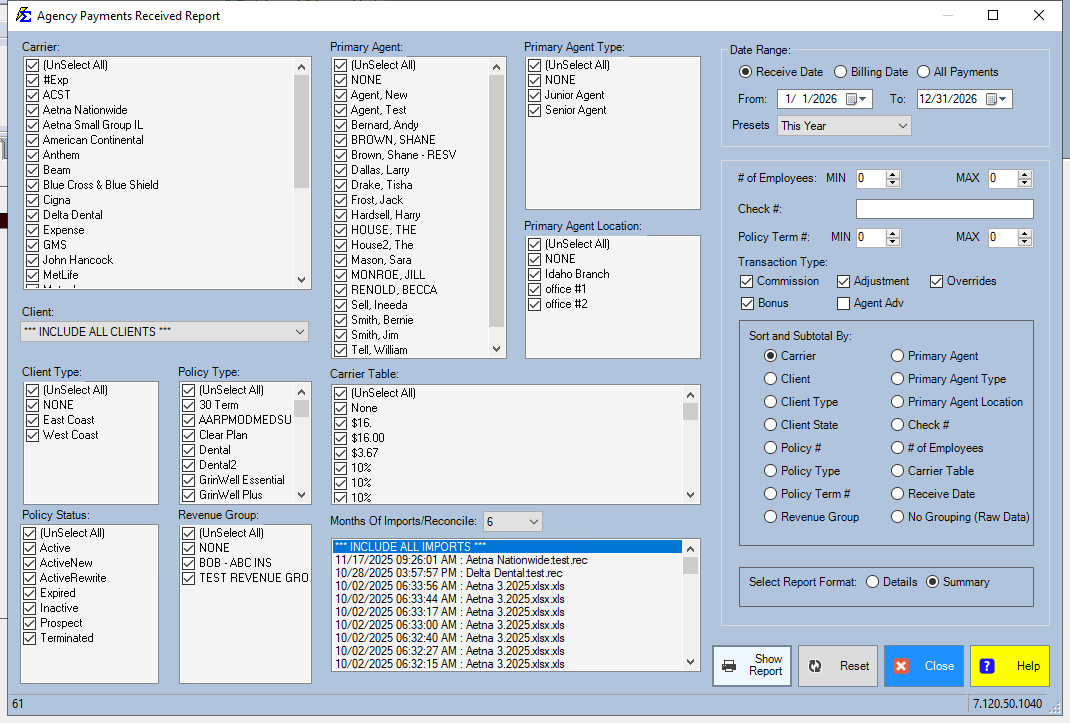
To get the most accurate data, you can filter the report by Carrier, Date Range, or specific Revenue Groups.
Key Comparisons
For a complete financial audit, run this report alongside the Agent Commissions Earned report using the same criteria.
- The Result: The total commission received on this report should equal the total commission paid out to agents plus the commission retained by "The House."
Accessing Import & Reconcile Sessions
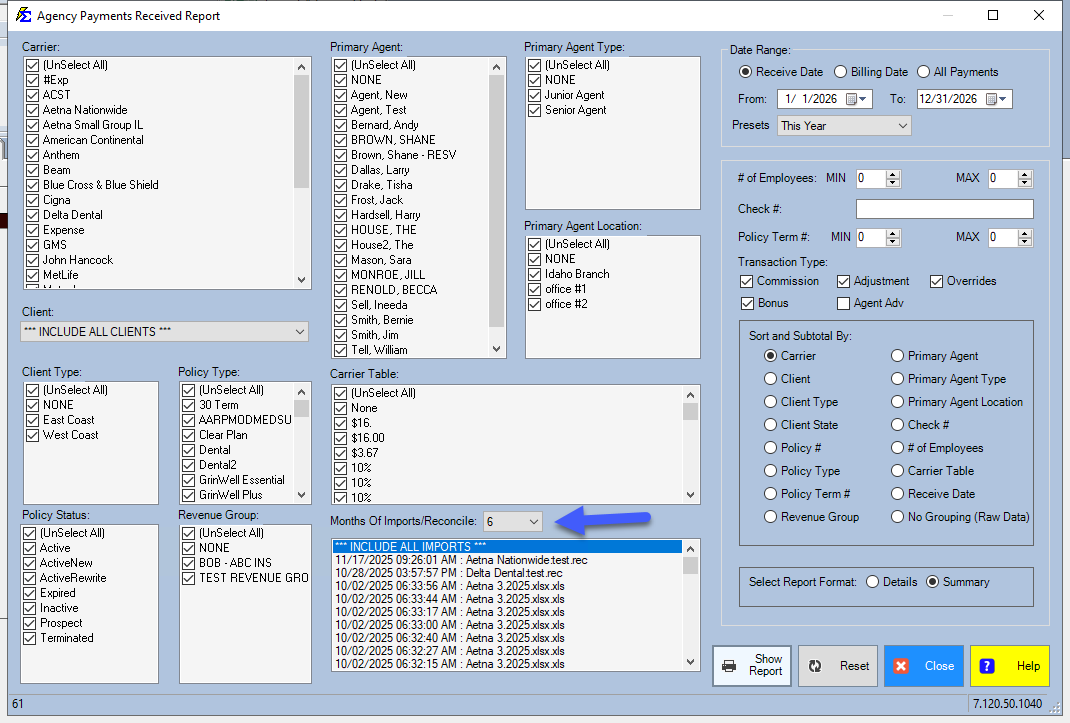
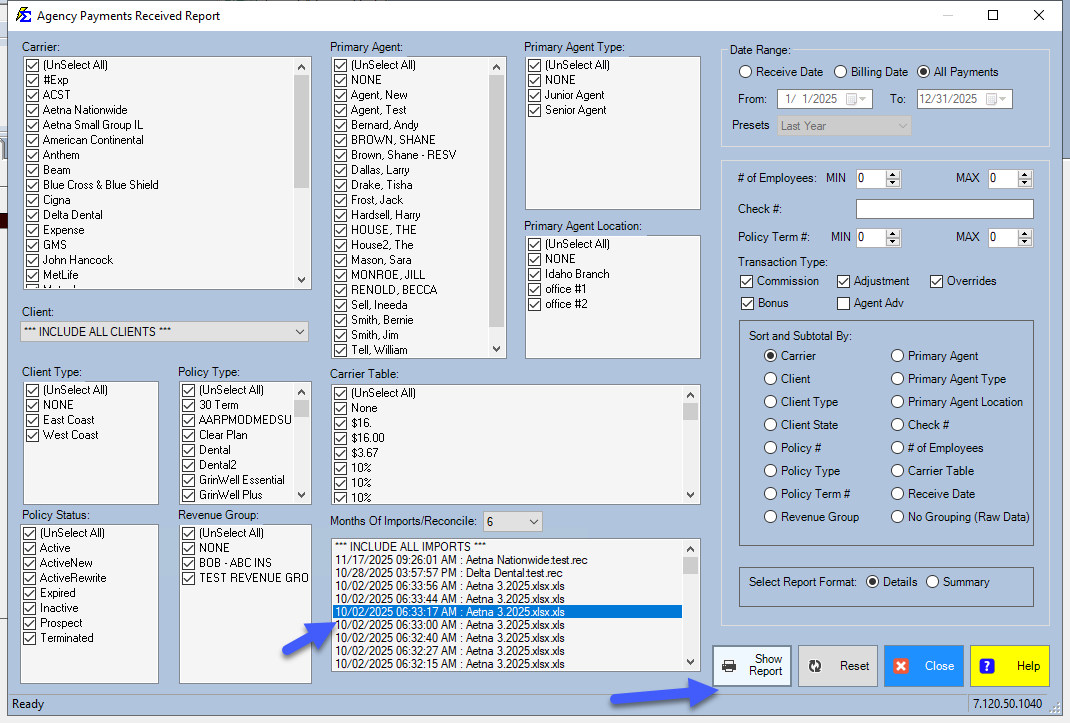
If you need to view a specific session from a previous import, use the sessions list located at the bottom of the screen.
- Viewing Historical Data: By default, the system shows recent sessions.
- Months Of Import: Use this dropdown menu to look back further than 6 months if you need to review older data.
Step-by-Step: Verifying a Carrier Statement
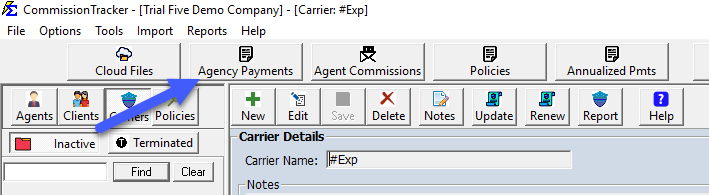
- Navigate to Reports > Agency Payments Received.
- Select the Carrier and the Date Range for the statement in question.
- Click View Report.
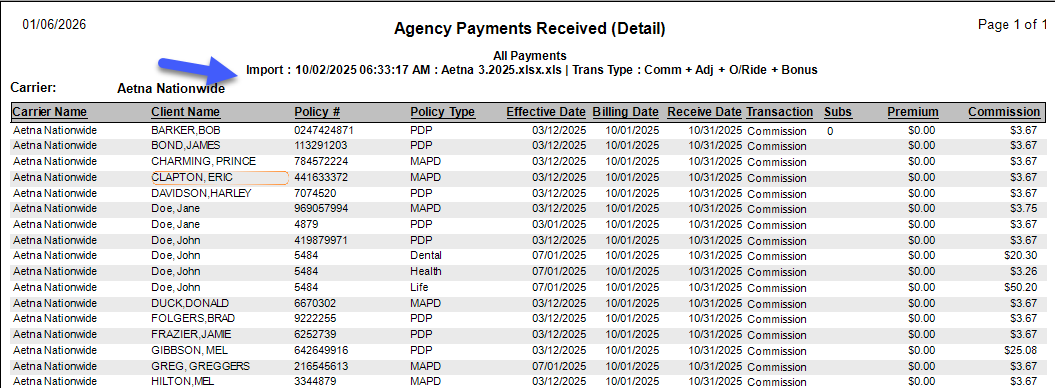
- Check the totals against the statement from the carrier.
- If you need to see the session details, locate the session in the grid at the bottom of the screen.
What Happens When You View This Report
- The system pulls all "Received" records (Type Commission, Bonus, Adjustment and Override).
- It aggregates the data by Carrier to show a high-level summary.
- It provides a drill-down or itemized view of the Premium vs. Commission for every policy included in those payments.
Troubleshooting
Q: Why does this report show more money than what was paid to my agents? A: This report shows "Gross" commission. The difference is likely the portion of the commission assigned to "The House" or splits that have not yet been processed through ACE.
Q: I can't find an import session from last year. Where is it? A: Change the Months Of Import dropdown to a higher number (e.g., 12 or 24). The screen defaults to the last 6 months to keep the loading speed fast.
Need help with reconciliation? Contact support@commission-tracker.com