Create New Agent
In Commission Tracker, Agents (also referred to as Producers) are the individuals or entities that split the commission paid by the carrier. This section covers the essential fields required to build an agent profile and establish their role within your agency.
💡 Why Use This
Every agent who receives a commission payout must have a profile in Commission Tracker. Setting up agent profiles correctly ensures commission splits are calculated accurately and that agent reports and statement emails work as expected.
🗺️ How to Access
Click + New in the Agents View on the Policy List screen to create a new agent.
Video Tutorial
If the video below does not play, please copy and paste this link into your web browser: https://www.youtube.com/watch?v=BRsqVsmO5Xk
The Agent Profile
When adding an agent, use the main profile screen to define their status, reporting filters, and payout logic.
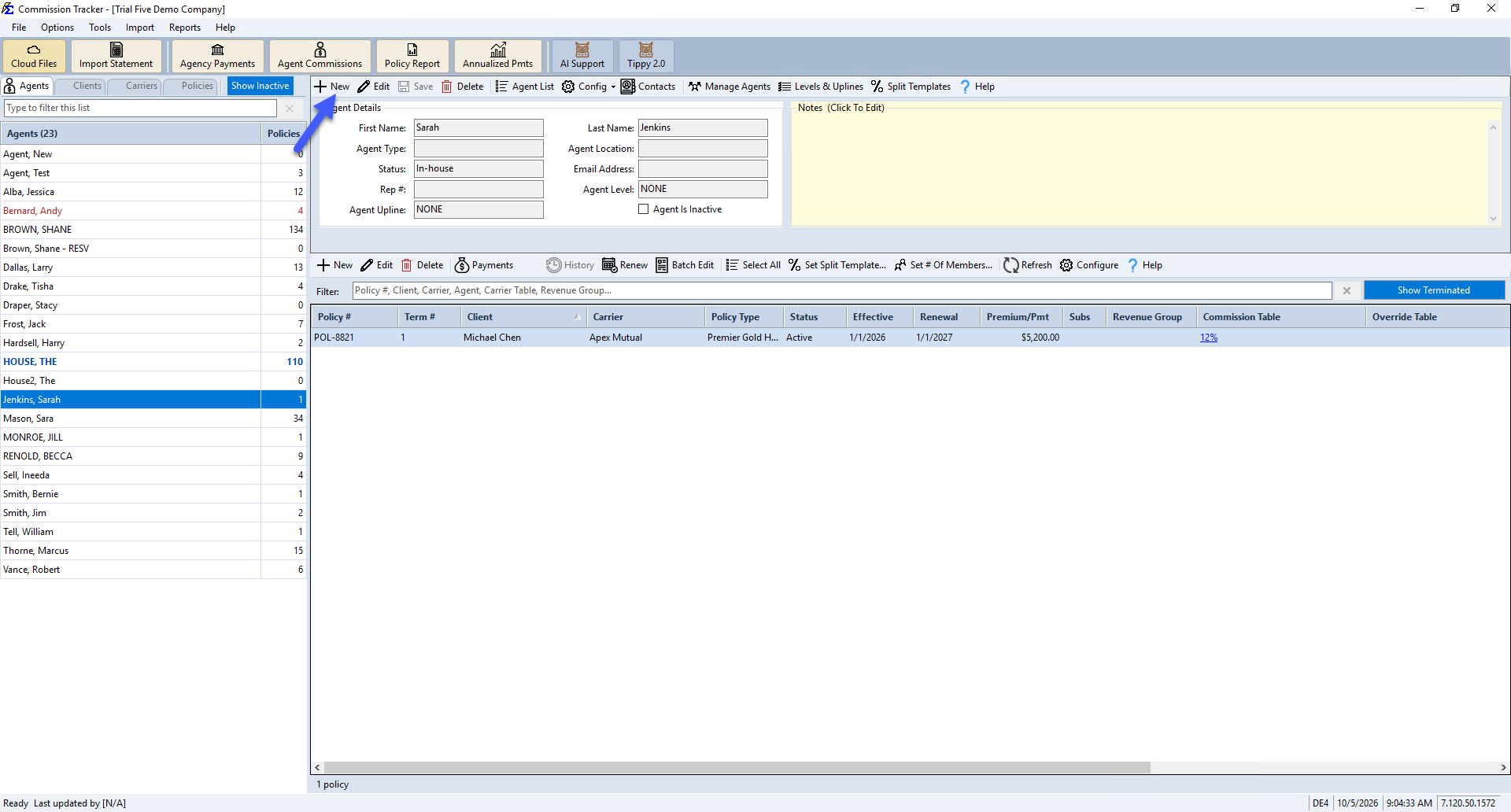
Key Fields
| Field | Description |
|---|---|
| First / Last Name | The primary identifier for the agent. Reports and the Policy List sort agents by Last Name. |
| Agent Status | Defaults to "In-house." An internal marker to track if a producer is an employee or an external contractor. |
| Agent Type | A customizable filter for high-level reporting (e.g., "Full-Time," "Broker," "Manager"). Manage available types under Tools → Edit Agent Types. See Agent Types. |
| Agent Location | Groups agents by office or department. A powerful filter for comparing revenue across different branches. |
| Rep # | A flexible field for storing License Numbers, EINs, or SSNs. Displays on the Agent Commissions Earned report, useful for payroll. |
| Agent Level | Used by Carrier Table Agent Splits to automate payout percentages based on the agent's rank or tier. |
| Agent Upline | Assigns this agent's upline for hierarchy-based commission payouts. See Manage Agent Levels and Uplines. |
| Agent Is Inactive | A separate checkbox from Agent Status — check this to mark the agent inactive without deleting them. |
| Email Address | Required for emailing commission statements directly to agents. Also serves as their login username for the Agent Web Portal. |
Managing Multiple Emails
If an agent needs reports sent to multiple addresses (e.g., to both the agent and their assistant), enter them in the email field separated by a semi-colon (;).
The House Account Concept
In Commission Tracker, The House represents the agency itself. While it is treated like an agent for split purposes, it has unique logic:
- Automatic Residuals — When using Carrier Table Agent Splits, The House automatically retains any commission percentage not explicitly assigned to other agents.
- Automatically Created — Commission Tracker automatically creates one House Account agent record for your agency; it's not something you check or configure manually. Its profile shows This Is The House Account to identify it.
- Renaming Is Safe — You can rename the House Account agent (e.g., to your agency's name) without affecting its special status — it remains the system's House Account regardless of what it's named.

🔧 Troubleshooting
An agent has left the agency — should I delete them? To preserve historical financial data, check the Agent Is Inactive checkbox rather than deleting them. This ensures their past commissions still appear in historical reports.
Where do I add the agent's phone number? Use the Agent Contact Info page, via the new Contacts window.
🔗 Related Topics
- Agent Contact Info — Add contact name, address, phone, and email details to an agent profile.
- Contacts — Full walkthrough of the Contacts window.
- Agent Types — Manage the list of available agent type categories.
- Carrier Table Agent Splits — Define how agents are paid from carrier revenue.
- Manage Agent Levels and Uplines — Configure agent hierarchy for upline commission payouts.
Need help? Contact support@commission-tracker.com