Client List Report
The Client List Report is a comprehensive directory of all clients in your database. Use it to audit client contact information, track enrollment statuses, and export mailing lists for agency communications.
💡 Why Use This
Use this report when:
- Auditing client contact data — Verify that addresses, emails, and phone numbers are complete for all records.
- Reviewing client status — Quickly identify which clients are marked as Active, Prospect, or Terminated.
- Generating mailing lists — Export client data for newsletters, renewal reminders, or outreach campaigns.
- Cleaning up the database — Spot duplicate entries or records with missing information across your entire client base.
🗺️ How to Access
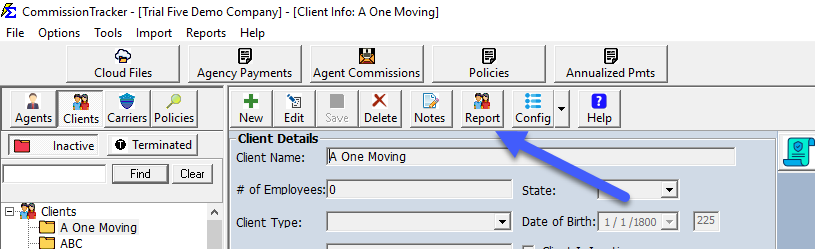
- Navigate to the Client screen from the main menu.
- Click the Report button in the toolbar.
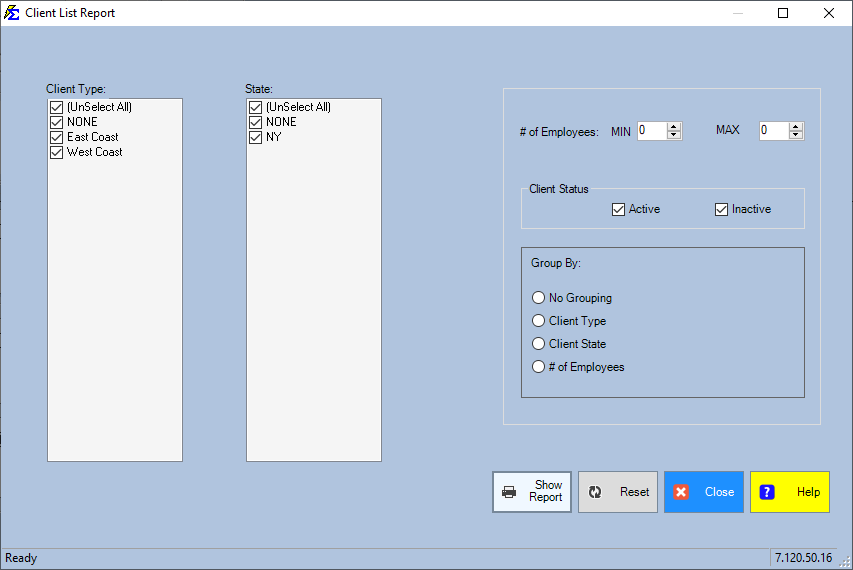
- On the selection screen, set your filters:
- Status — Filter by Active, Prospect, Inactive, or Terminated.
- Agent — View only clients assigned to a specific agent.
- Date Range — Filter based on when the client was added to the system.
- Click Show Report.
Interacting with the Results
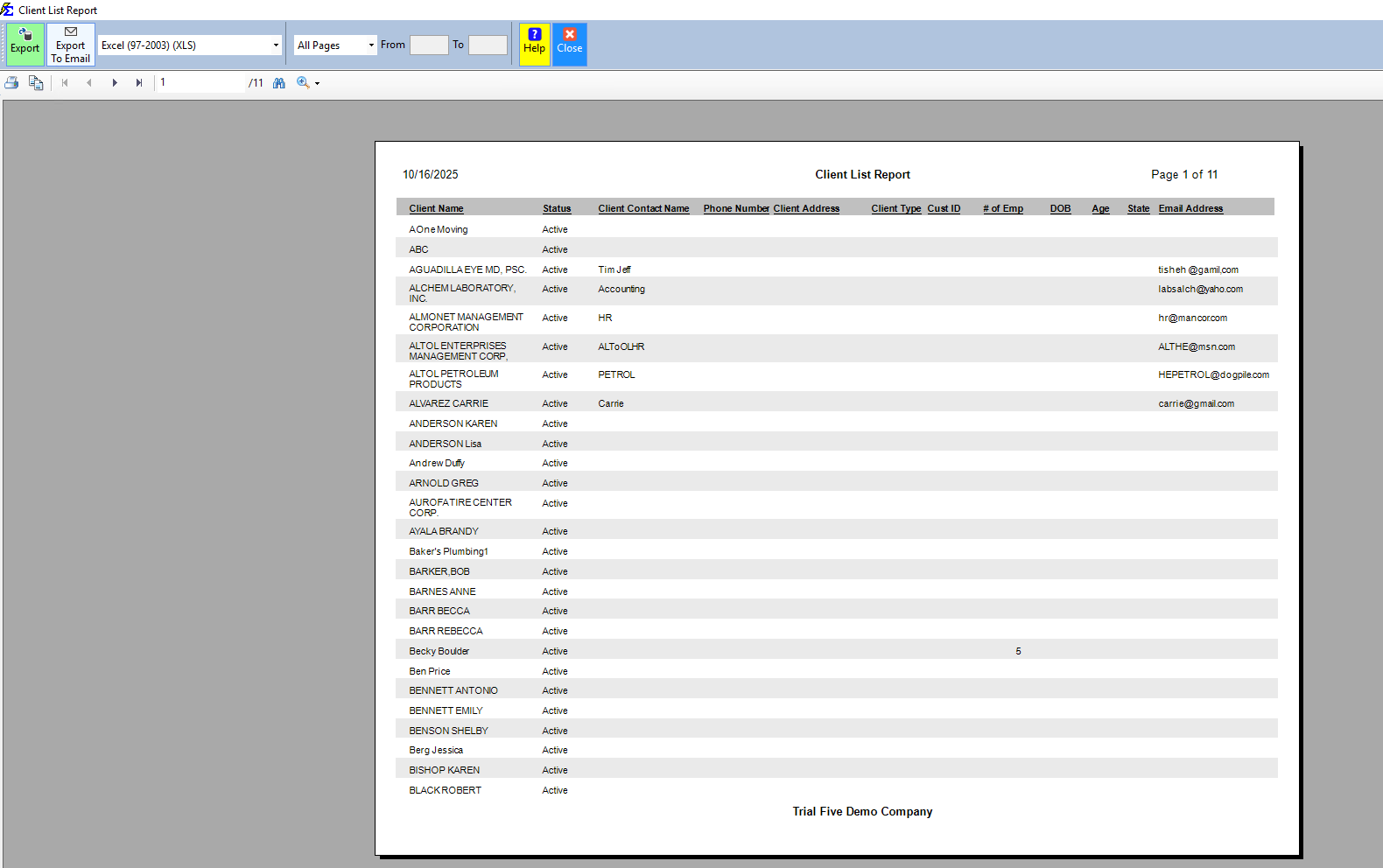
The report generates an interactive list of all client information matching your filters.
- Data richness — Displays Client Status and all contact details (Address, Phone, Email) that have been entered.
- Sorting — Click any column header to sort the list alphabetically or geographically.
Exporting the Report
- PDF Export — Retains all professional headers and formatting, ideal for a printed directory.
- Excel/CSV Export — Produces a flat file optimized for data handling, sorting, or importing into an email marketing tool.
🔧 Troubleshooting
A client is missing from the report. Check the Status filter on the parameter screen. If the filter is set to Active and the client is marked as a Prospect, they will not appear. Set Status to All to see every record regardless of status.
I need to see a client's policies alongside their contact data. This report shows client contact information only. To see client data combined with policy information, use the Book of Business report with Client grouping.
The report is showing clients from all agents, but I only need one agent's clients. Use the Agent filter on the parameter screen to limit results to a specific agent's assigned clients.
🔗 Related Topics
- Client Report — Segment and group clients by region, agent, or demographics.
- Book of Business — Client data combined with policy and commission totals.
- Commissions by State — Revenue grouped by client state for tax reporting.
Need help? Contact support@commission-tracker.com