Policy List Report
The Policy List Report generates comprehensive lists of policies organized by Client, Carrier, or Agent. It is the primary tool for auditing your book of business, tracking renewals, and verifying policy imports.
💡 Why Use This
Use this report when:
- Auditing your book of business — Get a complete view of all policies under management, filtered and grouped by your preferred criteria.
- Monitoring renewals — Filter by Renewal Date to identify which policies are coming up for renewal and manage retention efforts.
- Verifying imports — After a bulk policy import, filter by Import Policy Session to confirm all data mapped correctly.
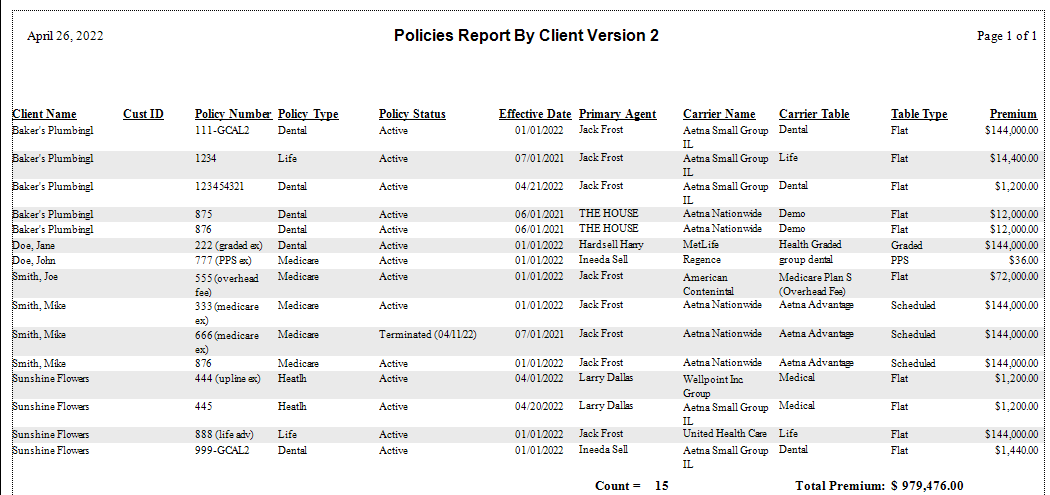
- Tracking terminated policies — Use the Client Name version 2 sort to include Termination Dates for inactive policies.
🗺️ How to Access
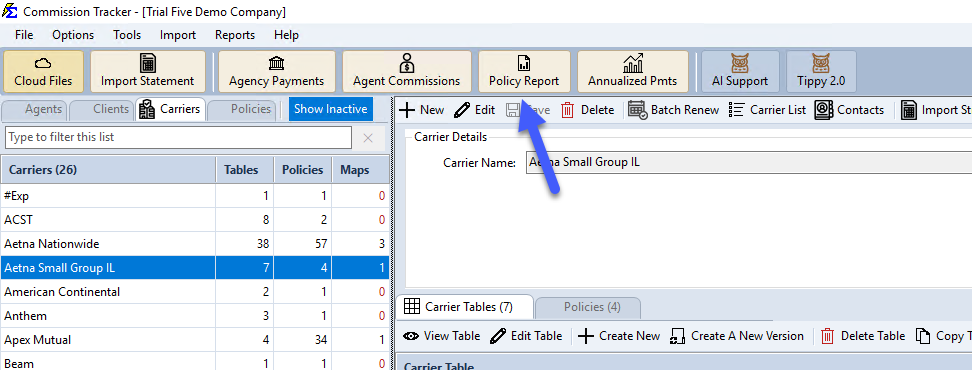
Click the Policy Report button on the main toolbar, or navigate to Reports → Policy → Policy Report.
- Tick the date range you want (Origination Date, Effective Date or Renewal Date) and set its From and To dates.
- Narrow the lists (Policy Status, Revenue Group, Policy Type, Carrier) if needed; (Select All) means every one.
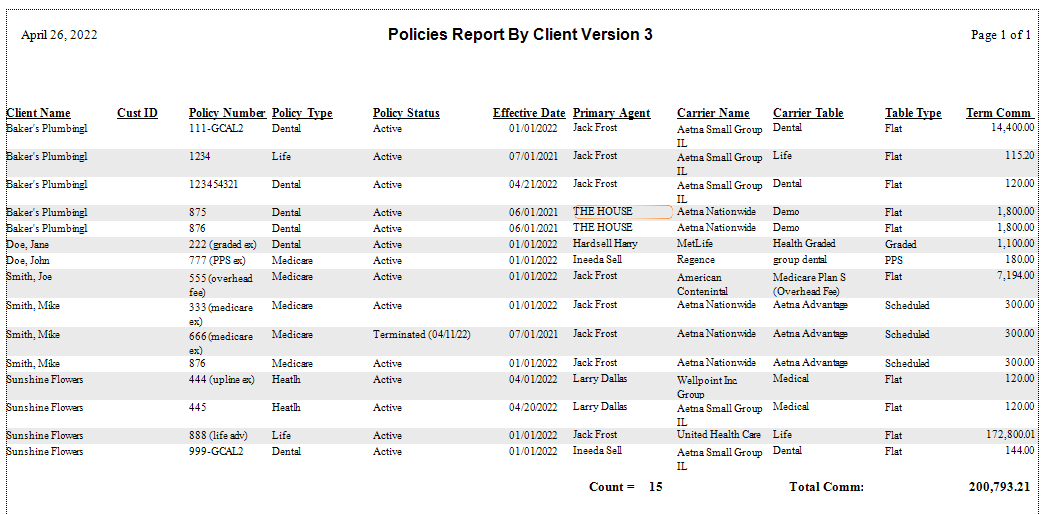
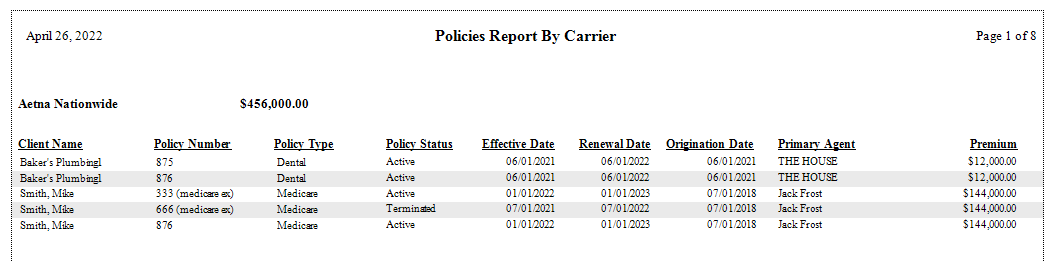
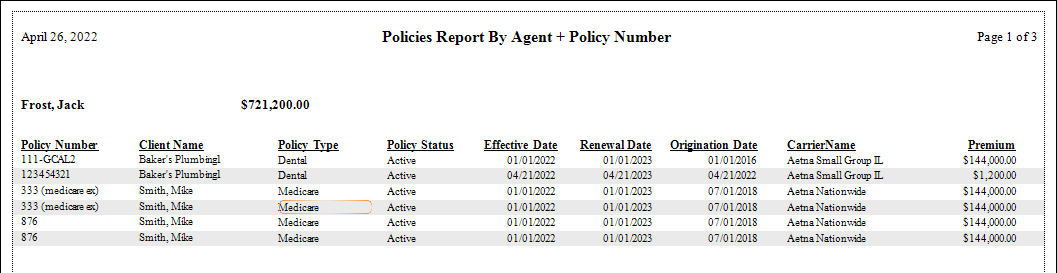
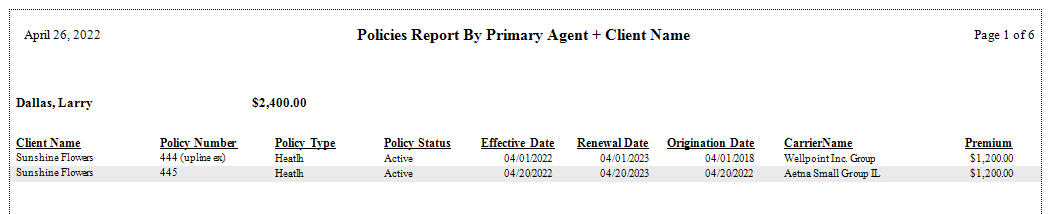
- Select your Sort By option: Client Name, Client Name version 2, Client Name version 3, Carrier Name, Policy Status, Agent Name + Policy Number or Primary Agent Name + Client Name. The Agent Name: list can be changed only for the two agent sorts (Agent Name + Policy Number and Primary Agent Name + Client Name); pick the agents there.
- Click Show Report.
Newer versions only
This is in newer versions of Commission Tracker. If you do not see it, your server has not been updated yet.
- A Period box under the three date ranges (This Month, Last Month, This Year-to-date, ...) fills the From and To dates of every ticked range for you.
- Click Reset to put the whole screen back to the way it opens.
Saved Settings
Newer versions only
This is in newer versions of Commission Tracker. If you do not see it, your server has not been updated yet.
The filter screen has a Saved settings row at the top. Set the filters the way you run this report each cycle, type a name and click Save; next time, pick the name and the whole screen fills in. Saved settings are shared by everyone in your company, and the report remembers the last one you used.
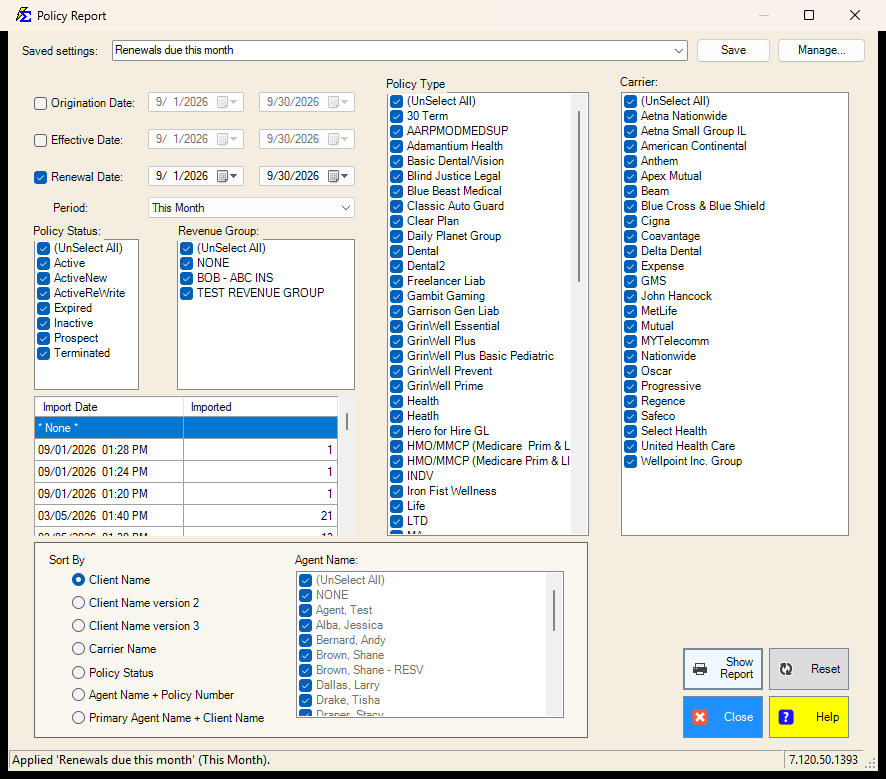
- The Period box under the three date ranges (This Month, Last Month, This Year-to-date, ...) is what a saved setting remembers, so "Renewals due this month" always means the month you run it in. It fills every ticked date range; leave it on Custom to type the dates yourself, including different dates in each range.
- Everything else on the screen is remembered: which date ranges are ticked, the policy statuses, revenue groups, policy types, carriers, the agents and the sort. The import session pick is not saved.
- Lists left at (Select All) stay "all", so a carrier or policy type added later is included automatically.
See Saved Report Settings for saving, renaming and deleting.
Report Formats
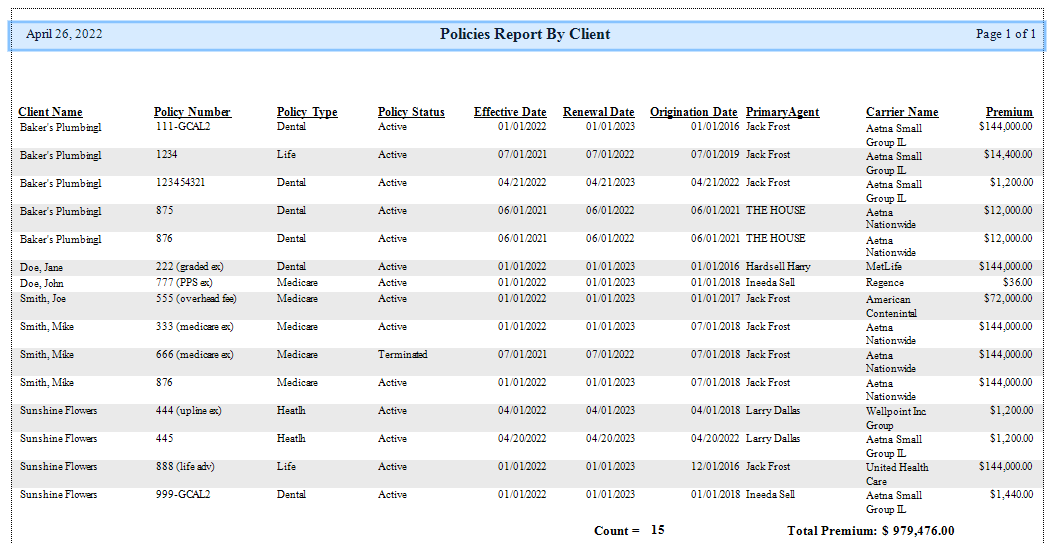
There is no separate Format choice: each Sort By option prints its own layout. The samples below show the layouts.
🔧 Troubleshooting
Policies I expect to see are missing from the report. Check your date filter and status filter settings. If you are filtering by Renewal Date, only policies with a renewal date in that range will appear. Terminated policies may be excluded depending on your status filter — adjust the filter to include all statuses if needed.
The report is missing premium totals. The Policy Report has no Format choice, in any version. The columns come from the Sort By option you pick, so try another Sort By option and compare it with the samples under Report Formats.
After a policy import, some policies are not showing. Filter by Import Policy Session and select the session you just completed. If policies are missing from that session, check the Create Policies screen for errors from that import run.
🔗 Related Topics
- Policy History — View the change log for individual policies.
- Book of Business — Valuation report with premium and commission totals by carrier or agent.
- Create Policies — Bulk create policies from an ICS import session.
Need help? Contact support@commission-tracker.com