Carrier Contact Info
Carrier contact details — name, title, address, and phone number — are all managed together in the Contacts window. This replaces the separate Contact Info, Address, and Phone Number sections that used to appear directly on the Carrier screen.
💡 Why Use This
- Keep every contact in one list — Record your Broker Rep, Commission Accounting contact, and anyone else at the carrier instead of a single set of fields.
- Mark your primary contact — Flag the person your agency should follow up with first.
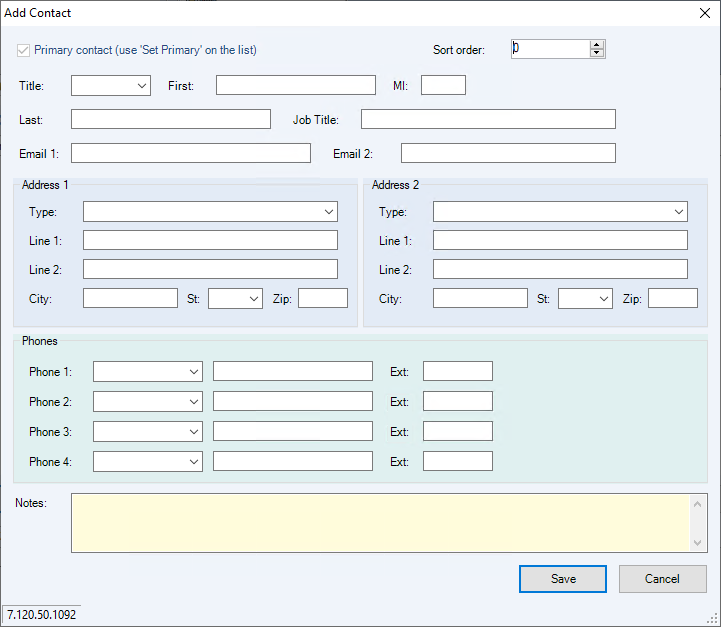
- Store complete details — Each contact can hold two addresses, four phone numbers, and two email addresses.
🗺️ How to Access
Open the carrier's record on the Carrier screen, then click the Contacts button on the toolbar (next to Carrier List).
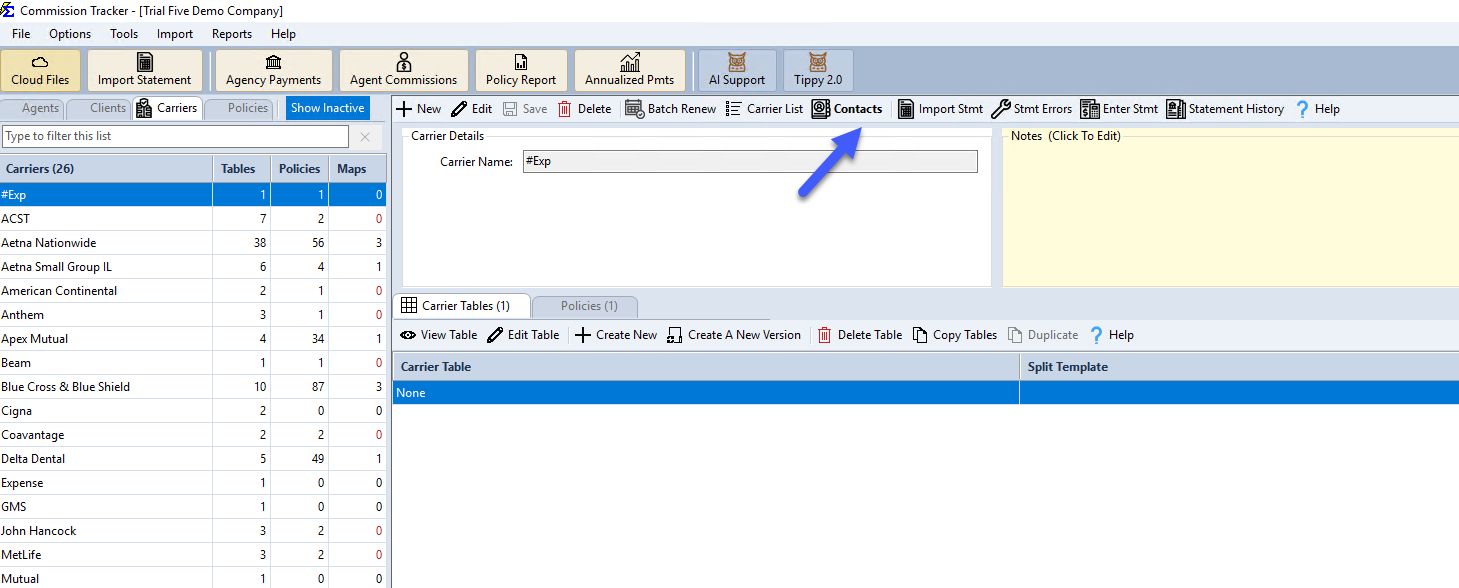
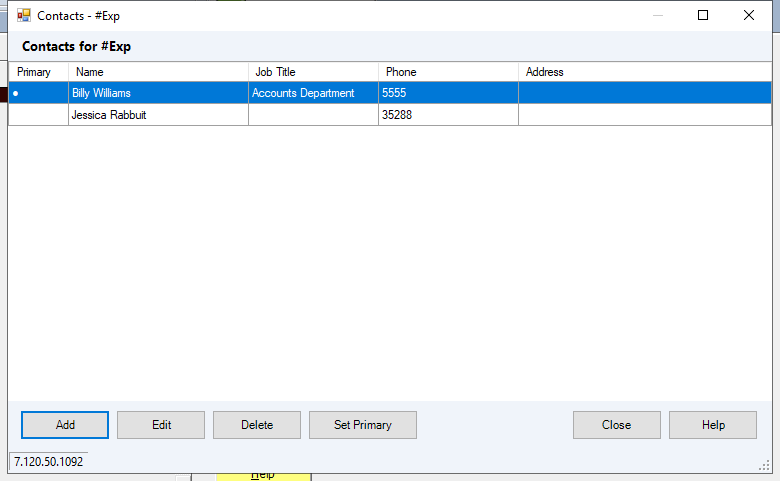
The Contacts Window
All contacts for the carrier appear in a single editable list, with the primary contact flagged and sorted to the top.
Click Add or Edit to fill in a contact's name, title, up to two addresses, up to four phone numbers, up to two email addresses, and notes.
🔧 Troubleshooting
I'm concerned this information will appear on client reports. This is internal agency data only and will not be visible to your clients or agents on their commission statements.
🔗 Related Topics
- Create New Carrier — Initial carrier profile setup.
- Contacts — Full walkthrough of adding, editing, and managing contacts, including migration details for existing data.
Need help? Contact support@commission-tracker.com