Client Contact Info
Client contact details — name, title, email, address, and phone number — are all managed together in the Contacts window. This replaces the separate Contact Info, Address, and Phone Number sections that used to appear directly on the Client screen.
💡 Why Use This
- Keep every contact in one list — Record an HR contact, administrator, or additional contact for a group client instead of a single set of fields.
- Mark your primary contact — Flag the person your agency should correspond with first.
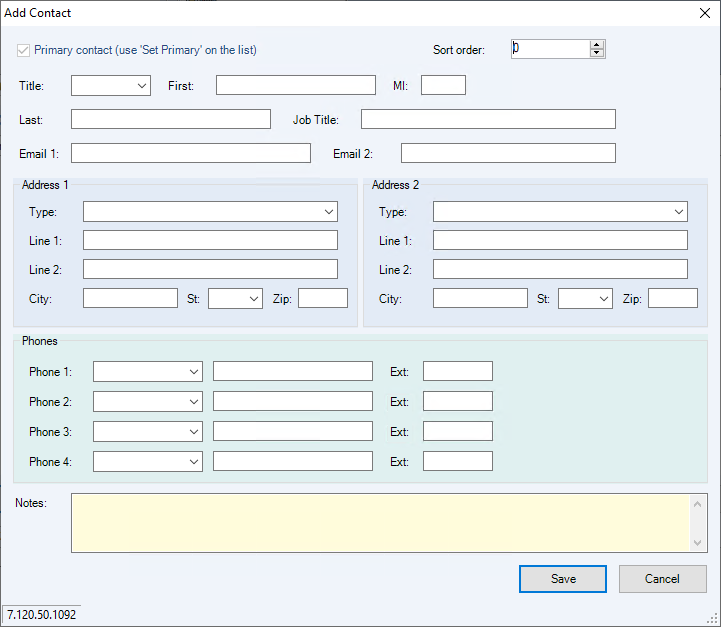
- Store complete details — Each contact can hold two addresses, four phone numbers, and two email addresses.
🗺️ How to Access
Open the client's record on the Client screen, then click the Contacts button on the toolbar (next to Help).
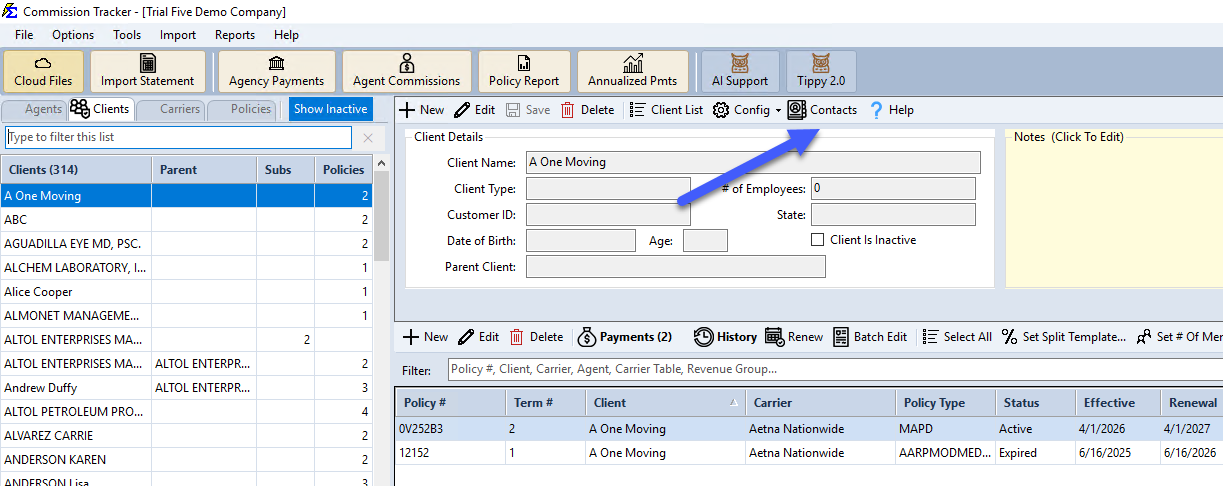
The Contacts Window
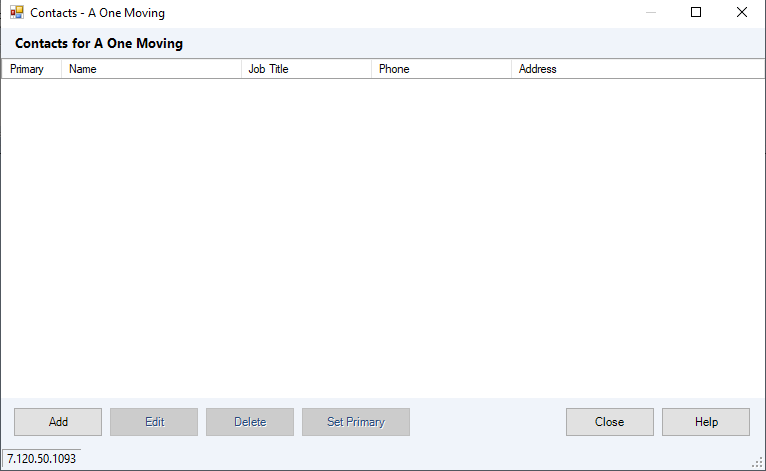
All contacts for the client appear in a single editable list, with the primary contact flagged and sorted to the top.
Click Add or Edit to fill in a contact's name, title, up to two addresses, up to four phone numbers, up to two email addresses, and notes.
🔧 Troubleshooting
I need to store multiple email addresses for one client. Use both Email 1 and Email 2 on the contact, or add a second contact — see Contacts for details.
🔗 Related Topics
- Create New Client — Initial client profile setup.
- Parent Company / Sub Client — Link subsidiary clients for consolidated reporting.
- Contacts — Full walkthrough of adding, editing, and managing contacts, including migration details for existing data.
Need help? Contact support@commission-tracker.com