Deleted Payments Audit
The Deleted Payments screen provides a permanent audit log of every payment removed from the system. It records who deleted the payment, when, and what agent commissions were affected — so no payment data disappears without a traceable record.
💡 Why Use This
Use the Deleted Payments screen when you need to:
- Audit a deletion — Identify who deleted a payment and exactly when it was removed.
- Verify agent commission impact — See which agents lost earnings as a result of a deletion.
- Restore a deleted payment — Repost a payment that was removed in error.
🗺️ How to Access
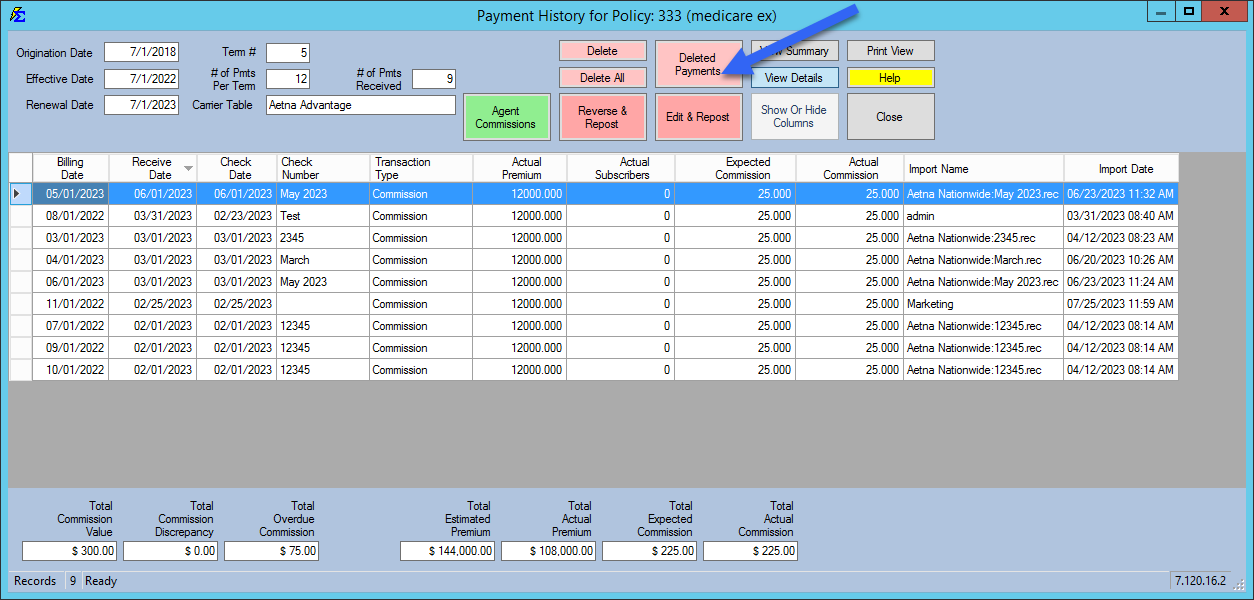
The Deleted Payments button is located on the Payment History screen for a specific policy.
Pink Button Indicator
If any payments have ever been deleted for a policy, the Deleted Payments button turns pink. This indicator remains permanently, even if the payments were later restored — it serves as a flag that a deletion event occurred at some point in the policy's history.
Audit Columns
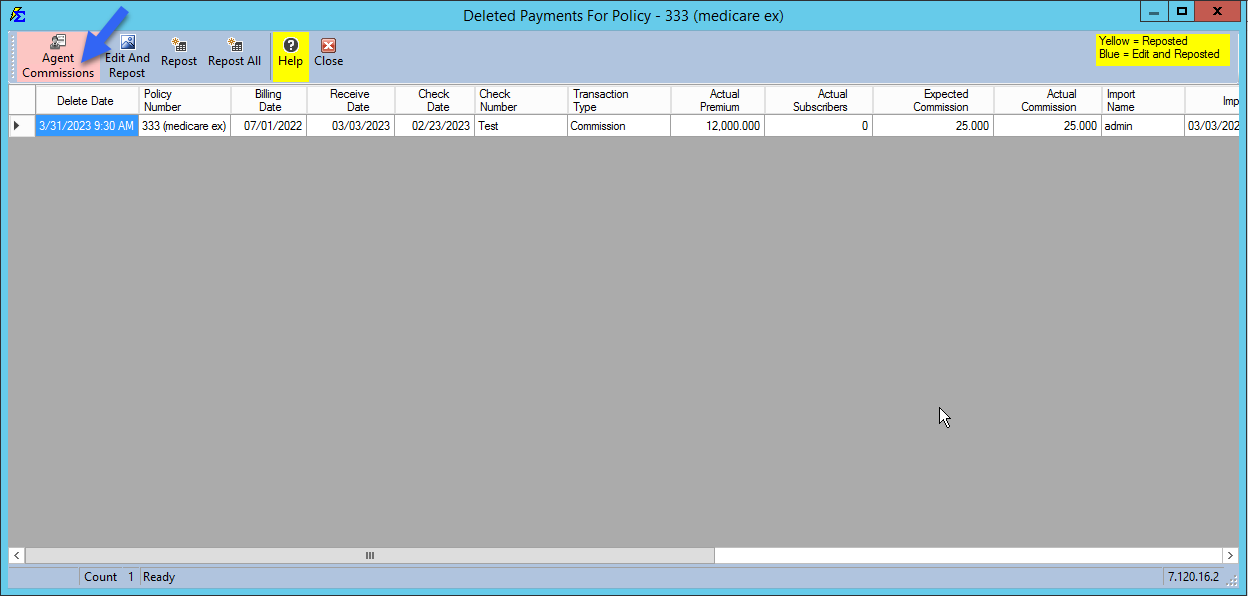
When you open the Deleted Payments view, the system displays the following metadata for each deletion event:
| Column | Description |
|---|---|
| Delete Date | The exact date and timestamp of when the record was removed. |
| Logon | The Commission Tracker username of the person who deleted the payment. |
| User | The name of the Remote Desktop (RDP) connection used at the time of deletion. |
| Source | Indicates whether the user clicked the individual Delete button or the Delete All button. |
Agent Commission Impact
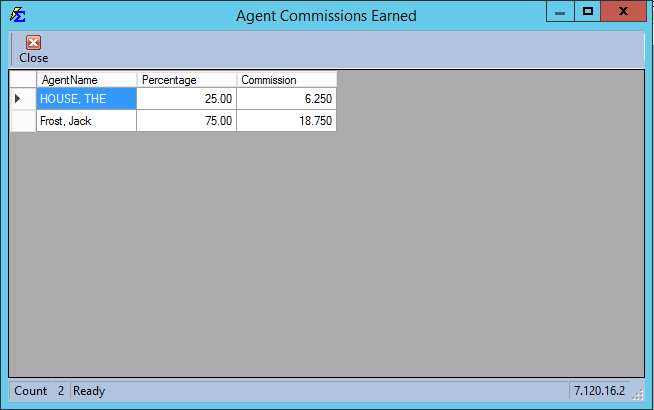
Deleting a payment removes the corresponding earnings from agent payroll records. Click the Agent Commissions button to open a detail view showing:
- Agent Name — The producer whose earnings were affected.
- Percentage — The specific split percentage that was applied.
- Commission — The exact dollar amount removed from the Agent Commissions Earned Report.
Restoring a Deleted Payment
To restore a payment that was deleted in error:
- Navigate to Payment History for the policy.
- Click the Deleted Payments button (pink).
- Locate the deleted payment record.
- Click Repost, Edit and Repost, or Repost All depending on whether you need to make changes before restoring.
See UnDelete (Repost) Payments for full details on the repost workflow, including how to apply updated agent splits during the repost.
🔧 Troubleshooting
The Deleted Payments button is pink but I don't remember deleting anything. The button stays pink permanently once any payment has ever been deleted for that policy, regardless of whether it was later restored. Open the Deleted Payments screen to review the audit log and confirm what was removed and by whom.
I need to reverse a deletion but the payment amounts were also wrong. Use Edit and Repost instead of Repost. This option lets you modify the amounts before restoring the payment record.
The agent commission detail shows the wrong agent received credit before deletion. If you need to fix the agent split before reposting, close the Deleted Payments screen, update the Policy-Specific Agent Commission Split Table on the policy first, then repost. The repost will apply the current split settings.
🔗 Related Topics
- Payment History — View, correct, and manage all posted payments.
- UnDelete (Repost) Payments — Restore deleted payments with updated splits.
- Agent Commissions Earned Report — Review agent earnings after corrections.
- User Management — Manage user accounts and permissions.
Need help? Contact support@commission-tracker.com