Edit Billing Date
The Edit Billing Dates button on the Statement Errors screen changes the billing date on statement rows that have not posted yet. Use it only when the date on the carrier statement itself is wrong.
💡 Why Use This
Use Edit Billing Dates when:
- The carrier's file has the wrong month on some rows — for example, a statement whose rows are all dated one month off.
- The import read a date wrongly — correct the rows in one step instead of fixing the file and importing again.
Do Not Use It to Clear a Correct Date
If the month on the statement is right, do not change it to make an error go away. The payment would then post to a month the carrier did not pay. Fix the policy instead (see below).
🗺️ How to Access
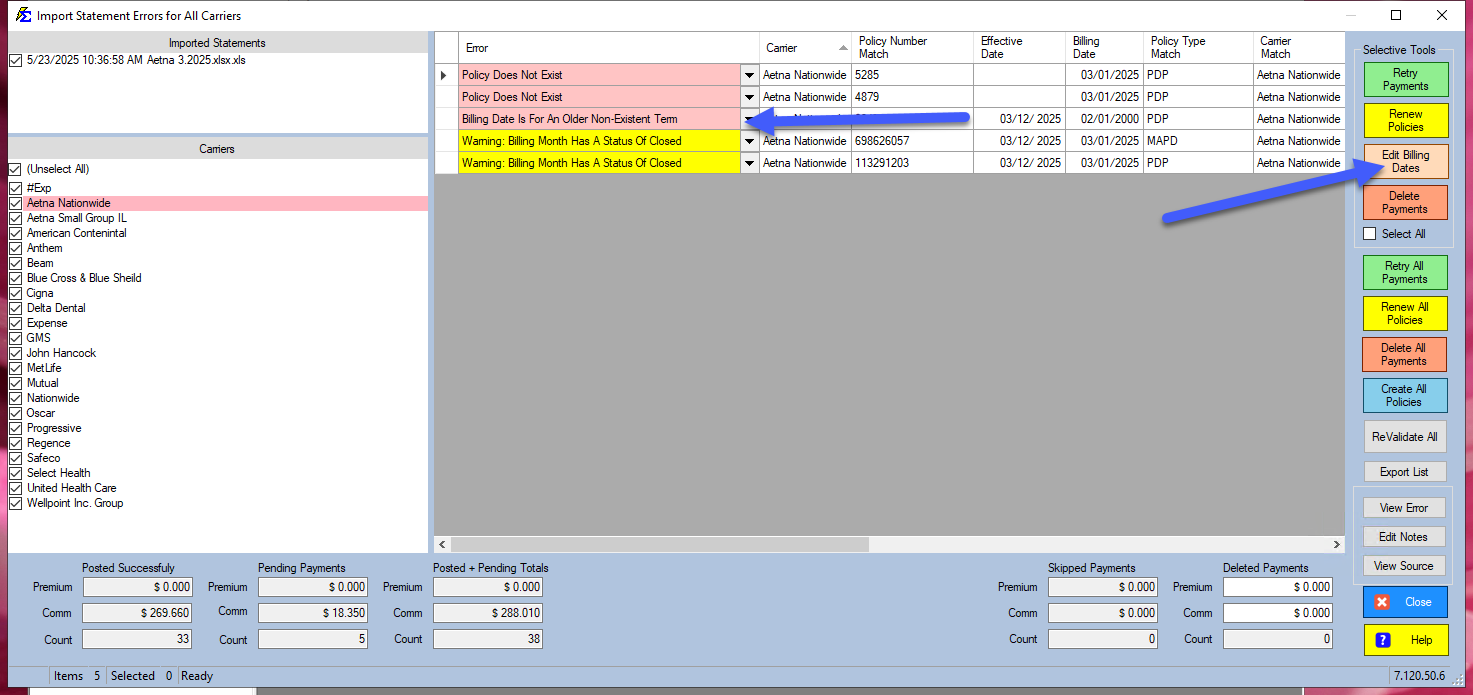
On the Statement Errors screen, select one or more rows, then click Edit Billing Dates in the Selective Tools group.
What "Billing Date Is For An Older Non-Existent Term" Means
Commission Tracker posts each payment to the month the statement names, in whichever term of the policy covers that month. A payment for July posts to July even after the policy renewed in September, as long as the earlier term is in Commission Tracker.
This error means no term of the policy in Commission Tracker covers that month: the month is earlier than the policy's dates.
- The statement's month is right: the policy's start date in Commission Tracker is wrong. Open the policy, pick its first term in the TERMS list, correct the Term Effective Date in the Dates & Billing group, click Save, then come back and click Retry Payments.
- The statement's month is wrong: use Edit Billing Dates as below.
Step-by-Step: Correcting a Billing Date
- On the Statement Errors screen, select the row or rows to correct.
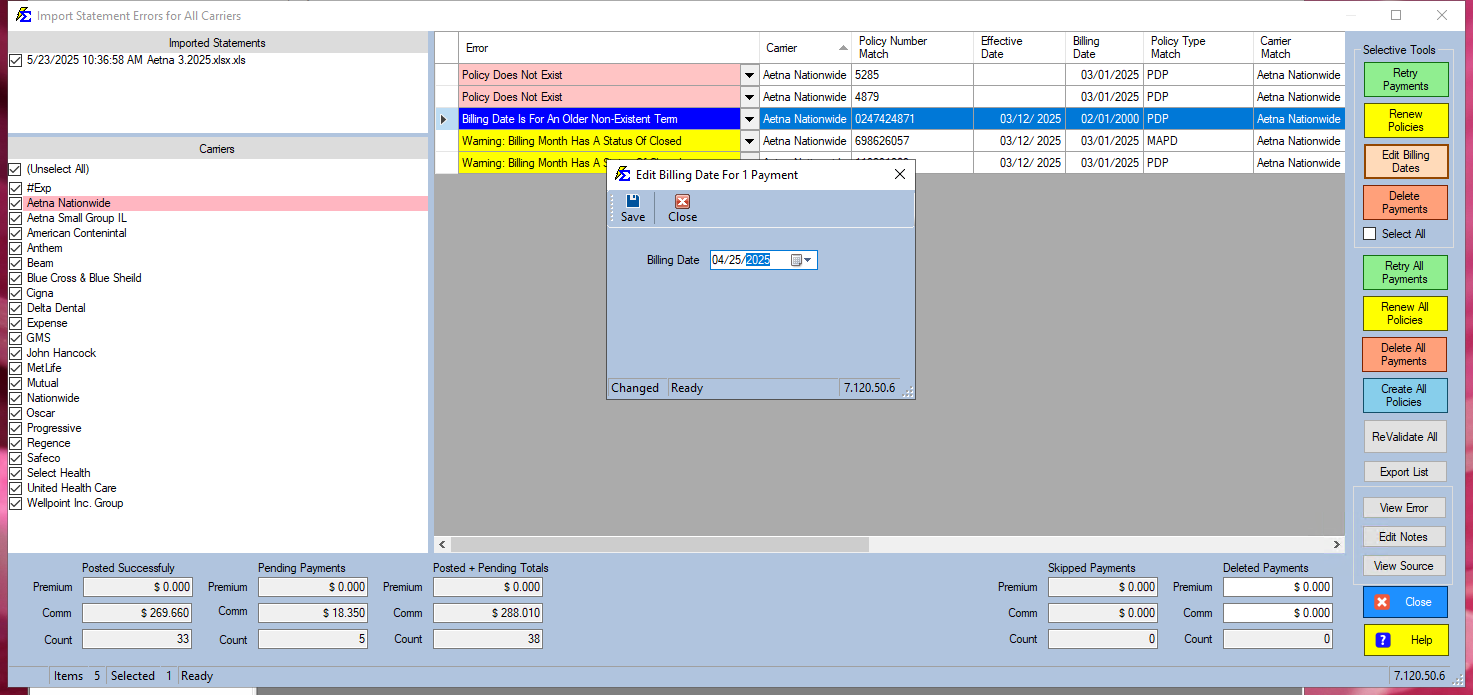
- Click Edit Billing Dates.
- Pick the correct Billing Date and click Save, then Close. The rows are checked again automatically.
- Click Retry Payments to post.
🔧 Troubleshooting
After editing and retrying, the same error appears. The new month is still outside every term of the policy. Check the policy's terms in the TERMS list; if the policy's dates are wrong, fix the Term Effective Date instead.
I'm not sure whether to edit the billing date or the policy's date. If the carrier's month is correct, fix the policy's Term Effective Date. If the carrier's month is wrong, use Edit Billing Dates. When in doubt, contact support.
I need to fix dates on an import that was already posted. Edit Billing Dates only works on rows that have not posted. For a whole import, reverse it (Manage Statements on the carrier, or Import > Manage Import/Reconcile Sessions; newer versions: Statement History), correct the dates in the file, and import it again. For a single payment, open the policy, click Payments, select the payment and use Edit & Repost.
🔗 Related Topics
- Errors — Import Carrier Statement — Full error resolution workflow.
- Retry Payments — Post payments after correcting billing dates.
- Reverse an Import or Reconcile Session — Undo a whole statement import.
- Payment History — Edit & Repost a single posted payment.
Need help? Contact support@commission-tracker.com