Automatic House Calculation
The Automatic House Calculation feature simplifies your commission split tables by automatically assigning any unallocated commission, bonus, or override to "The House." This eliminates the need to manually add the House account to every policy split table.
💡 Why Use This
Enable this feature when:
- The House always retains the balance — You want to ensure that if you pay an agent 70%, the remaining 30% always goes to the agency without a manual entry.
- Simplifying setup — You want to reduce the number of rows in your Agent Commission Split Tables.
- Ensuring reconciliation — You want to guarantee that 100% of every received dollar is accounted for, even if a House split is accidentally omitted.
🗺️ How to Access
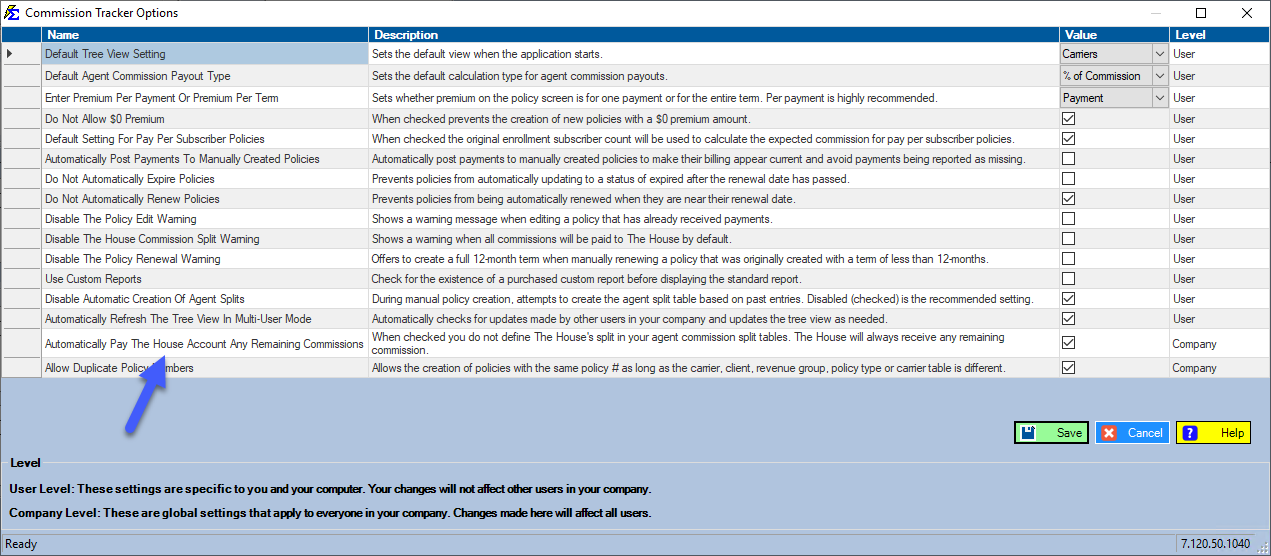
- Click Options on the menu bar at the top of the main window (it is its own menu, between File and Tools).
- Check the Automatically Pay The House Account Any Remaining Commissions checkbox.
- Click Save.
Enabling the Feature
This is a Company Level setting in the Options window, so it applies to everyone in your company.
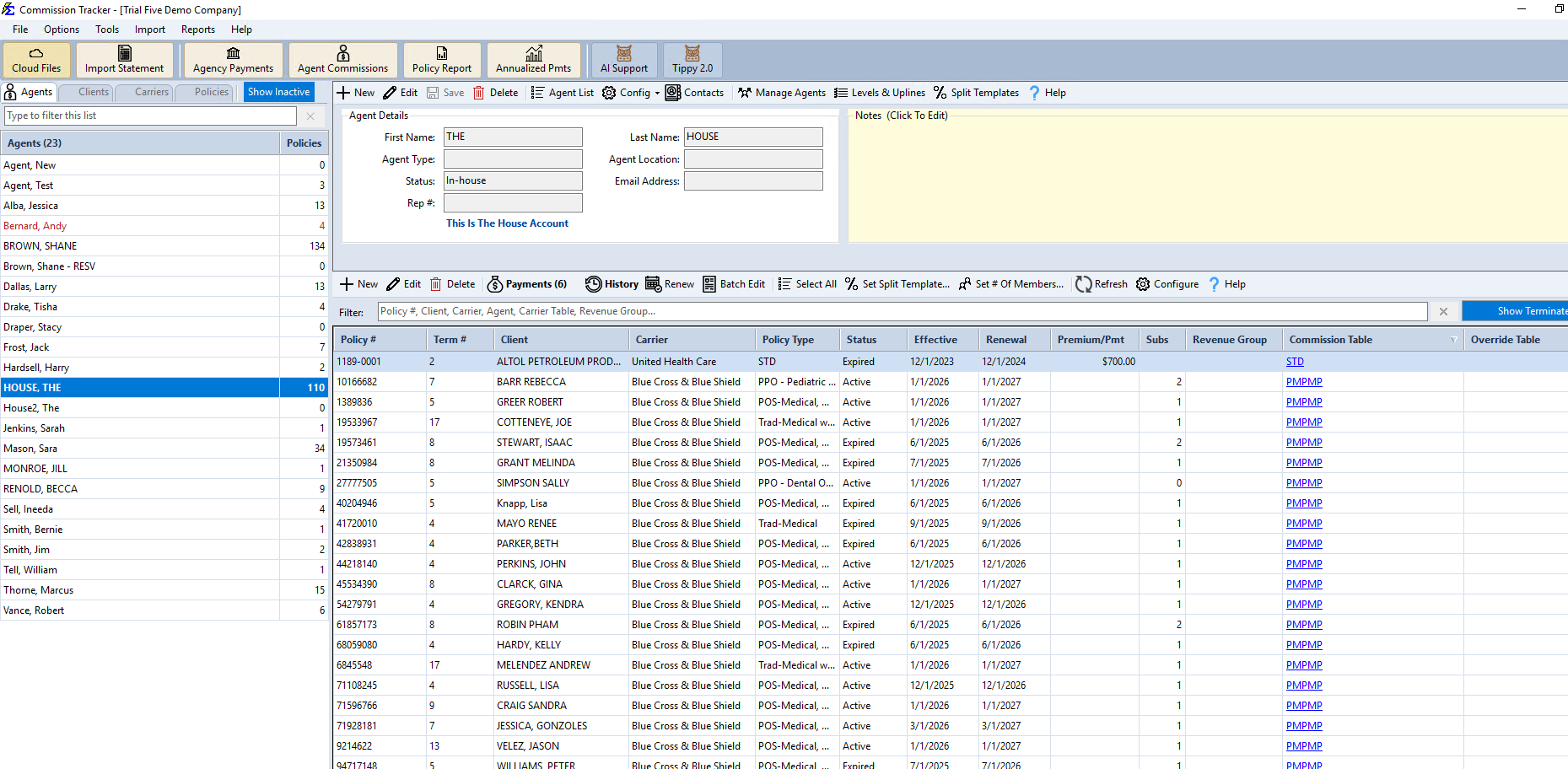
The system identifies your primary Agency account by the This Is The House Account label shown on its own Agent profile.
What Happens When This Feature is On
The House is Hidden from Selection, and Automatically Allocated
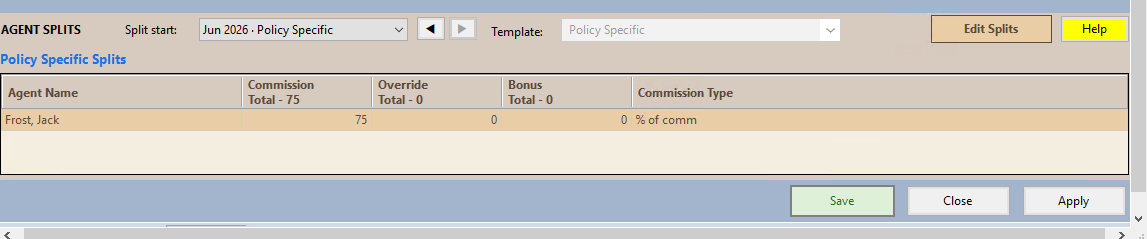
When setting up a Policy-Specific Split, "The House" no longer appears as an option in the dropdown or the split grid. If you create a split giving Agent Jack Frost 75%, the grid shows only Jack Frost's row — the system automatically calculates the remaining 25% for the House in the background rather than listing it.
Payment History Accuracy
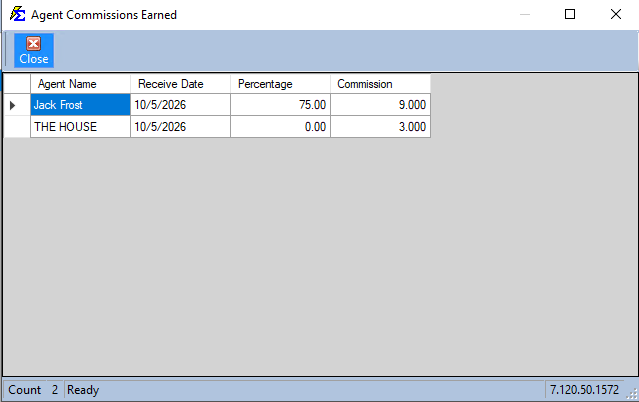
When a payment is posted, reports like Agent Commissions Earned show the correct payouts to both the agent and the House, ensuring your agency totals remain perfectly balanced.
Important Rules
Legacy Splits
Turning this feature on will not impact split tables created before the setting was enabled. It only applies to new split tables created going forward.
- Deactivation — If you turn this feature off, payments will only be paid out to the specific agents listed in the table. If a table only has an agent at 75% and the feature is off, 25% of that commission will remain unallocated.
- Transaction Types — This automatic calculation applies to all transaction types, including Commissions, Bonuses, and Overrides.
🔧 Troubleshooting
I still see The House listed on some policy split tables even though the feature is on. Those policies likely had their split tables created before you enabled the global option. You can manually remove the House from those tables to standardize them going forward.
I'm not sure which account is "The House." Open the agent's profile from your Agent List. The account designated as the House account shows a This Is The House Account label on its profile.
🔗 Related Topics
- Policy-Specific Agent Commission Split Table — Configure splits for individual policies.
- Carrier Table Agent Splits — Standard split setup at the carrier table level.
- Agent Commissions Earned Report — Review how House calculations appear in reports.
- Options Menu — Manage global system settings.
Need help? Contact support@commission-tracker.com