Commissions by Carrier Table
The Commissions by Carrier Table report (titled Carrier Table Report on screen) lists every Carrier Commission Table you've created, along with its configured rates broken out by policy year. It's a directory of your commission schedules — not a revenue summary — making it a quick way to audit rate setups across your entire book.
💡 Why Use This
Use this report when:
- Auditing table setups — Confirm the rates configured for your Scheduled, Flat, Graded, and PPS tables are correct across every carrier.
- Reviewing rate structures — See every policy-year rate row for a table at a glance, instead of opening each table individually.
- Documenting contracts — Export the full list for recordkeeping or carrier contract audits.
🗺️ How to Access
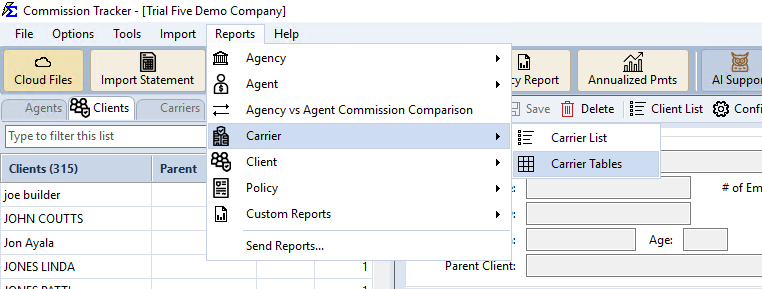
- Navigate to Reports → Carrier → Carrier Tables.
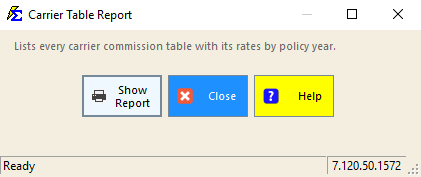
- Click Show Report.
Understanding the Results
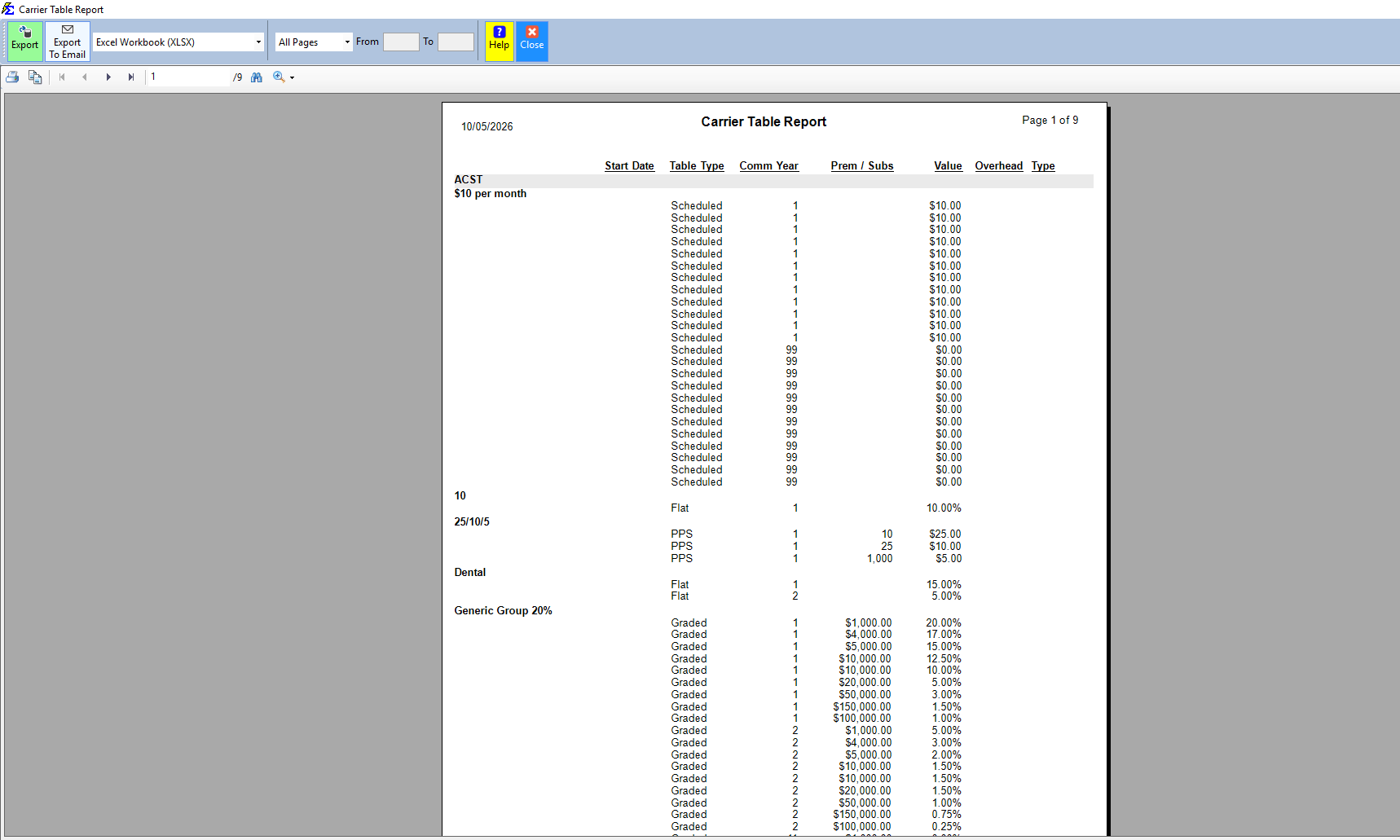
The report groups rows by Carrier, then by Table Name, listing each configured rate row:
- Start Date — The effective date for table versions, where applicable.
- Table Type — Scheduled, Flat, Graded, or PPS.
- Comm Year — The policy term/year the row applies to.
- Prem / Subs — The premium or subscriber threshold the row applies to (for Graded and PPS tables).
- Value — The dollar amount or percentage rate for that row.
- Overhead / Type — Additional table-level settings.
Use Export or Export To Email to save the report as an Excel Workbook (or other supported format) for offline review.
🔧 Troubleshooting
A carrier table I expect to see is missing from the report. Confirm the table still exists under that carrier and hasn't been deleted. See Create Carrier Commission Tables.
The report doesn't show revenue totals or agent splits. This is expected — this report is a rates directory only. For revenue summaries, use Book of Business or Agency Payments Received.
🔗 Related Topics
- Create Carrier Commission Tables — Set up and manage the tables this report lists.
- Book of Business — Policy-level revenue breakdown including client names.
- Agency Payments Received — Revenue received by carrier.
Need help? Contact support@commission-tracker.com