Commissions by State
The Commissions by State report (generated via the Agency Payments Received report) is an essential tool for tax preparation and regional compliance. It calculates total revenue earned within specific jurisdictions to support accurate state tax filings and licensing renewals.
💡 Why Use This
Use this report when:
- Simplifying tax preparation — Quickly calculate gross revenue earned in each state for annual tax filings.
- Auditing licensing requirements — Verify revenue levels in states where you hold non-resident licenses to ensure compliance.
- Analyzing regional growth — Identify which states are driving the most revenue to better target multi-state marketing efforts.
🗺️ How to Access
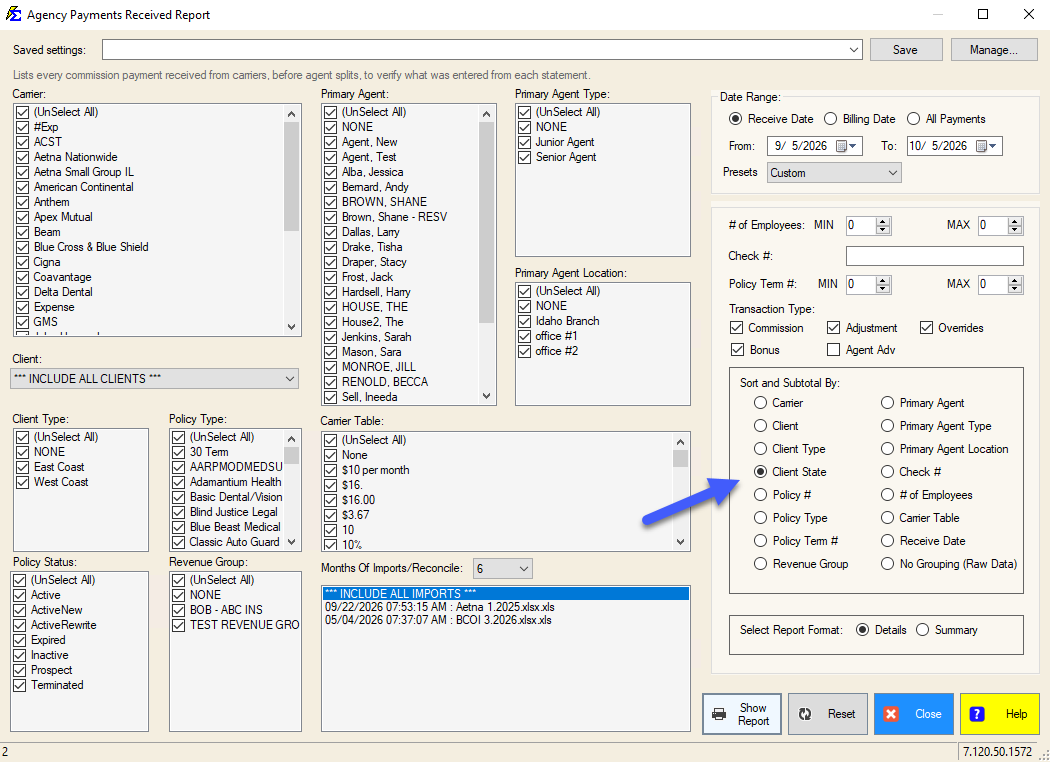
- Click the Agency Payments button on the main toolbar.
- In the Date Range section, select the desired tax year or period.
- Under Sort and Subtotal By, select Client State.
- Choose Details or Summary under Select Report Format.
- Click Show Report.
Data Source Logic
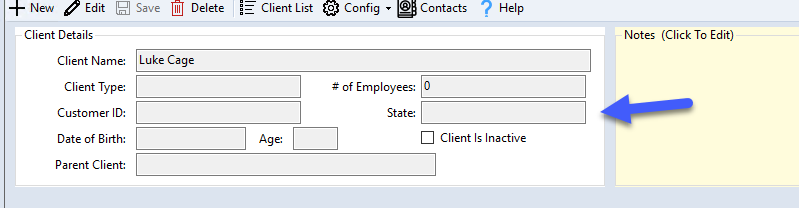
The information in this report is pulled from the Client screen. For the data to be accurate:
- The State field directly on the Client Details screen must be populated for each client.
- The system associates every payment received with the state listed on the client record.
Understanding the Results
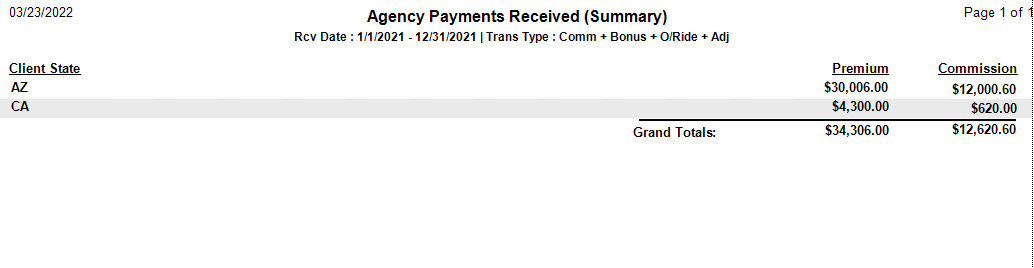
Summary Format
Provides a high-level total for each state. Use this for tax time when you need only the bottom-line figure for each jurisdiction.
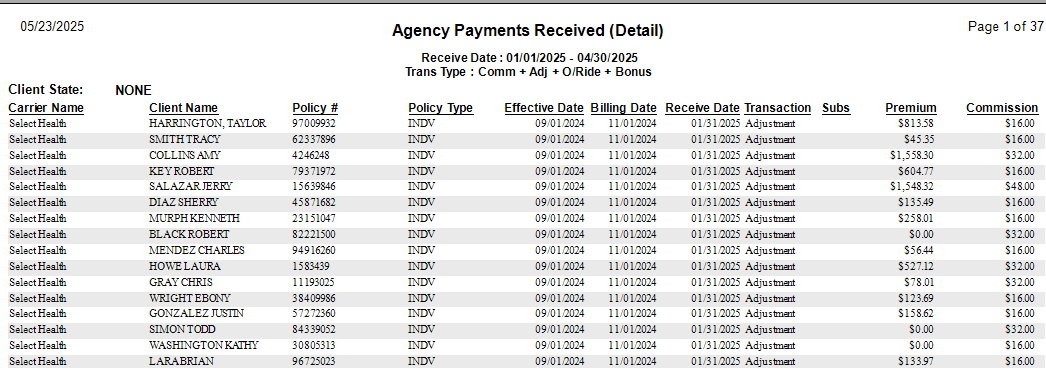
Detail Format
Breaks down revenue by client and policy within each state. Use this to audit specific accounts or verify which clients are contributing to your out-of-state revenue.
🔧 Troubleshooting
There is a "None" or "Unknown" state category in the results. This occurs when payments are posted to clients who do not have a State selected on their Client Details screen. Open each affected client record, add the correct state, and re-run the report. Payments already posted will update their state association once the client record is corrected.
The report is using the agent's state instead of the client's state. This report uses the Client's State by design. If you need to report based on where the agent is licensed, verify that your agents are assigned to the correct clients and use the agent-based filters in the Agent Commissions Earned Report.
I need a list of clients missing a state assignment. Run the Client List Report and filter for records where the State field is blank. Update those records before re-running the Commissions by State report.
🔗 Related Topics
- Agency Payments Received — The base report this view is generated from.
- Create New Client — Where the State field is set on each client record.
- Client List Report — Identify clients with missing state assignments.
Need help? Contact support@commission-tracker.com