Disable Agent Commission Split Warning Message
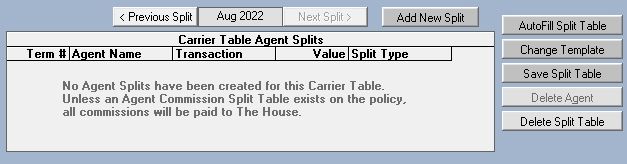
When manually posting a payment to a policy where the Agent Commission Split Table is empty, Commission Tracker displays a warning notifying you that 100% of the commission will be allocated to the House by default. For agencies that intentionally direct all commissions to the House, this recurring prompt can slow down data entry.
💡 Why Use This
Use this setting when:
- House-only agencies — Your agency does not pay external agent splits, so the warning serves no purpose.
- Bulk manual entry — You are posting a high volume of payments and the extra click on every payment is disruptive.
- Initial setup — You are still building your agent split tables and want to clear the warning during the setup phase.
The Warning Message
When this setting is enabled (default), the following prompt appears whenever a payment is posted to a policy without an Agent Commission Split Table:
🗺️ How to Access
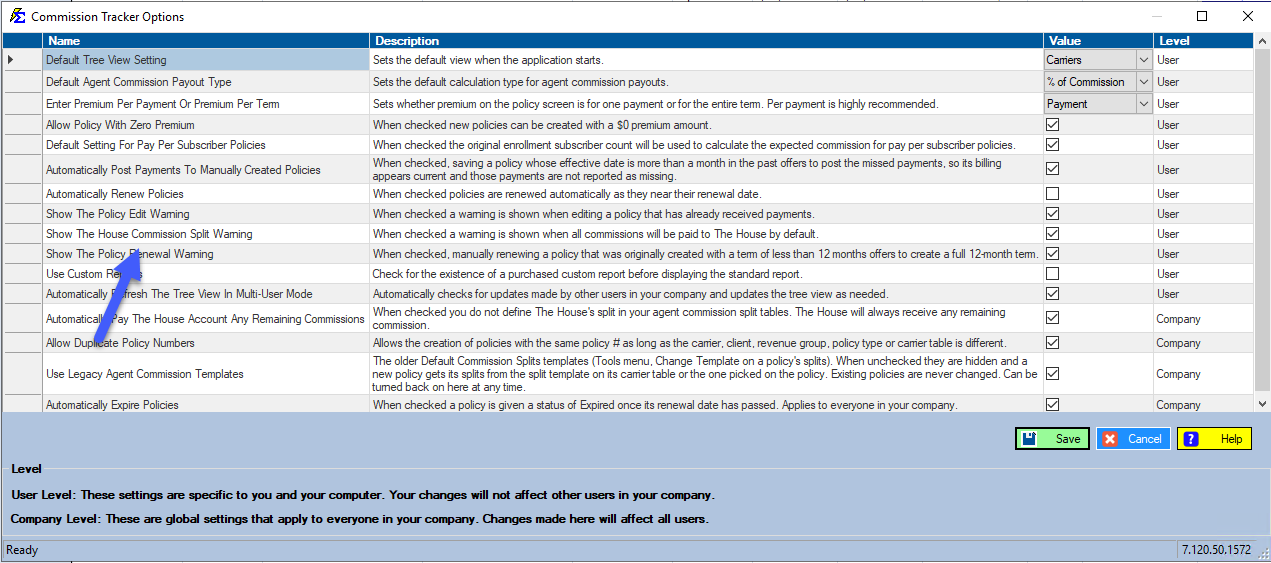
- Click Options on the menu bar at the top of the main window (it is its own menu, between File and Tools).
- Locate the checkbox labeled Show The House Commission Split Warning.
- Uncheck the box to suppress future alerts (it is checked, meaning shown, by default).
- Click Save.
Caution
Disabling this warning means the system will not alert you when posting to policies that have no agent splits configured. Without the prompt, it is possible to accidentally pay 100% to the House on a policy that should have had a producer split. Ensure all intended splits are configured before disabling this warning in a live production environment.
🔧 Troubleshooting
A payment went 100% to the House when it should have had a split. If the warning was disabled and a payment posted to an unsplit policy, correct the payment in Payment History. You may need to delete and repost the payment with the correct split table in place.
The warning needs to be re-enabled. Click Options on the menu bar again, check the Show The House Commission Split Warning box, and click Save. The alert will reappear on subsequent payments.
🔗 Related Topics
- Options Menu — All available Options Menu settings.
- Carrier Table Agent Splits — Configure splits at the carrier table level.
- Agent Commission Split Table — Configure splits on individual policies.
Need help? Contact support@commission-tracker.com