Renew Policies (by Carrier)
The Renew Policies (by Carrier) tool batch-renews all policies for a specific carrier at once. It provides options to adjust premiums, update carrier tables, align term dates, and even create multiple years of terms in a single operation.
💡 Why Use This
Use Renew Policies (by Carrier) when:
- Many policies for one carrier need to advance to the next term — More efficient than renewing each policy individually.
- Carrier commission rates are changing for the new year — Update the carrier table for all policies in the batch before creating the new terms.
- Medicare or date-aligned products need a January 1st reset — Use the Partial Term Adjustment to prorate and sync term dates across the book.
- Policies are multiple years behind — Use Multi-Year Renewal to create several terms at once and bring records up to the current year.
🗺️ How to Access
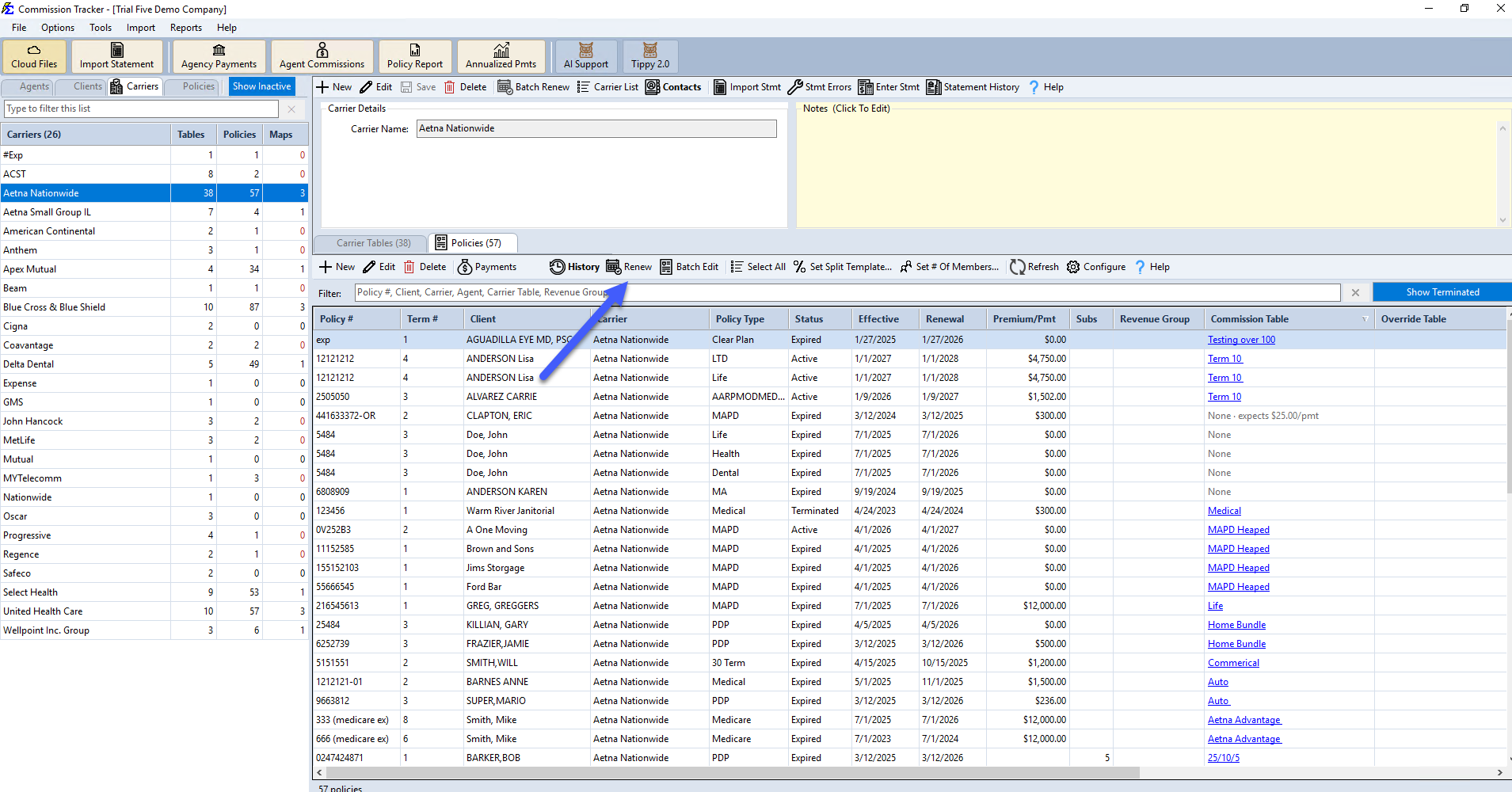
- Open the Carrier record.
- Click Batch Renew.
Features
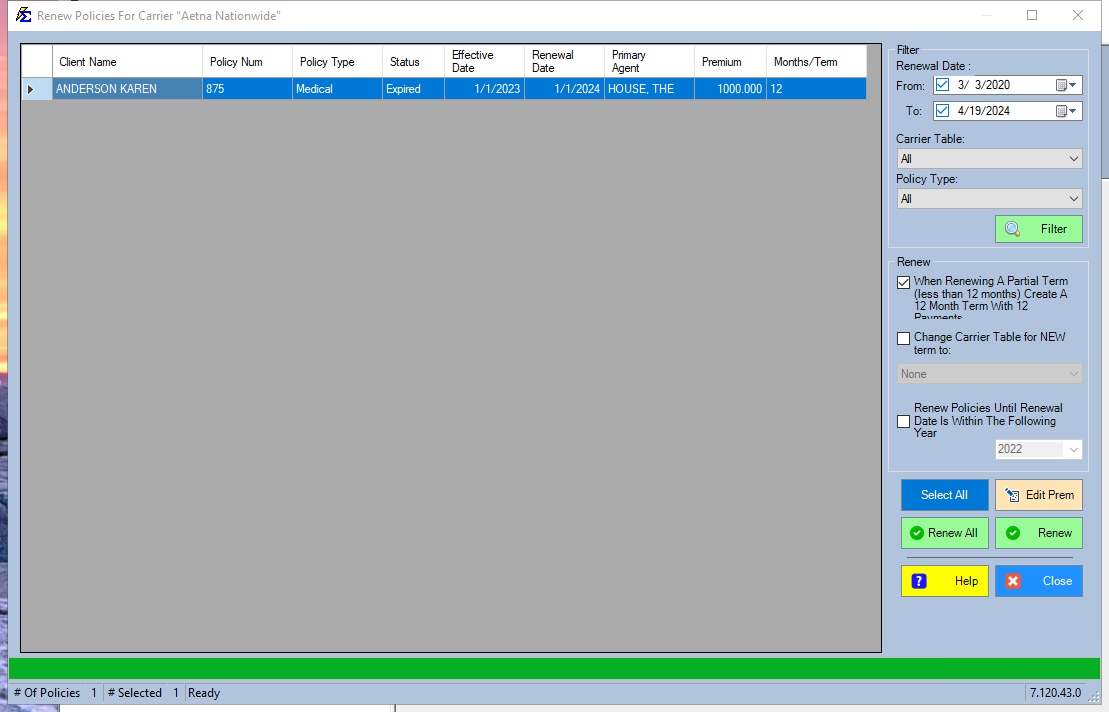
- Edit Premium — Double-click any row to adjust the premium before the new term is created.
- Global Table Update — Change the Carrier Commission Table for all selected policies at once for the upcoming term.
- Partial Term Adjustment — Syncs policies to a specific renewal date (such as January 1st) by automatically prorating premiums to a 12-month cycle.
- Multi-Year Renewal — Automatically creates multiple terms at once to bring an old policy record up to the current year.
🔧 Troubleshooting
A policy I expect to see is not in the list. Confirm the policy is assigned to this carrier and that its status is Active. Terminated or Inactive policies are not included in the renewal batch.
After renewing, some policies have incorrect term dates. If policies used the Partial Term Adjustment, verify the target renewal date was set correctly before running the batch. Incorrect dates must be corrected individually in each policy's Dates & Billing group (see Policy Information).
I need to update the carrier table for the new year before renewing. Use the Global Table Update option in the renewal screen to change the Carrier Commission Table for all selected policies before creating the new terms. Confirm the new Carrier Commission Table is already set up before running the batch.
I renewed the wrong carrier's policies. Individual policy terms must be deleted one at a time from each policy's term list to undo a batch renewal. There is no session reversal for carrier-based renewals.
🔗 Related Topics
- Renewing Policies — Overview of all renewal methods.
- Manually Renew a Policy — Renew a single policy from the Policy screen.
- AutoRenew Policies — Automatically renew policies as they expire.
- Carrier Commission Tables — Set up updated commission tables before renewing.
Need help? Contact support@commission-tracker.com