Sort Grid Screens Using Column Headings
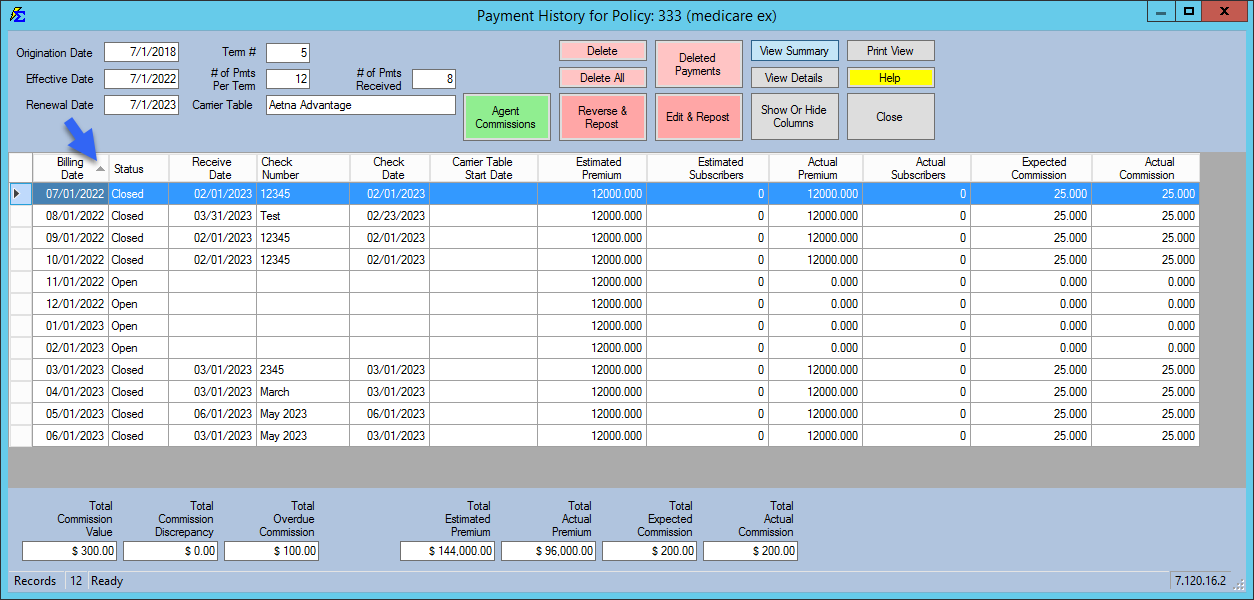
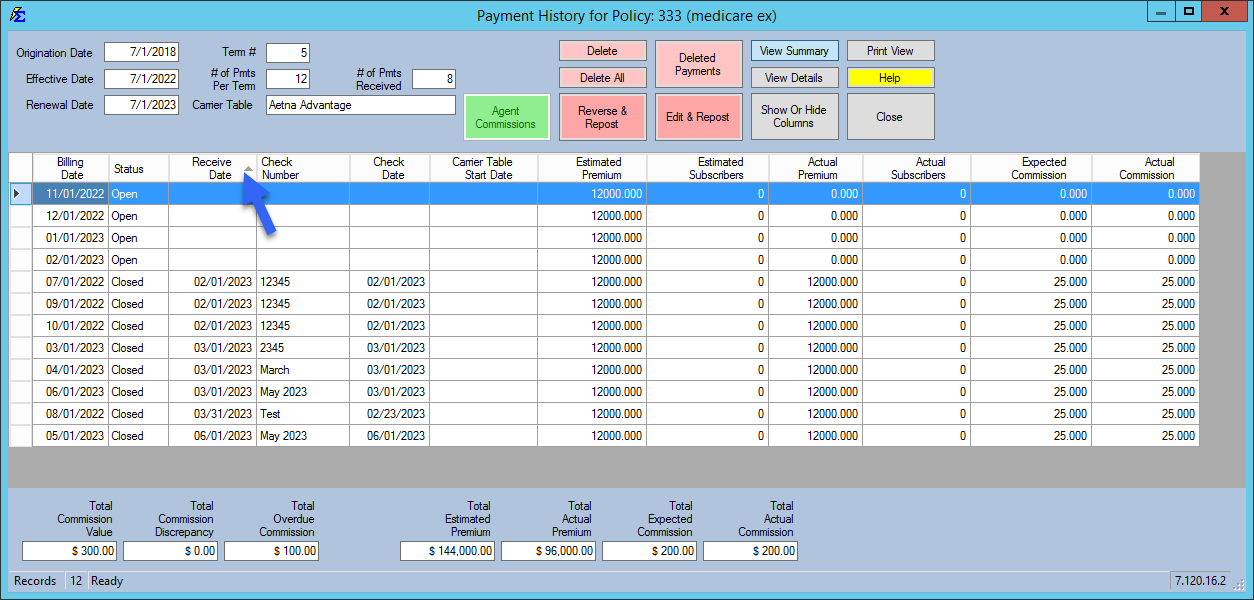
Customize your workspace by sorting grid data. Click any column heading to toggle between ascending and descending order.
💡 Why Use This
Sorting lets you quickly group and find records without running a report. Sort by date to see the most recent activity, by status to group policies together, or by carrier to verify imports — all with a single click.
🗺️ How to Access
Sorting works on any grid in Commission Tracker — for example the policy grid on the Policy List screen, the lists of agents, clients, and carriers, and Payment History. There is nothing to open; click a column heading on the grid you are looking at.
How to Use
- Sort — Click any column heading (e.g., Client Name, Date, or Amount) to sort by that column.
- Direction — A grey arrow indicates whether the sort is ascending or descending. Click the heading again to reverse the direction.
- Date Sorting — Use this to quickly see the most recent payments or upcoming renewals.
Tips for Getting the Most Out of Sorting
- Sort by Status — Groups all Active or Terminated policies together instantly.
- Sort by Carrier in Payment History — Quickly verify that all payments for a specific carrier were imported correctly.
🔧 Troubleshooting
Clicking a column heading does nothing. Make sure you click the heading at the top of the column, not a cell in the grid.
The list is sorted the opposite way from what I want. Click the same column heading again to reverse the direction. The grey arrow on the heading shows which way it is sorted.
🔗 Related Topics
- Policy List — The main policy screen, including the Filter: box for finding policies.
- Payment History — View and manage posted payments.
Need help? Contact support@commission-tracker.com