Create New Client
In Commission Tracker, a Client represents the individual or organization (group) that purchases coverage from a carrier. You must establish a client record before you can Create a New Policy. A single client record can act as a hub for multiple policies, such as health, life, and dental.
💡 Why Use This
Every policy requires a client record. Create a client when:
- Adding a New Policyholder — Before creating any policy, the client must exist in the system.
- Managing a Group Account — A single client record can hold multiple policies and track employee counts across all of them.
- Organizing by Hierarchy — Subsidiaries can be linked to a parent company using the Parent Company / Sub Client feature for consolidated reporting.
🗺️ How to Access
On the main screen, click Clients at the top left to open the Clients view, then click + New on the toolbar above Client Details.
Video Tutorial
If the video below does not play, please copy and paste this link into your web browser: https://www.youtube.com/watch?v=Yh4SYP8RSW8
The Client Profile
The Client screen captures high-level demographic data and reporting filters used to organize your book of business.
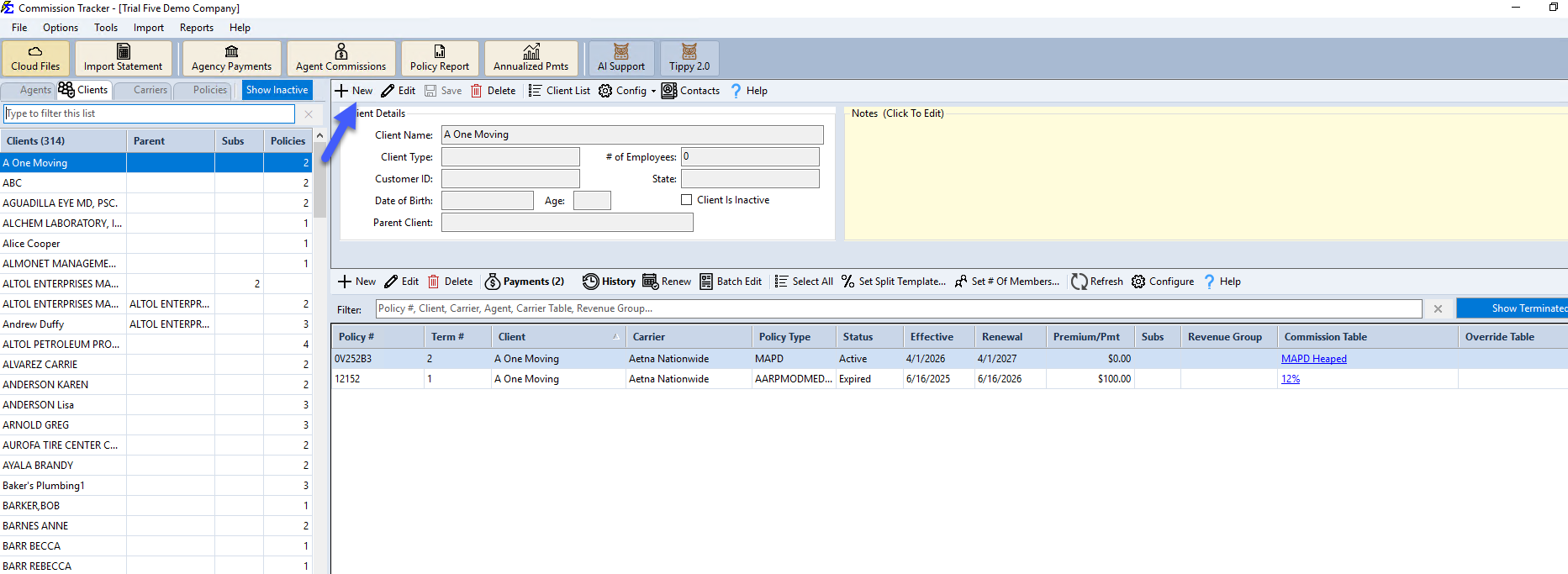
Key Fields
| Field | Description |
|---|---|
| Client Name | The primary name of the individual or company (Max 50 characters). |
| # of Employees | Used for group policies to track employee counts. This serves as a filter in various reports. |
| Client Type | A customizable filter created in the Tools menu to distinguish between "Individual," "Group," or other segments. |
| Customer ID | An optional field to store external identification numbers often found on carrier statements. |
| State | Essential for tax-time reporting and regional audits via the Commissions by State report. |
| Date of Birth | The client's date of birth. The system automatically calculates and displays the client's current age. |
| Parent Client | Links this client as a subsidiary of another client record. See Parent Company / Sub Client. |
Managing Client Visibility
If a client no longer has active coverage, check the Client Is Inactive box. This hides them from the Clients list without deleting their historical data. Click Show Inactive on the Clients tab toolbar to bring hidden/inactive clients back into view.
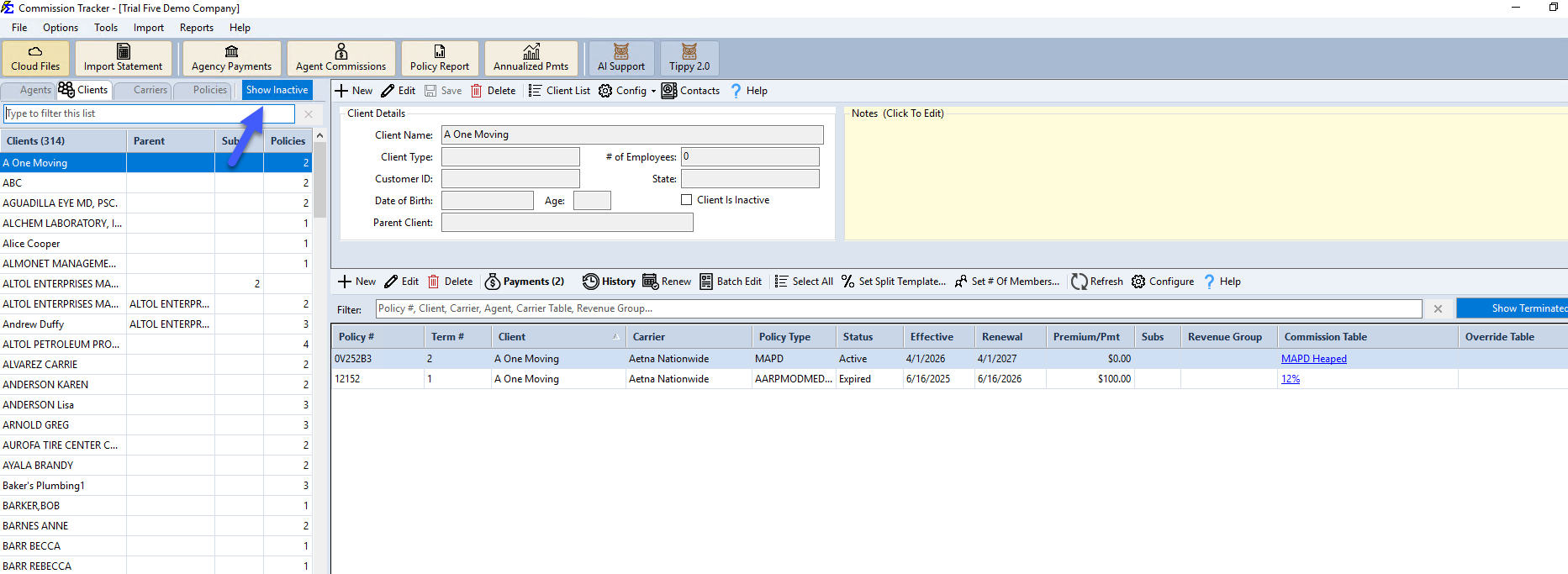
- Notes — Click the Notes (Click To Edit) box to log specific client interactions or unique administrative requirements.
- Hierarchy — If a client is a subsidiary of a larger organization, use the Parent Company / Sub Client feature to link them for consolidated reporting.
🔧 Troubleshooting
A client bought a second policy — do I need to create a new client record? No. Select their existing record in the Clients view (type part of the name in the filter box), then click + New on the toolbar above their policies.
I need to change a client's name after policies have already been created. Yes, this is safe. Updating the name on the Client screen will automatically reflect on all associated policies and reports.
🔗 Related Topics
- Client Contact Info — Add contact name, address, phone, and email details to a client profile.
- Contacts — Full walkthrough of the Contacts window.
- Parent Company / Sub Client — Link subsidiary clients for consolidated reporting.
- Create New Policy — Create a policy under a client record.
Need help? Contact support@commission-tracker.com