Policy Search
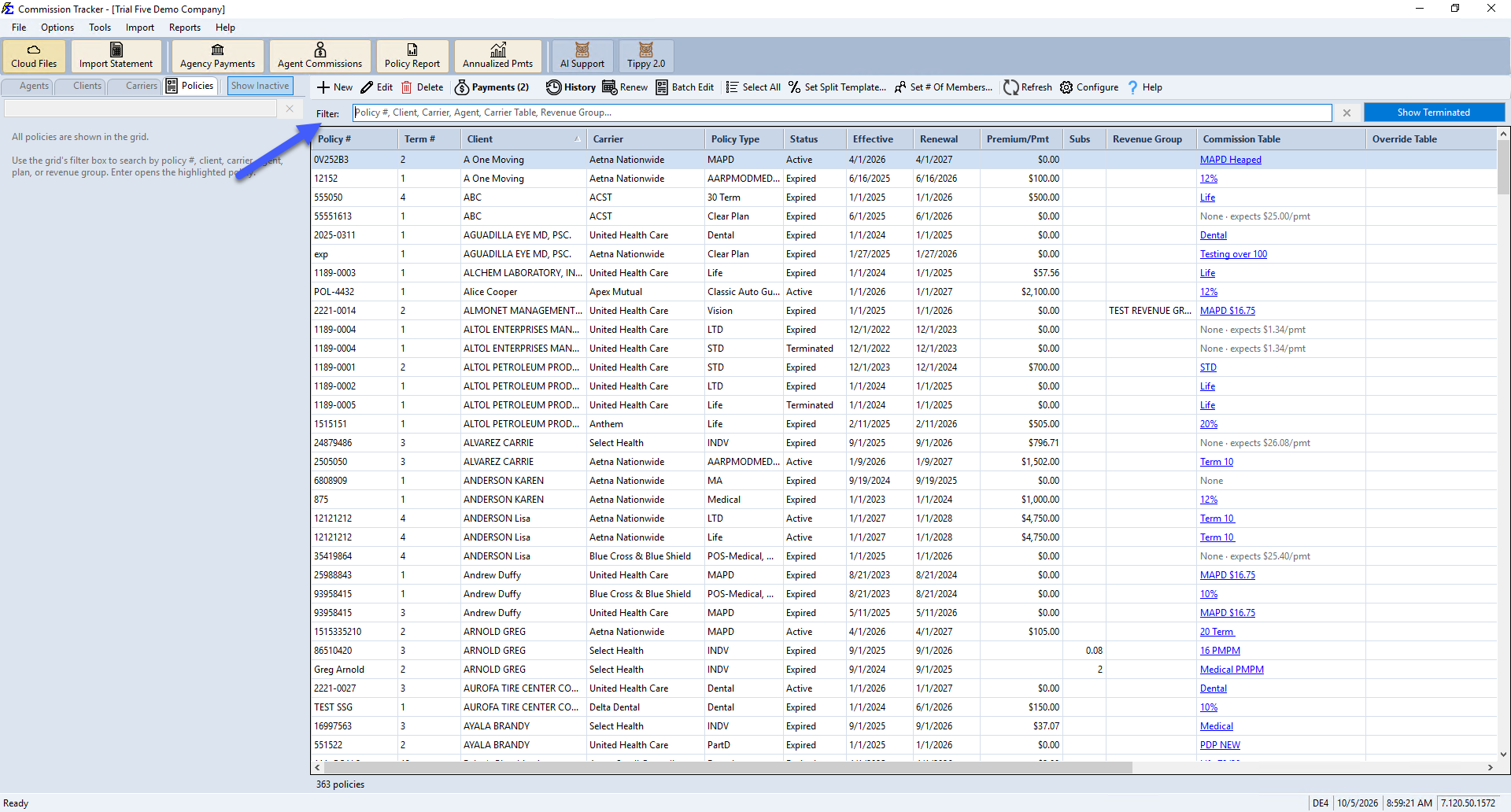
The Policies tab on the Policy List screen shows every policy in the database in one grid, with a filter box that lets you quickly narrow the list down to a specific record.
💡 Why Use This
Use the Policies tab's filter box when you know the policy number (or part of it), a client, carrier, agent, Carrier Table, or Revenue Group, and want to jump straight to a policy without browsing the Agents, Clients, or Carriers views.
🗺️ How to Access
Click the Policies tab on the Policy List screen. Every policy is already shown in the grid — type into the Filter box to narrow the results.
Search Methods
- Filter as you type — Type any part of a Policy #, Client, Carrier, Agent, Carrier Table, or Revenue Group into the filter box. The grid narrows to matching policies instantly.
- Open the highlighted policy — Press Enter to open the policy currently highlighted in the grid.
All Policies Load By Default
Unlike a search screen, the grid is never empty — it starts out showing every policy, and the filter box just narrows what's visible.
🔧 Troubleshooting
I can't find a specific policy. If the policy is Terminated, it may not be showing in the grid by default. Click Show Terminated (top-right of the grid) to include it, then filter again. See Show Terminated Policies for more detail on this toggle.
🔗 Related Topics
- Policy List — The main policy screen and navigation views.
- Policy Status — Description of each status type.
- Show Terminated Policies — How to include Terminated policies in grid views.
- Edit Policies — Updating policy details once located.
Need help? Contact support@commission-tracker.com