Policy List
The Policy List is the main screen in Commission Tracker. It organizes your entire database into four views — Agents, Clients, Carriers and Policies — so you can quickly navigate to any policy.
💡 Why Use This
The Policy List is your starting point for every workflow in Commission Tracker. From here you can open policies, receive payments, run imports, and access all other areas of the system.
🗺️ How to Access
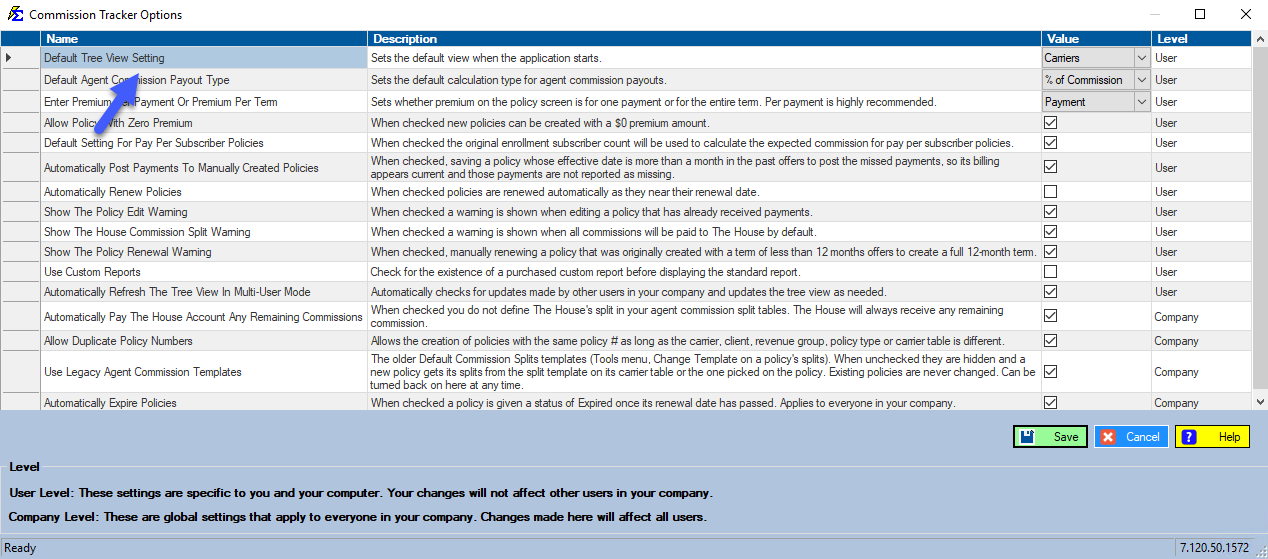
The Policy List opens automatically when you launch Commission Tracker. It opens on the Carriers view unless you have chosen a different default view (see Customization).
Navigation Views
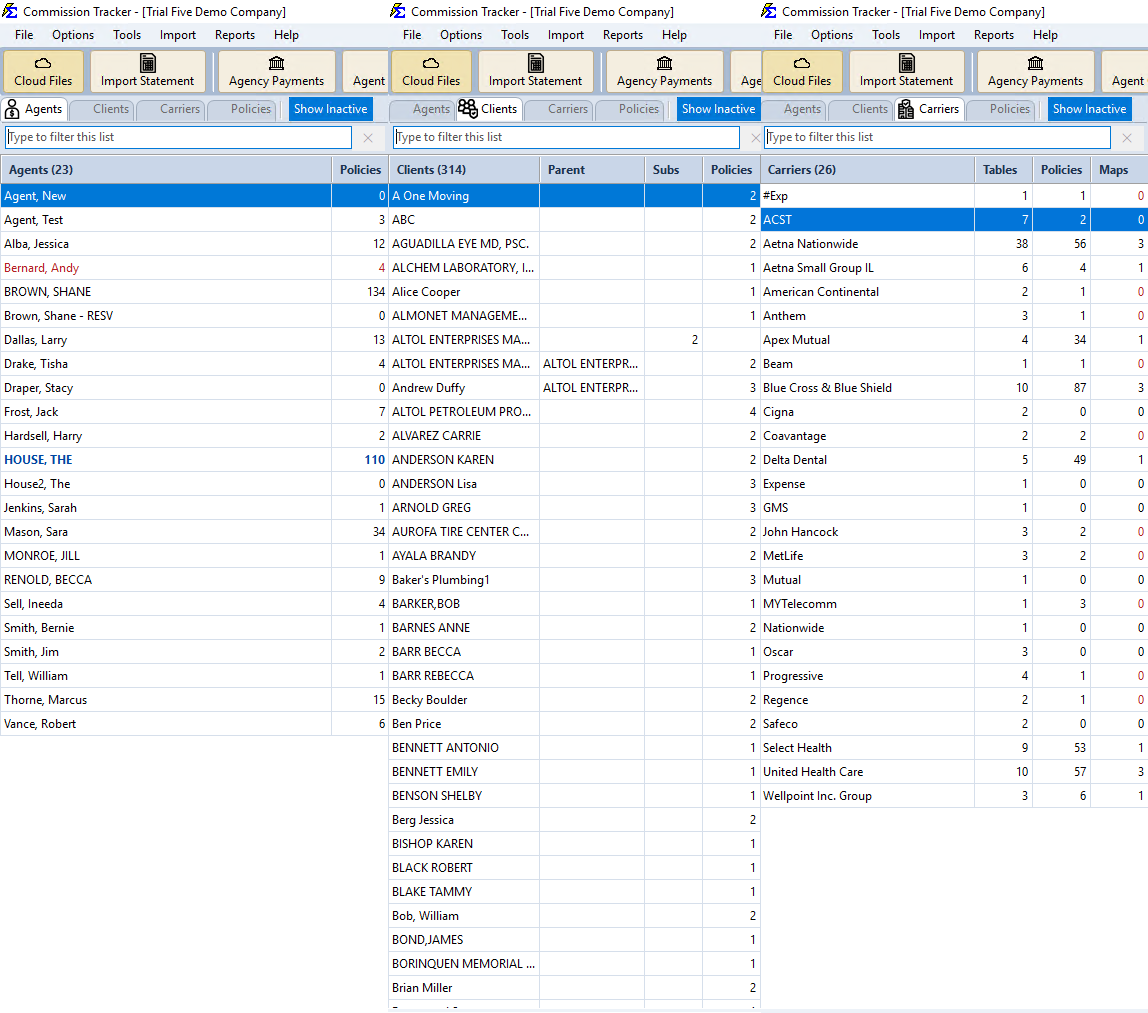
Click one of the four buttons at the top-left of the screen to switch views. In the Agents, Clients, and Carriers views, select a name in the list to see its details and its policies in the grid on the right.
- Agents — Lists all agents with each agent's policy count. Select an agent to see the policies where that agent is the Primary Agent. Click New on the agent toolbar to create a new agent.
- Clients — Lists all clients. Select a client to see their policies. Click New on the client toolbar to create a new client.
- Carriers — Lists all carriers with their carrier table and policy counts. Select a carrier to see its carrier tables and its policies. Click New on the carrier toolbar to create a new carrier.
- Policies — Shows every policy in your database in one grid.
Show Inactive — Click this button beside the view buttons to include inactive agents and clients in the list.
Searching and Filtering
Using the Filter Boxes
There is no Find or Find Next button. Use the filter boxes instead:
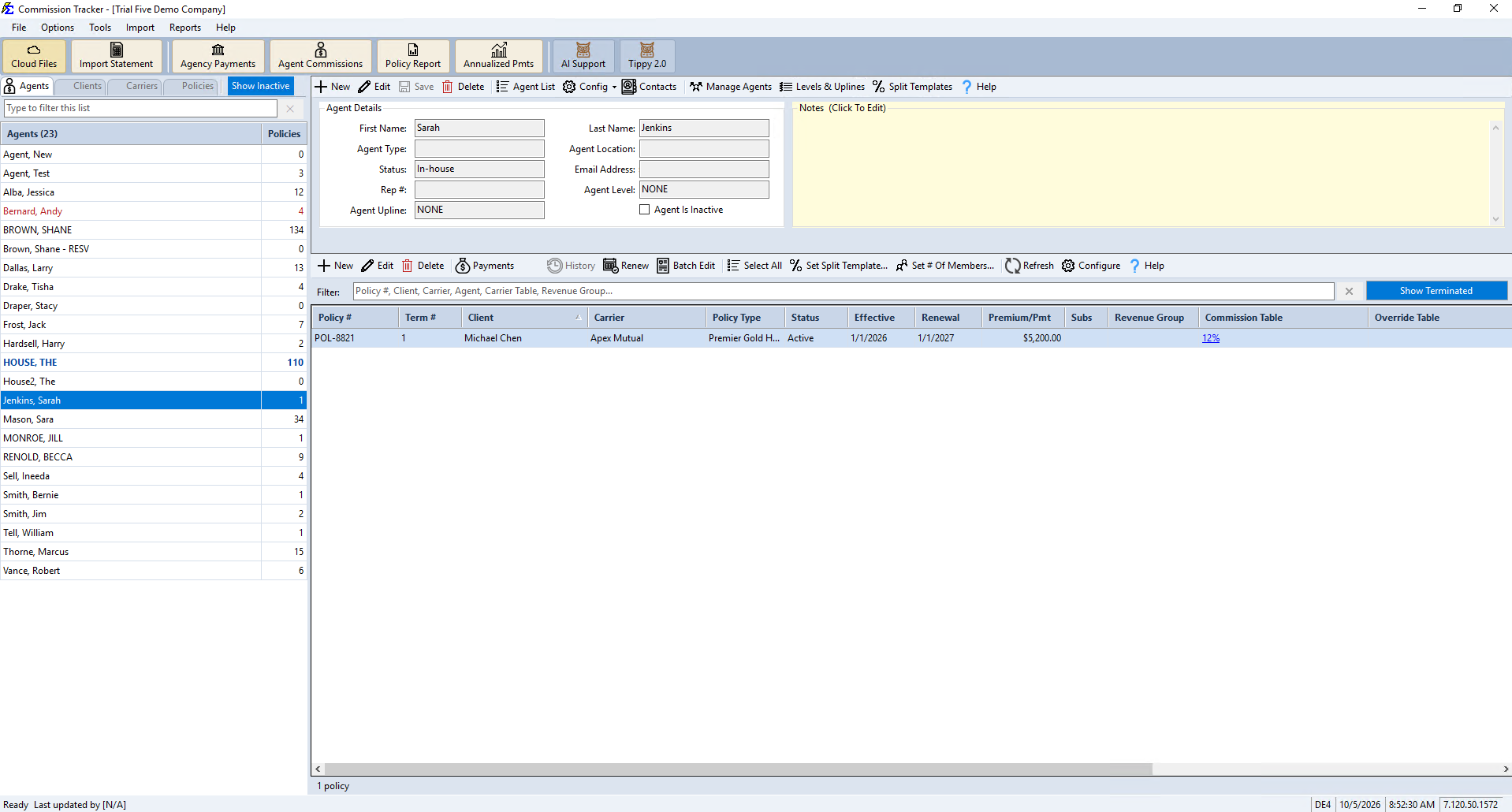
- The list filter — The "Type to filter this list" box above the Agents, Carriers or Clients list narrows the list as you type any part of a name. Click the × beside the box, or press Esc, to clear it.
- The policy grid's Filter: box — Type any part of a policy number, client, carrier, agent, carrier table or revenue group, and the grid narrows as you type. Type one name at a time: the box looks for the whole text you typed in each of those columns, so a carrier name and a client name typed together find nothing.
- Every policy at once — Click Policies at the top-left to see every policy in the database in the grid, then type in its Filter: box.
Other Policy Grid Controls
- Show Terminated — Click this button above the policy grid to show or hide terminated policies.
- Sorting — Click any column heading to sort the grid by that column.
Policy Status
Each policy's status (for example Active, Expired, Inactive, Prospect, or Terminated) appears in the Status column of the policy grid. See Policy Status for a full description of each status.
Customization
To choose which view opens when Commission Tracker starts, click Options on the menu bar and change the Default Tree View Setting row. See Options Menu.
🔧 Troubleshooting
I can't find a specific policy. Click Policies at the top-left, then type any part of the policy number, client name, or agent name in the grid's Filter: box, one name at a time. To find one client's policies under a carrier, click Carriers, select the carrier, click its Policies tab, and type part of the client's name in the Filter: box. If the policy is Terminated, check Show Terminated.
I don't see all of the policies or names I expect. Check three things:
- Is the Show Terminated button on? Terminated policies are hidden when it is off.
- Is the Show Inactive button on? Inactive agents and clients are hidden from the list when it is off.
- Is there text in the Type to filter this list box or the Filter: box? Click the × to clear it.
🔗 Related Topics
- Navigating the New Commission Tracker Interface — A video tour of the main screen.
- Policy Status — Description of each status type.
- Create New Policy — How to manually add a policy.
- Edit Policies — Updating policy details.
- Options Menu — System-wide settings and configurations.
Need help? Contact support@commission-tracker.com