Term Number
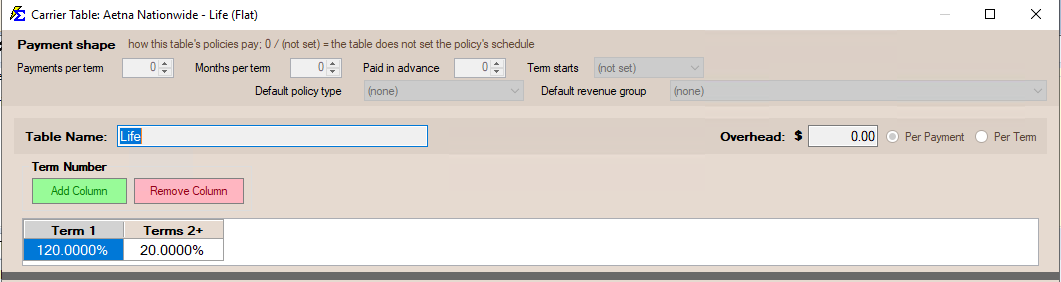
The Term Number tracks how many times a policy has renewed and determines which commission rate to apply from the Carrier Commission Table.
💡 Why Use This
The Term Number drives commission rate selection on every payment:
- New Business vs. Renewal rates — Carrier tables use the Term Number to choose between higher first-year rates and lower renewal rates.
- Renewal accuracy — Renewing an existing policy (rather than creating a new one) ensures the Term Number increases correctly so the right rate applies.
- Troubleshooting rate issues — If a renewal is paying at the new-business rate, an incorrect Term Number is often the cause.
🗺️ How to Access
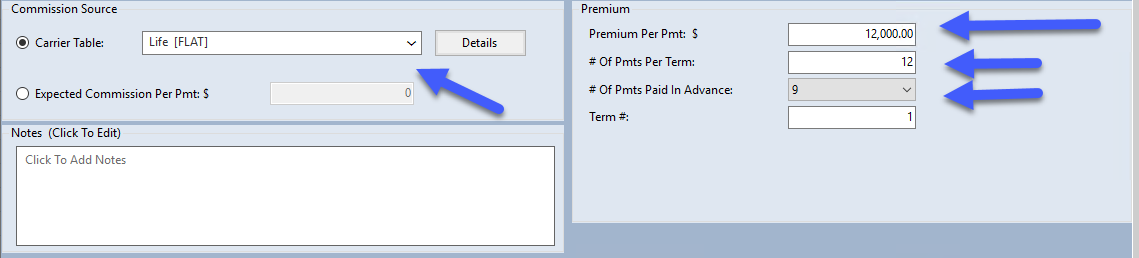
The Term Number is the Term #: box in the Premium group of the policy window. It is calculated automatically based on the Origination Date and the current Term Effective Date (both in the Dates & Billing group).
Key Rules
- New Policies — Always Term 1.
- Renewals — Increases by 1 each year (Term 2, Term 3, etc.).
- Commission Logic — Carrier Commission Tables use the Term Number to select between "New Business" and "Renewal" pay scales.
🔧 Troubleshooting
A renewal policy is paying at the new-business rate. Check the Term Number on the policy. If it shows Term 1, verify the Origination Date — if it was accidentally set to the current term's start date, the system calculates Term 1. Correct the Origination Date to the actual start of the policy's first term.
The Term Number is not increasing after renewal. Ensure you are using the Renew Policy function rather than creating a new policy record for the client. Creating a new record always starts at Term 1.
🔗 Related Topics
- Origination Date — Used with the Term Effective Date to calculate the Term Number.
- Commission Source and Premium — Where the Term Number drives commission calculations.
- Flat Carrier Table — How Term Number columns determine which rate applies.
- Create Carrier Commission Tables — Define rates for each term year.
Need help? Contact support@commission-tracker.com