Policy History and Audit Logs
The Policy History feature provides a full audit trail for changes to policy fields. It records exactly what was changed, when it happened, and which user performed the action — giving you accountability across your entire team.
💡 Why Use This
Use Policy History when:
- A policy record looks incorrect — Find out what was changed, when, and by whom.
- You are auditing data entry accuracy — Review recent edits across your staff to ensure standards are being followed.
- A policy appears to have disappeared — Check the Deleted Policy Log before recreating it to avoid duplicates.
🗺️ How to Access
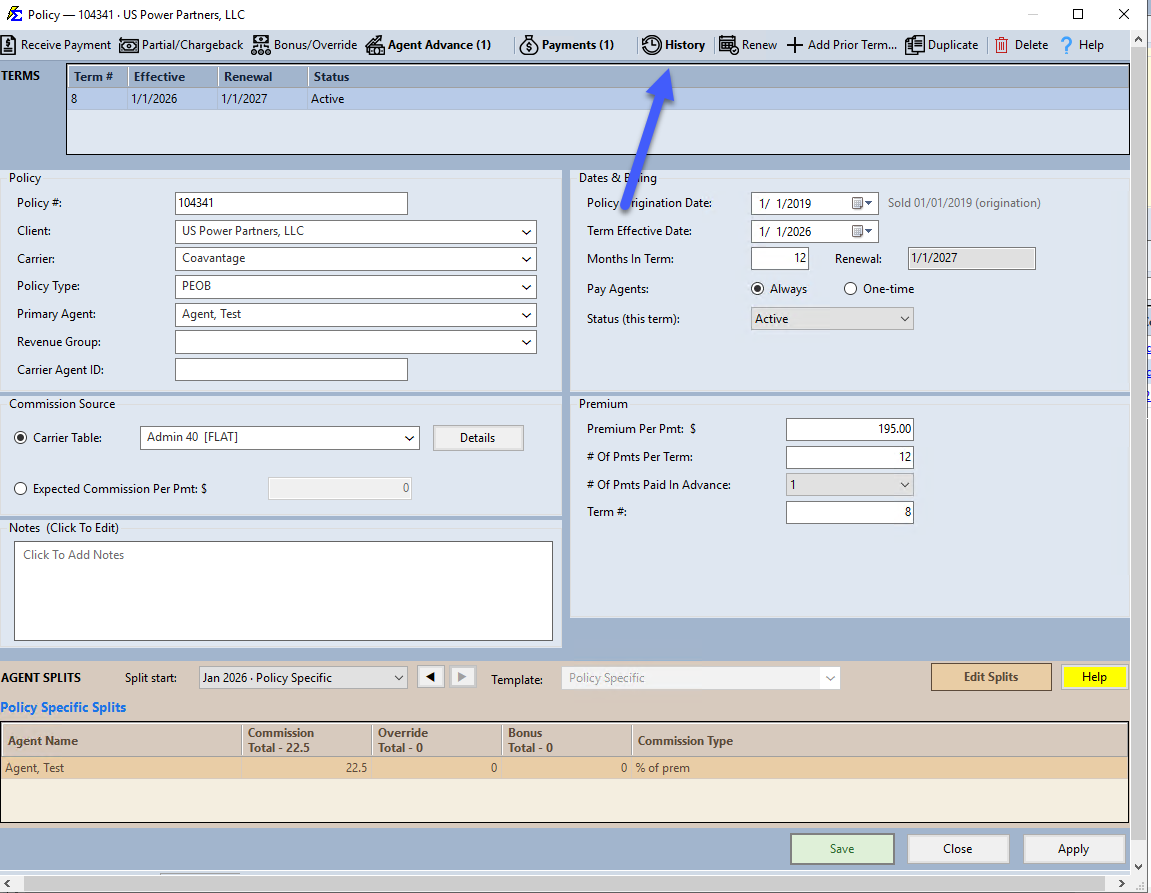
Policy History is accessible from the individual Policy screen. Click the History button in the policy toolbar.
How to Read the History
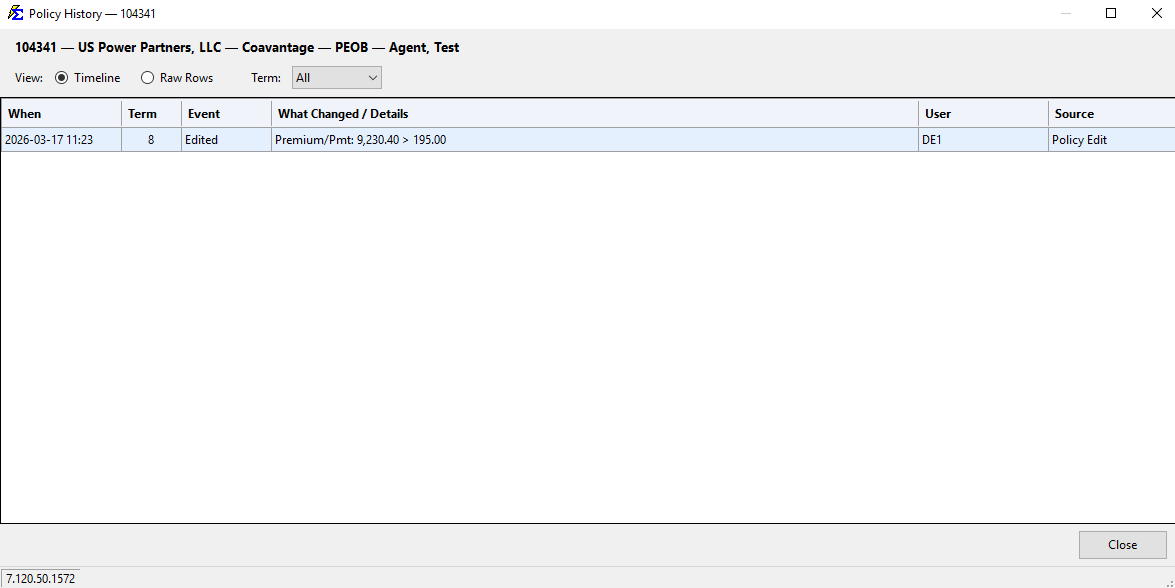
- Timeline / Raw Rows — Toggle between a readable timeline view and the underlying raw change rows.
- Term Filter — Narrow the history to a specific term, or view All.
- What Changed / Details — Each row shows the field that changed along with its before and after values inline (e.g.,
Premium/Pmt: 9,230.40 > 195.00). - User — The Commission Tracker username of whoever made the change.
- Source — Where the change came from. A change made with Batch Edit shows
Update Policies, so you can see the old value and set it back with another Batch Edit (see Update All Policies).
Agent Split Changes
Changes to Agent Commission Splits are not captured in the Policy History view. Use the Payment History Deleted Payments screen to audit agent-level changes.
Deleted Policy Log
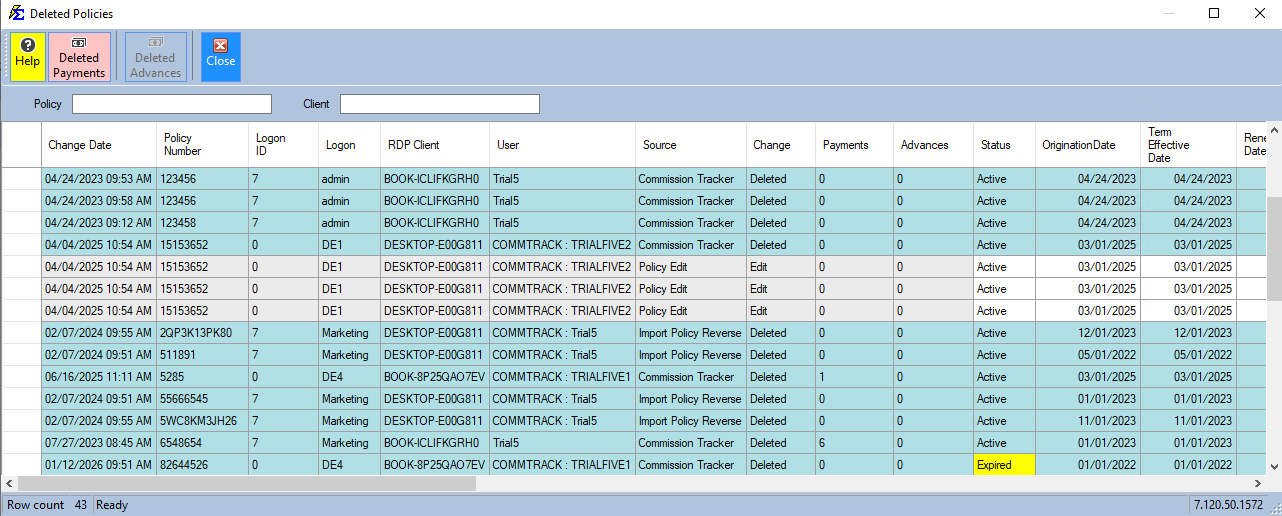
The Deleted Policy Log goes further than the Policy screen's own History — it tracks both deletions and edits across all policies, and logs the exact RDP Client, Logon, and User behind each change for full accountability.
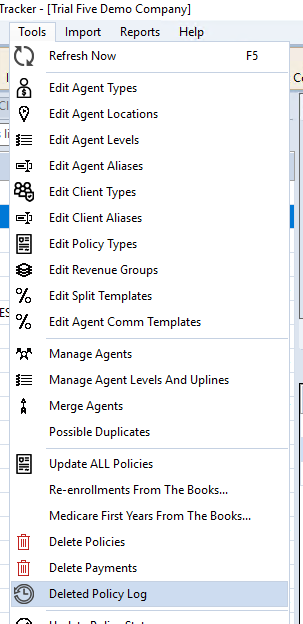
- Navigate to Tools → Deleted Policy Log.
- Review the list, including the Change type (Deleted or Edit), the RDP Client and user who made it, and the timestamp.
🔧 Troubleshooting
A policy I expected to find is missing from the system. Check the Deleted Policy Log in Tools → Deleted Policy Log before recreating the policy. If it was deleted in error, you may need to recreate it manually — there is no automatic restore from this log.
The Policy History shows a change but I don't know who made it. The User column in the history grid shows the Commission Tracker login name. If the login name is unfamiliar, compare it against your user list in User Management.
🔗 Related Topics
- Deleted Policy Log — A dedicated view of all deleted policy records.
- Payment History — Audit payment records and deleted payment events.
- User Management — Review user accounts and login names.
Need help? Contact support@commission-tracker.com