Client Report
The Client Report is a flexible analysis tool for segmenting your client base. Use its grouping and filtering options to generate lists for regional marketing, agent book reviews, or carrier-specific outreach.
💡 Why Use This
Use this report when:
- Analyzing regional density — Group clients by Zip Code to see where your business is concentrated.
- Segmenting by agent — View client counts and details assigned to specific Primary Agents.
- Identifying carrier alignment — See which clients are associated with specific carriers to prepare for network changes.
- Monitoring data quality — Identify records missing key fields like email addresses or phone numbers.
🗺️ How to Access
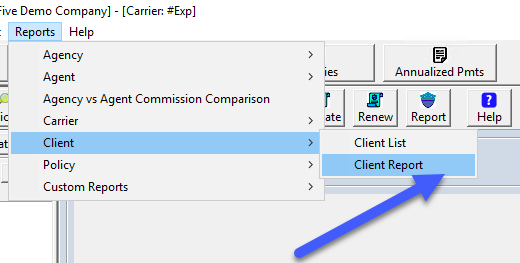
- Navigate to Reports → Client → Client Report.
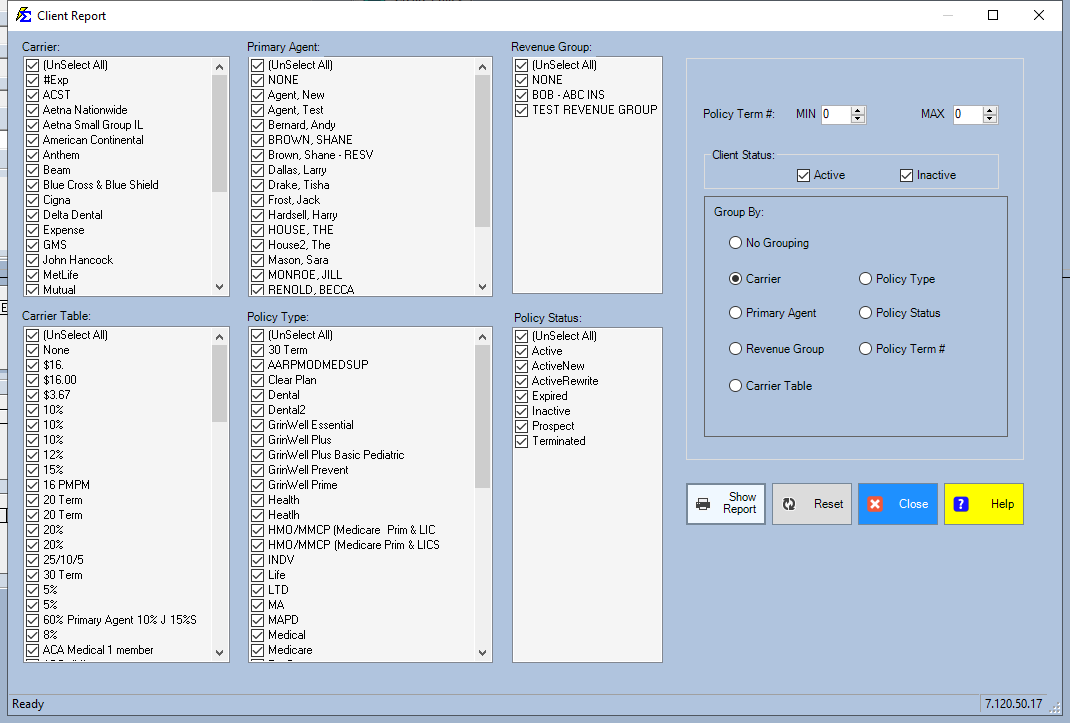
- Choose your Grouping (e.g., Group by Agent, Group by Zip) to organize the data.
- Apply any filters:
- Effective Date Range — See clients added during a specific period.
- Status — Isolate Active clients from Prospects.
- Demographics — Filter by City, State, or Zip Code for localized reporting.
- Click View Report.
Understanding the Results
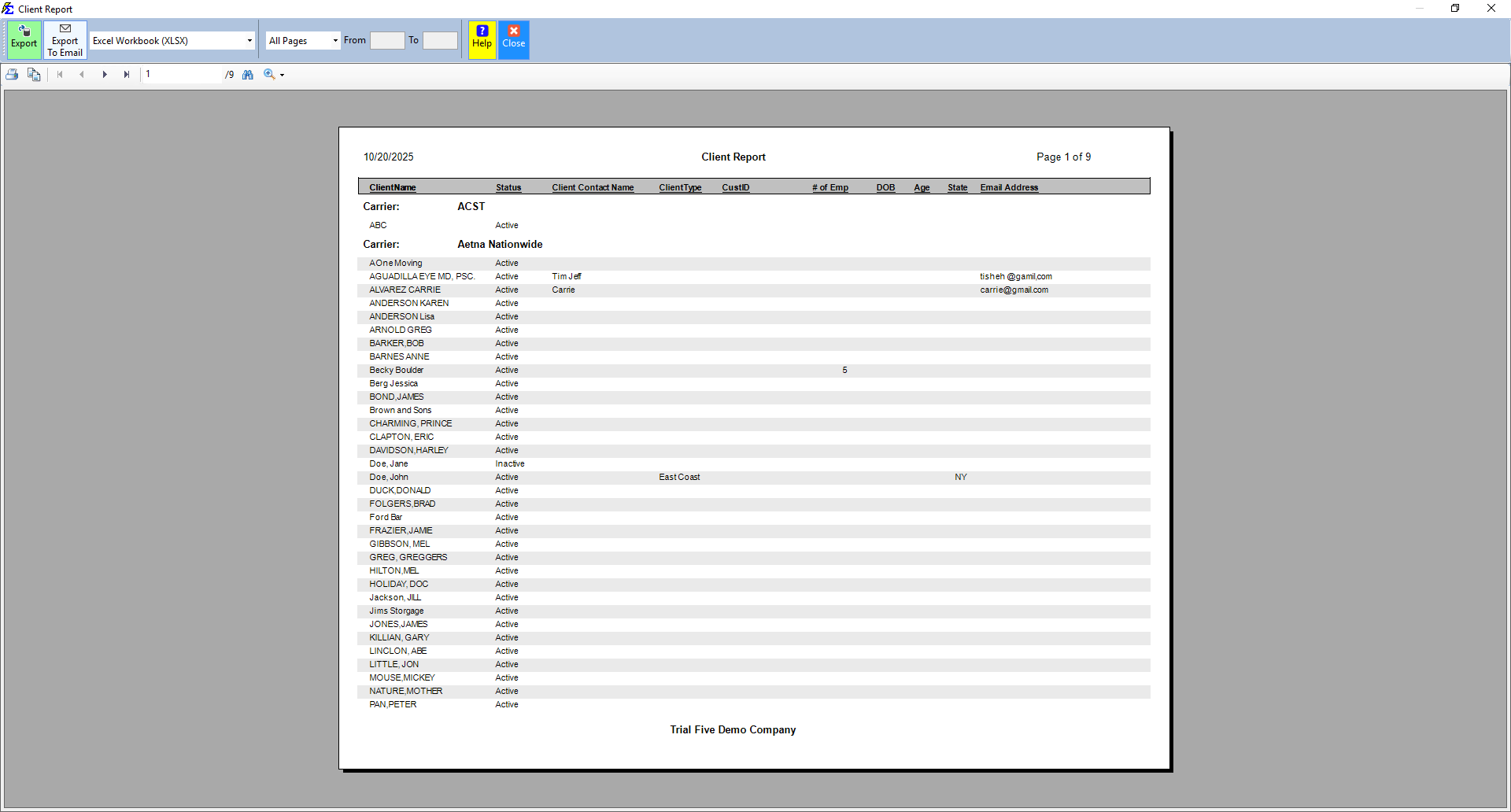
The report provides a detailed breakdown based on your selected criteria. When a Group By option is selected, the report includes subtotals for each section.
- Status visibility — Quickly see the current standing of every client in the list.
- Contact overview — Includes Phone, Email, and Full Address for immediate follow-up.
How This Report Generates
- The system queries the database for all client records matching your filters.
- It organizes records into the hierarchy defined by your Group By selection.
- It generates a preview that can be printed or exported to PDF or Excel.
🔧 Troubleshooting
I need to group by a field that is not in the dropdown. The grouping options are preset to the most common agency needs (Agent, Zip, State). For custom groupings, export the report to Excel and use Sort or Pivot Table to arrange the data as needed.
The report does not show policy or premium totals. This report focuses on client demographics. For financial valuations and premium totals grouped by client, use the Book of Business report.
A client I expect to see is not in the results. Check the Status filter — if set to Active only, Prospects and Terminated clients will be excluded. Also verify the date range filter is not limiting results to a period that excludes the client's entry date.
🔗 Related Topics
- Client List Report — Simplified client directory without groupings.
- Book of Business — Financial valuation with premium and commission totals by client.
- Commissions by State — Revenue grouped by client state for tax reporting.
Need help? Contact support@commission-tracker.com