Delete Policies Utility
The Delete Policies utility, located under the Tools menu, removes expired or terminated policies from your database in bulk. Use it for periodic database cleanup to keep your reports accurate and the software running efficiently.
💡 Why Use This
Use this utility when:
- Clearing expired or terminated records — Remove old policies that are cluttering report views and tree navigation.
- Annual cleanup — Perform database maintenance after tax filings are complete to keep the software at peak performance.
- Removing unconverted prospects — Delete Prospect records that never became active clients to keep your new client counts accurate.
Deletion Is Permanent
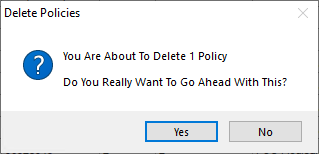
This utility performs a deep clean of all data associated with deleted records, including payment history and agent commission splits. A backup is created automatically before deletion begins, but recovery requires contacting support.
🗺️ How to Access
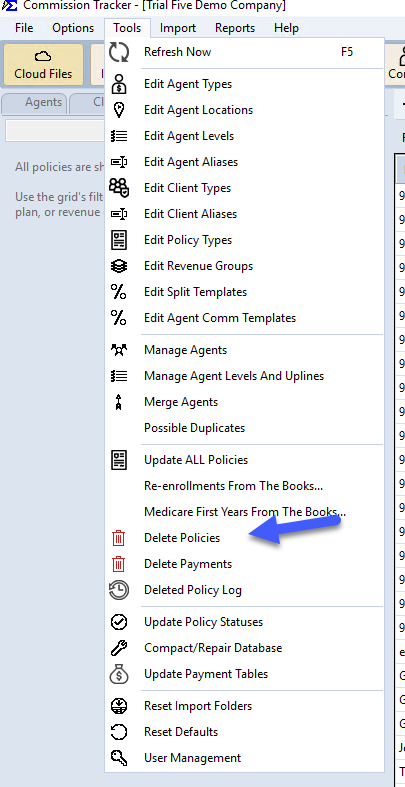
- Navigate to Tools → Delete Policies.
What Gets Deleted
Deleting a policy via this tool removes all of the following:
- The Primary Policy — The record visible in your current policy list.
- All Prior Terms — Every renewal term in that policy's history.
- Payment History — Every carrier payment ever posted to these policies.
- Agent Commissions — All split data and earnings records linked to those payments.
- Unused Clients — Any client records that become empty (no remaining policies) after the deletion.
Filtering and Reviewing Before You Delete
Before committing to a deletion, filter and review the grid to ensure only the intended records are removed.
- Filter by Status — Target only policies marked as Expired, Inactive, Prospect, or Terminated.
- Filter by Date — Use the Policy Effective Date to target older books of business.
- Review the impact — The # of Terms to be Deleted column shows the total volume of historical data that will be removed for each row.
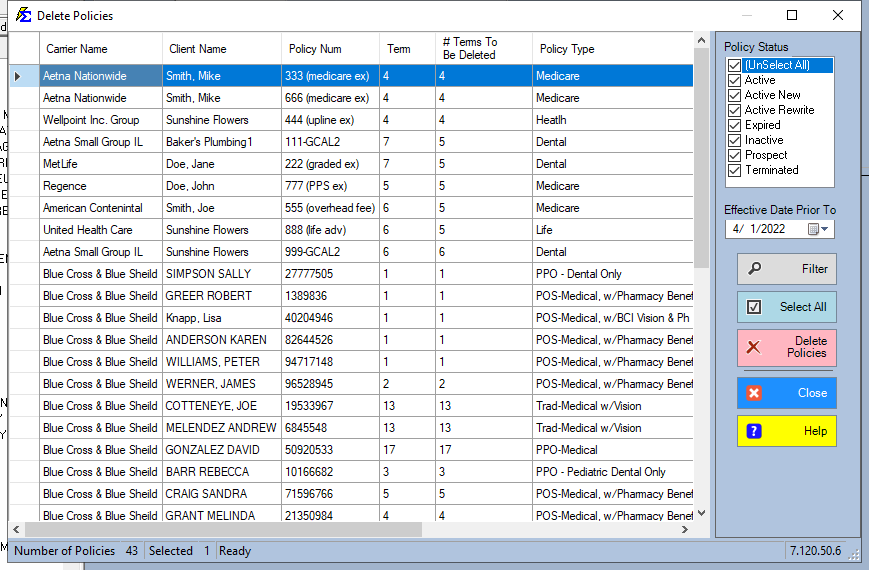
- Sorting — Click any column header to reorder the list (e.g., sort by Effective Date to see the oldest policies first).
- Column order — Drag and drop column headers to rearrange the grid to your preference.
Safety Measures
- Automated backup — Commission Tracker automatically creates a restore point immediately before the deletion begins.
- Emergency restore — If a mistake is made, contact support@commission-tracker.com immediately. The technical team can restore the pre-deletion backup.
🔧 Troubleshooting
I deleted policies by mistake. Contact support as soon as possible — the pre-deletion backup can be restored by the technical team. See the Deleted Policy Log to identify exactly what was removed.
I want to verify there are no outstanding balances before deleting. Run an Accounts Receivable report filtered to the policies you plan to delete. Confirm there are no open balances before proceeding.
A client is disappearing from the system after I delete their policies. This is expected — if all of a client's policies are deleted, the client record is removed as well (since it has no remaining policies). If you need to retain the client record, keep at least one policy attached to them.
🔗 Related Topics
- Deleted Policy Log — Audit trail for all permanently deleted policy records.
- Accounts Receivable — Verify outstanding balances before deleting.
- Tools Menu — Overview of all available tools.
Need help? Contact support@commission-tracker.com