Reverse Import Policy Session
The Reverse Import Policy Session tool removes policies and associated data (Clients, Agents, and related records) that were incorrectly created during a specific policy import session. It affects only the records created in that session and does not touch existing data.
💡 Why Use This
Use this tool when:
- You imported the wrong file — Policies were created from an incorrect or outdated data source.
- The mapping was misconfigured — Fields were assigned to the wrong columns, resulting in incorrect policy records.
- You need a clean slate — Rather than deleting policies one by one, reverse the entire session at once.
🗺️ How to Access
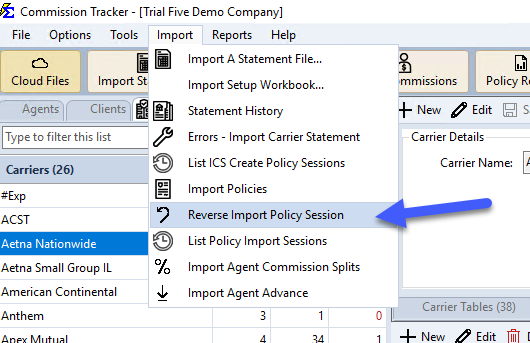
Navigate to Import → Reverse Import Policy Session.
Session Information
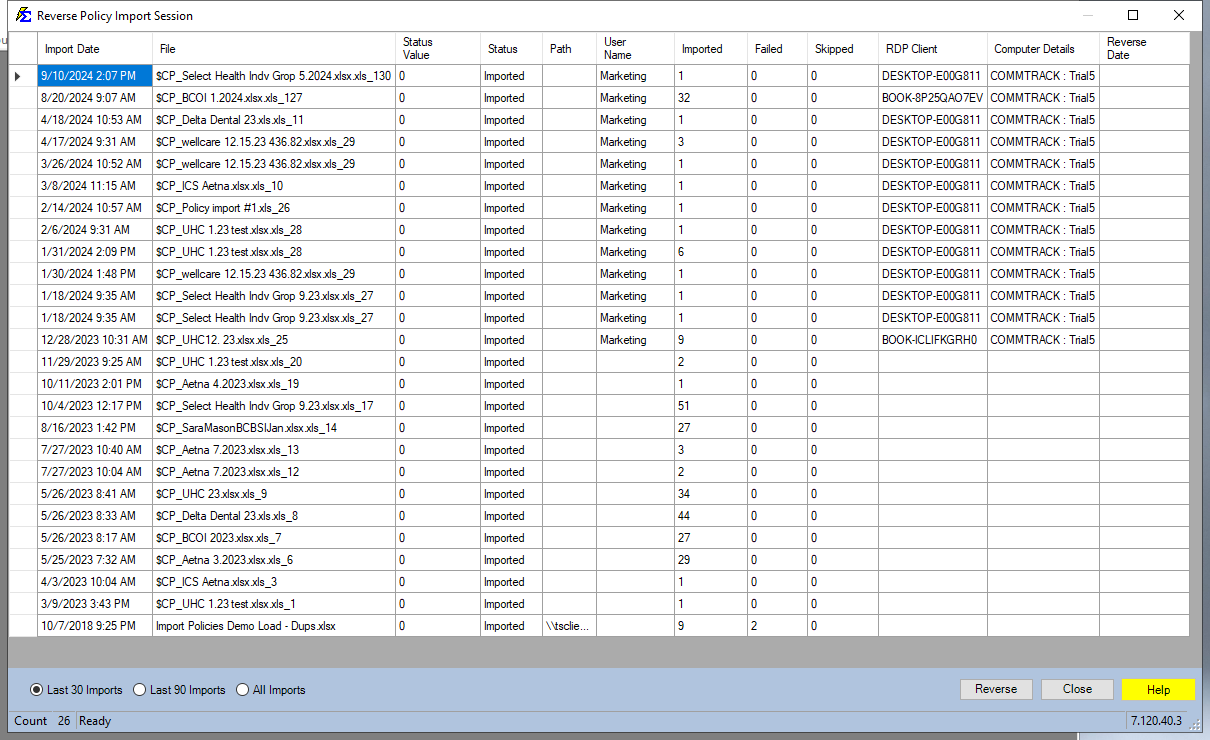
The system tracks the following details to help you identify the correct session:
- Date/Time — When the session was run (Pacific Time).
- Filename and Path — The original source file used for the import.
- User Details — Who ran the import and from which computer.
- Import Stats — Count of successful, failed, and skipped records.
Reverse Errors Promptly
Reverse incorrect imports before commission payments are attached to those policy records. Payments posted against incorrectly imported policies must be corrected separately after the reversal.
🔧 Troubleshooting
The session I want to reverse is not in the list. Sessions may not appear if they were already reversed or if they are older than the system's session retention period. If the import cannot be reversed automatically, delete the affected policies using Delete Policies.
I'm not sure which session to reverse. Run the Policy List Report filtered to the import session's date range to confirm which records will be removed before reversing. The session's filename and timestamp in the list help narrow it down.
A reversal removed a client or agent that already existed. This can happen if a client or agent was first created during that import session. If the record should remain, recreate it manually via Create New Client or Create New Agent.
🔗 Related Topics
- Importing Policies — Full policy import process overview.
- Policy List Report — Review which policies were created in a session before reversing.
- Delete Policies — Manually delete individual policies if session reversal is not available.
- List of Create Policy Sessions — View all policy creation sessions.
Need help? Contact support@commission-tracker.com