Agent Book of Business Report
The Agent Book of Business report provides a comprehensive breakdown of all active policies and projected earnings associated with a specific agent. It is an essential tool for agents to review their current client base and for management to audit agent productivity.
💡 Why Use This
Use this report when:
- Reviewing agent portfolios — See every policy currently assigned to an agent.
- Tracking policy volume — Count the number of active clients or policies an agent is managing.
- Auditing projected earnings — View the commission values tied to an agent's current book of business.
🗺️ How to Access
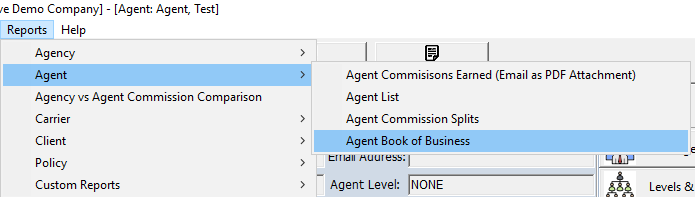
- Navigate to Reports → Agent → Agent Book of Business.
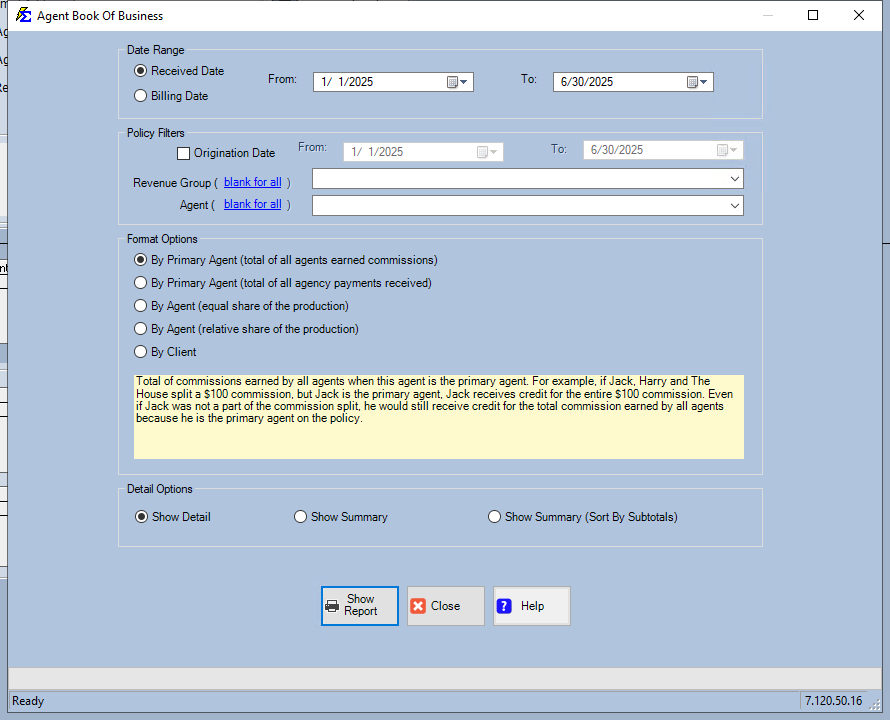
- Select the Primary Agent you want to review.
- Optionally filter by Carrier or Revenue Group to see a subset of their business.
- Set the Policy Status (e.g., Active only) to exclude terminated business.
- Click Show Report.
Report Results
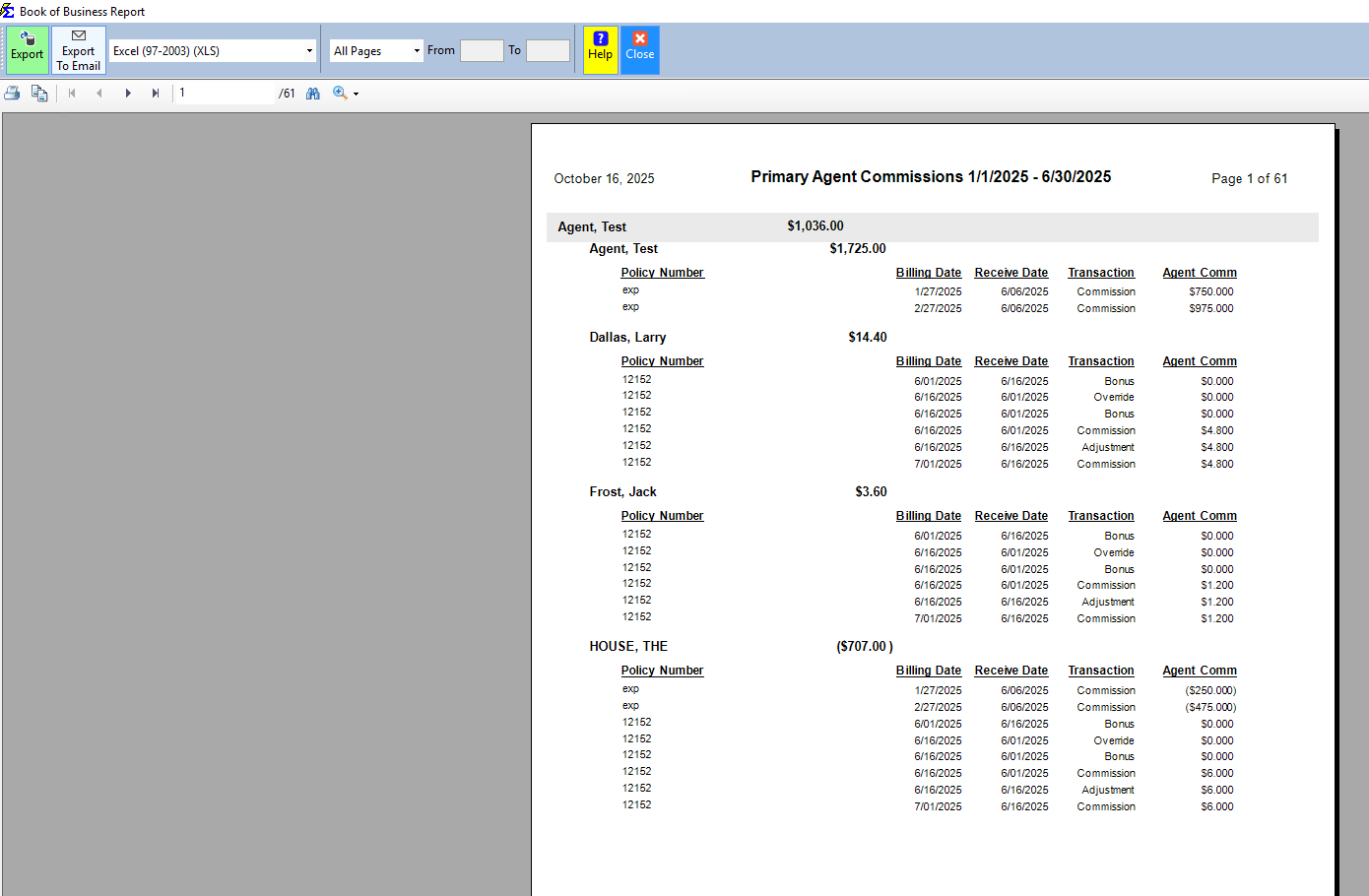
The system scans all policies where the selected agent is listed in the Agent Commission Splits, aggregates Premium and Expected Commission values based on current policy terms, and displays a grouped list sorted by Client or Carrier depending on your chosen format.
🔧 Troubleshooting
Some policies are missing from the agent's report. The report only includes policies where the agent is listed in the Agent Commission Split Table. If the agent is listed only as a contact (not as a split recipient), those policies will not appear. Verify the split assignment on the affected policy records.
I need to run this for the entire agency at once. Leave the Agent selection blank or select All Agents — the report will generate a master list grouped by each agent.
Terminated policies are appearing in the results. Use the Policy Status filter to include only Active policies. The default may include all statuses depending on your selection screen settings.
The projected commission totals seem low. Ensure each policy has a Commission Per Payment value or a Carrier Commission Table assigned. Policies without expected commission values calculate as $0.00 in the totals.
🔗 Related Topics
- Book of Business — Agency-wide valuation with carrier and client grouping options.
- Agent Commission Splits Report — Audit how commissions are allocated across policies.
- Agent List — Directory of all agents in the system.
Need help? Contact support@commission-tracker.com