Email or Export Reports (Excel, PDF, and More)
All reports in Commission Tracker can be exported for external analysis or emailed directly to stakeholders.
💡 Why Use This
Use Export or Email when:
- Sharing reports with agents — Email a PDF directly from Commission Tracker without saving to your hard drive first.
- Analyzing data in Excel — Export to Excel for custom filtering, pivoting, or agency-specific calculations.
- Archiving reports — Save a PDF to your local drive for record-keeping or audit purposes.
🗺️ How to Access
Export and Email options are available in the toolbar of any report preview screen.
Emailing a Report
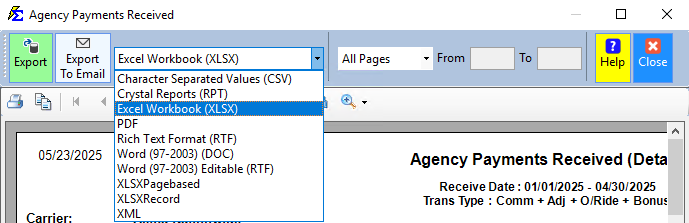
- Select your desired file format (PDF, Excel, etc.).
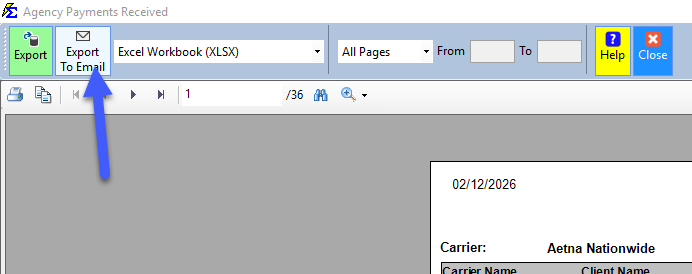
- Click the Export To Email button.
- Enter the recipient's details and click Send.
Email Troubleshooting
Many email providers block messages where the From and To addresses are identical. If your email fails to arrive, ensure the sender and recipient addresses are different.
Exporting to Your Local Drive
- Select your file format and click Export.
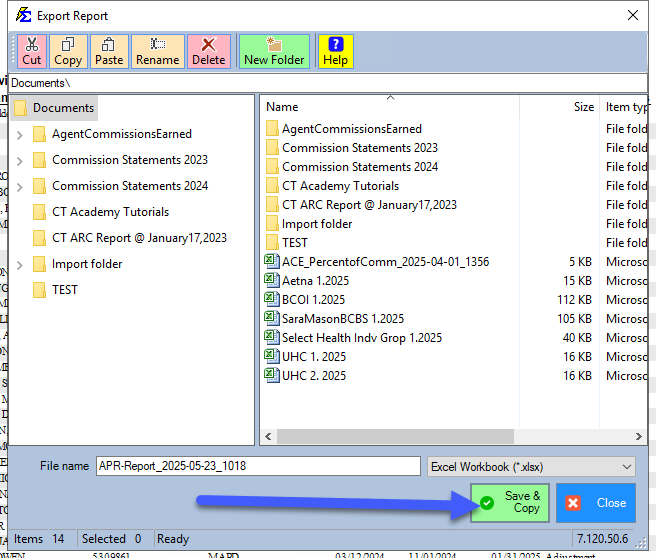
- A default filename is generated — rename it if needed.
- Click Save and Copy. This places the file in your computer's clipboard.
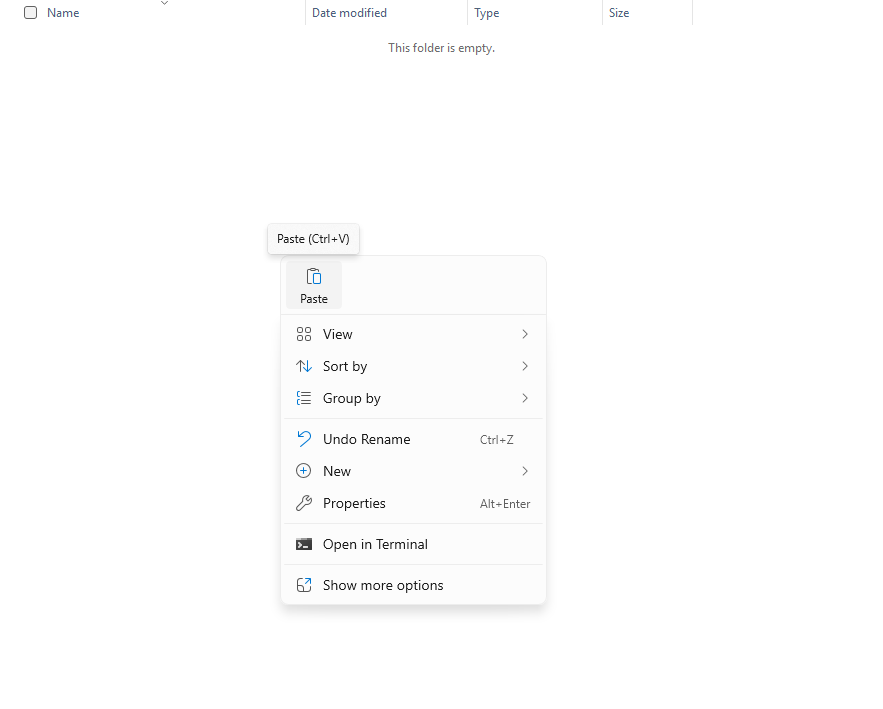
- Go to a folder on your local computer, right-click, and select Paste.
Format Reference
| Format | Best For |
|---|---|
| Printing, archiving, or emailing to agents (prevents editing). | |
| Excel | Pivoting data, advanced filtering, and custom calculations. |
| CSV | Importing into accounting software, CRMs, or other systems. |
🔧 Troubleshooting
I clicked "Save and Copy" but can't find the file.
The file is in your clipboard — it is not saved to a location until you paste it. Go to a folder on your local computer and press Ctrl+V to paste the file there.
The email sent successfully but the recipient didn't receive it. Ask the recipient to check their spam folder. The email goes out from a Commission Tracker address with your From address as the reply address, so sending a report to your own address works.
The exported Excel file has all data in one column. Try exporting as CSV and opening in Excel, which may parse columns more reliably for certain report types.
🔗 Related Topics
- Reports — Overview of all available reports.
- Searching within a Report — Find specific values before exporting.
- Agent Commissions Earned Report — The most commonly exported report.
Need help? Contact support@commission-tracker.com