Specific Reports
This page covers common report configurations and use cases for the Agency Payments Received (APR) report, including tax-time carrier audits and revenue analysis by advisor and product.
Video: Total Revenue by Advisor and Product
To view this tutorial, copy and paste the following link into your browser: Watch on YouTube
APR Report Configurations
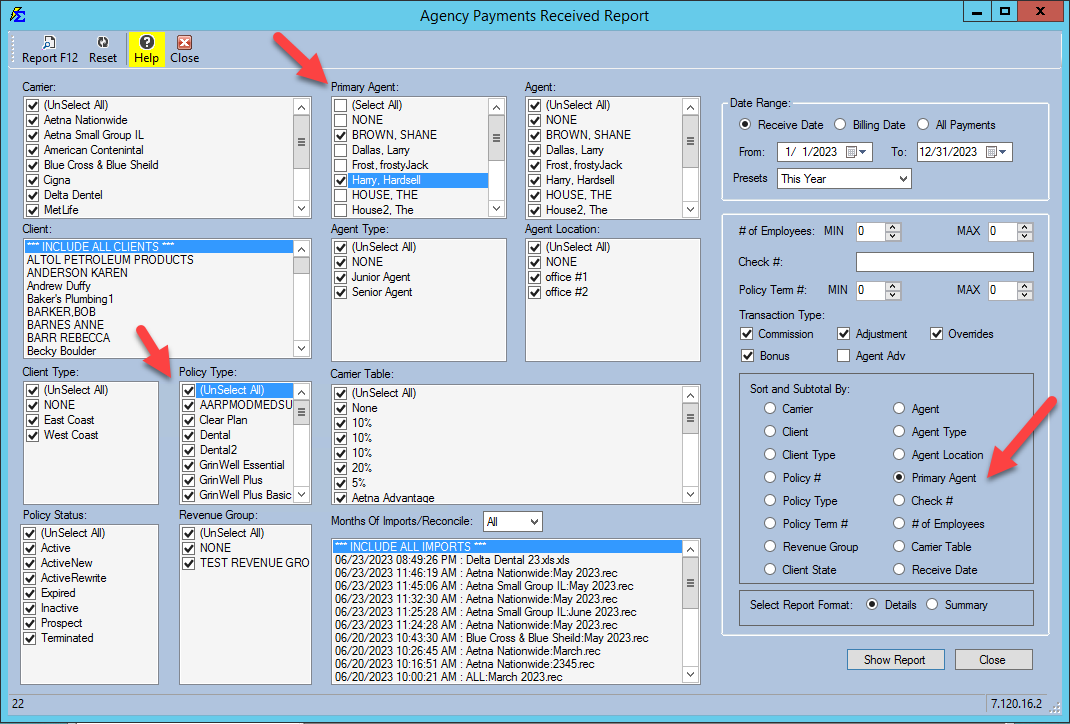
Analysis by Primary Agent
Shows which Policy Types a specific Primary Agent is selling and the total revenue generated for the agency from those sales.
- Primary Agent: list — tick only the agent you want.
- Policy Type: list — leave every policy type ticked.
- Sort and Subtotal By: Primary Agent (pick Policy Type here instead to subtotal that agent's revenue by policy type)
- Date Range: Select a specific timeframe or All Payments
Analysis by Policy Type
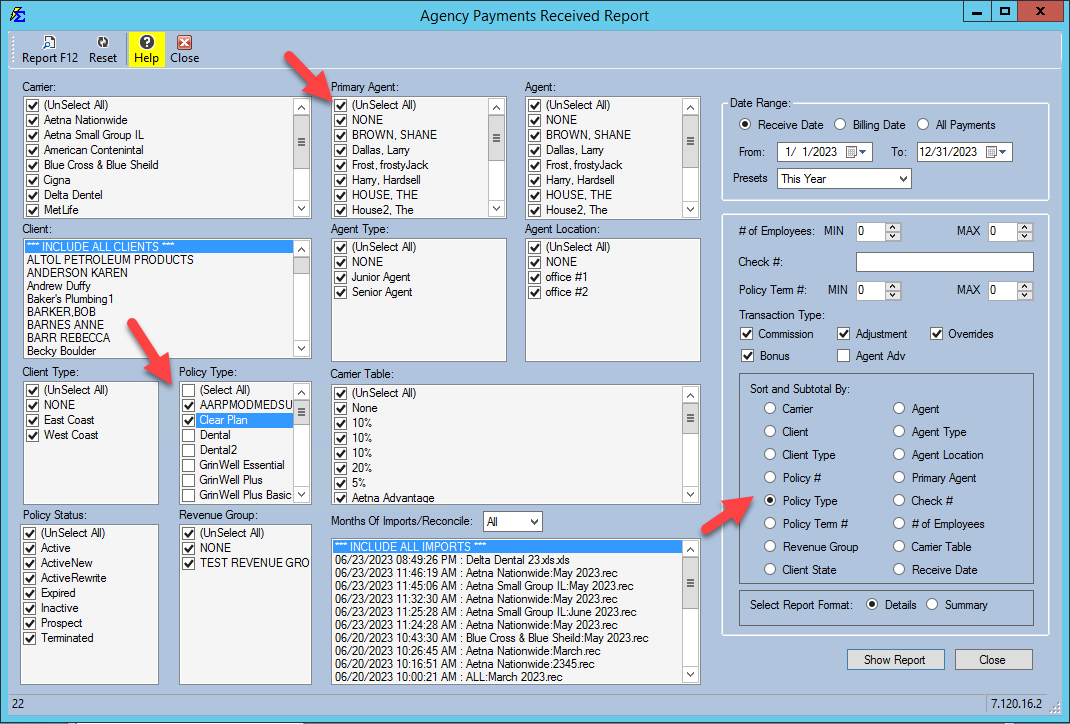
Shows the total revenue for a specific Policy Type, across all Primary Agents.
- Policy Type: list — tick only the policy type you want.
- Primary Agent: list — leave every agent ticked.
- Sort and Subtotal By: Policy Type (pick Primary Agent here instead to see that policy type's revenue by agent)
- Date Range: Select a specific timeframe or All Payments
- Format: Run in Details or Summary format
Filter lists vs. Sort and Subtotal By
The Primary Agent: and Policy Type: lists only choose which payments are included. How the report is sorted and subtotaled is set by the one choice you pick under Sort and Subtotal By:.
Tax Time: Comparing Commission Tracker to Carrier 1099s
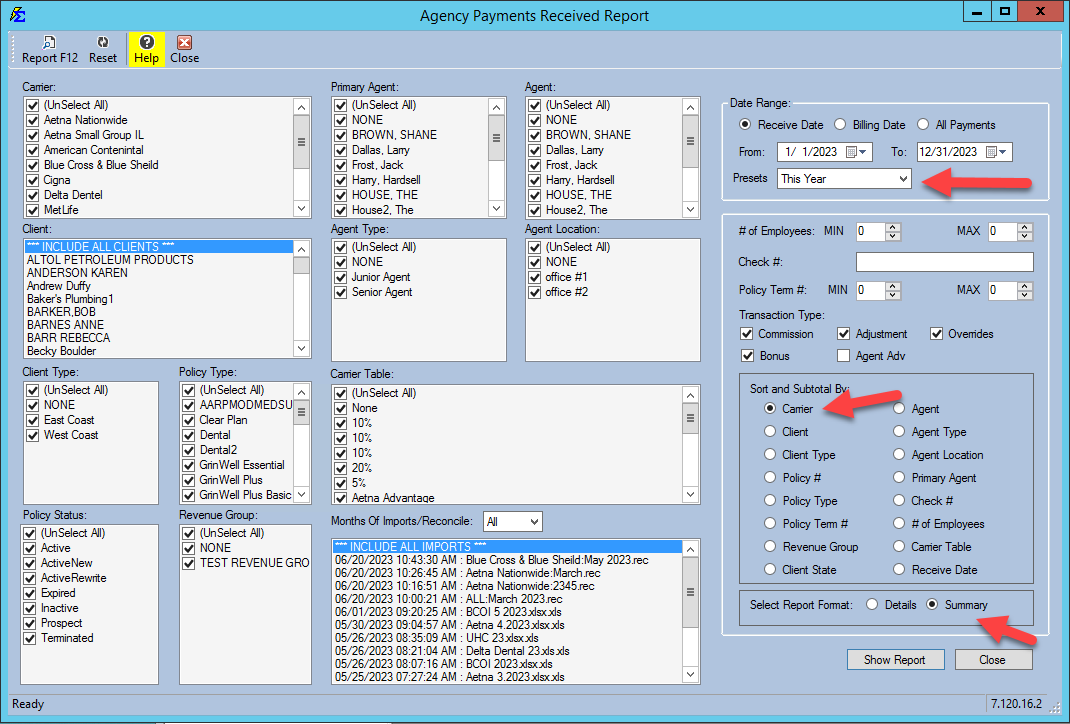
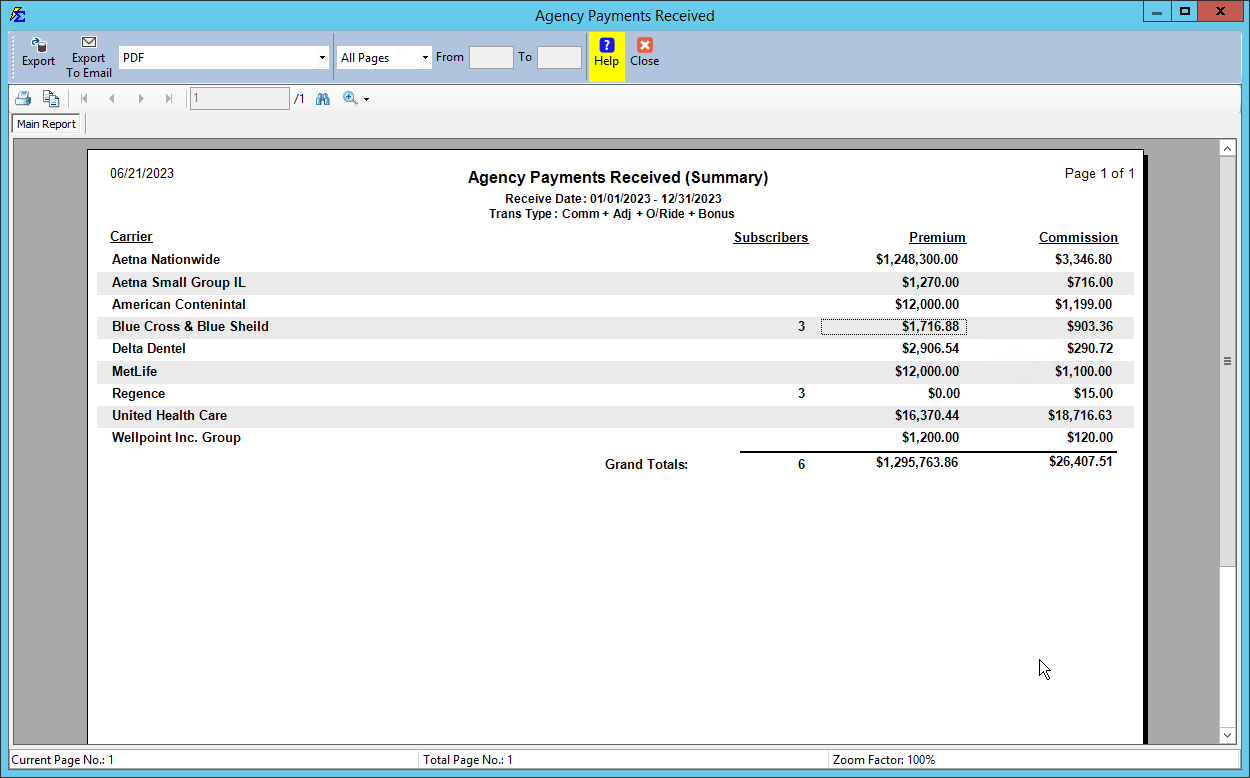
Use this configuration to audit the totals on your year-end carrier tax forms.
- Open the Agency Payments Received report (Reports → Agency → Agency Payments Received).
- In the Date Range: box, set Presets to This Year or Last Year.
- Set Sort and Subtotal By to Carrier.
- Run in Details or Summary format to get a total by carrier.
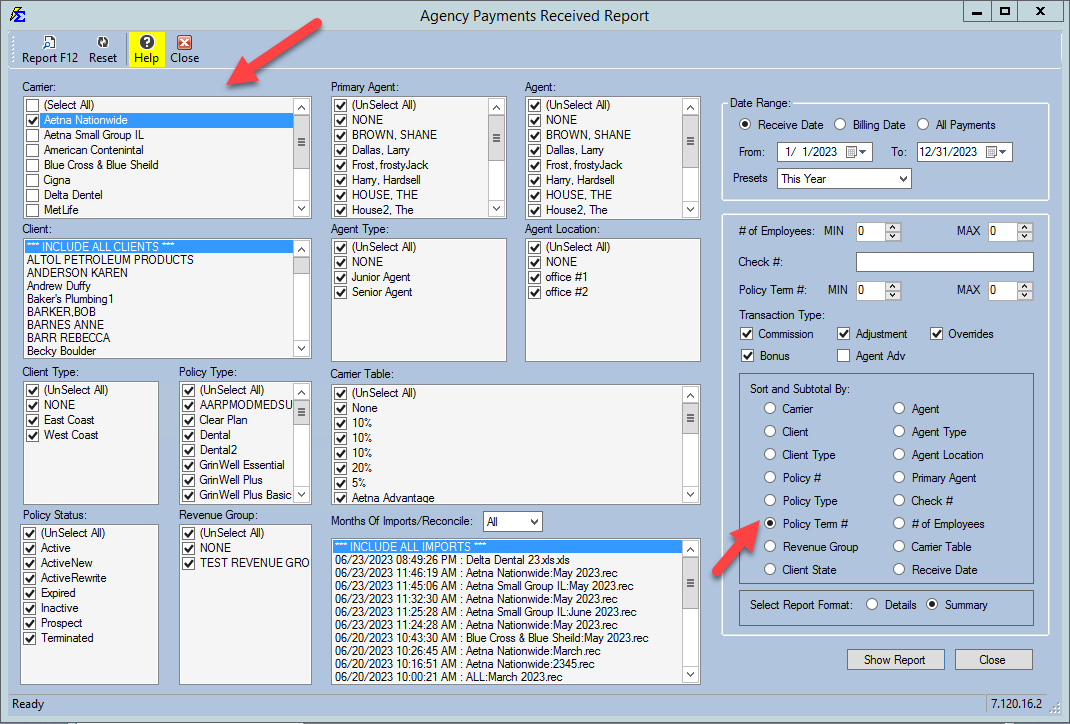
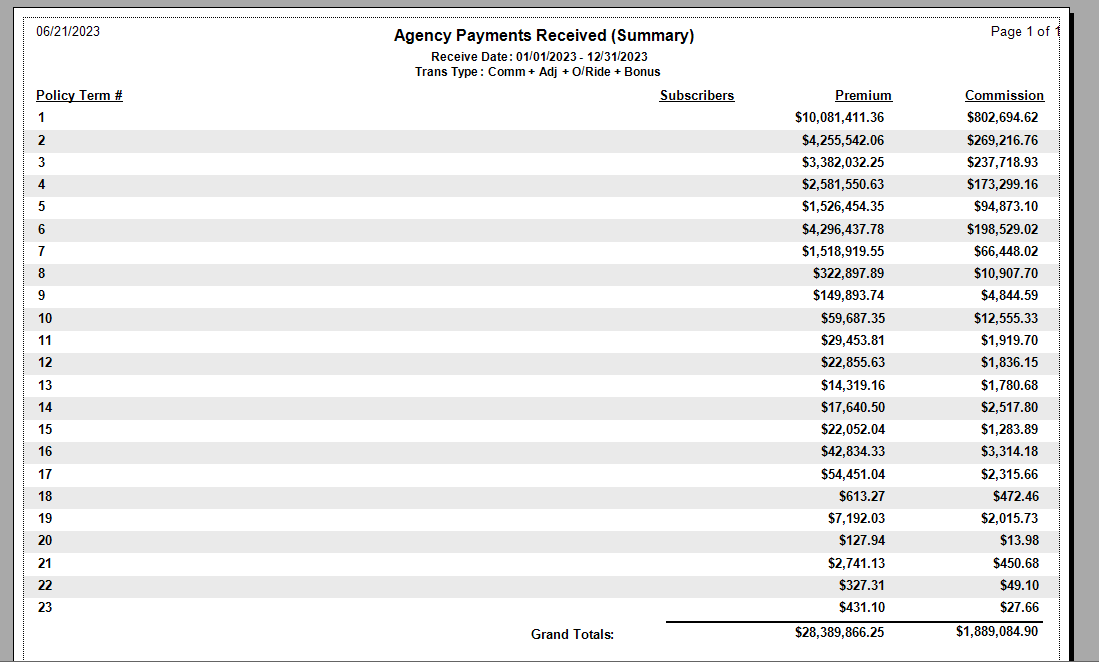
APR Report by Policy Term Number
Tracks total revenue for a specific carrier (or all carriers) based on how many years a policy has been active.
- Sort and Subtotal By: Carrier
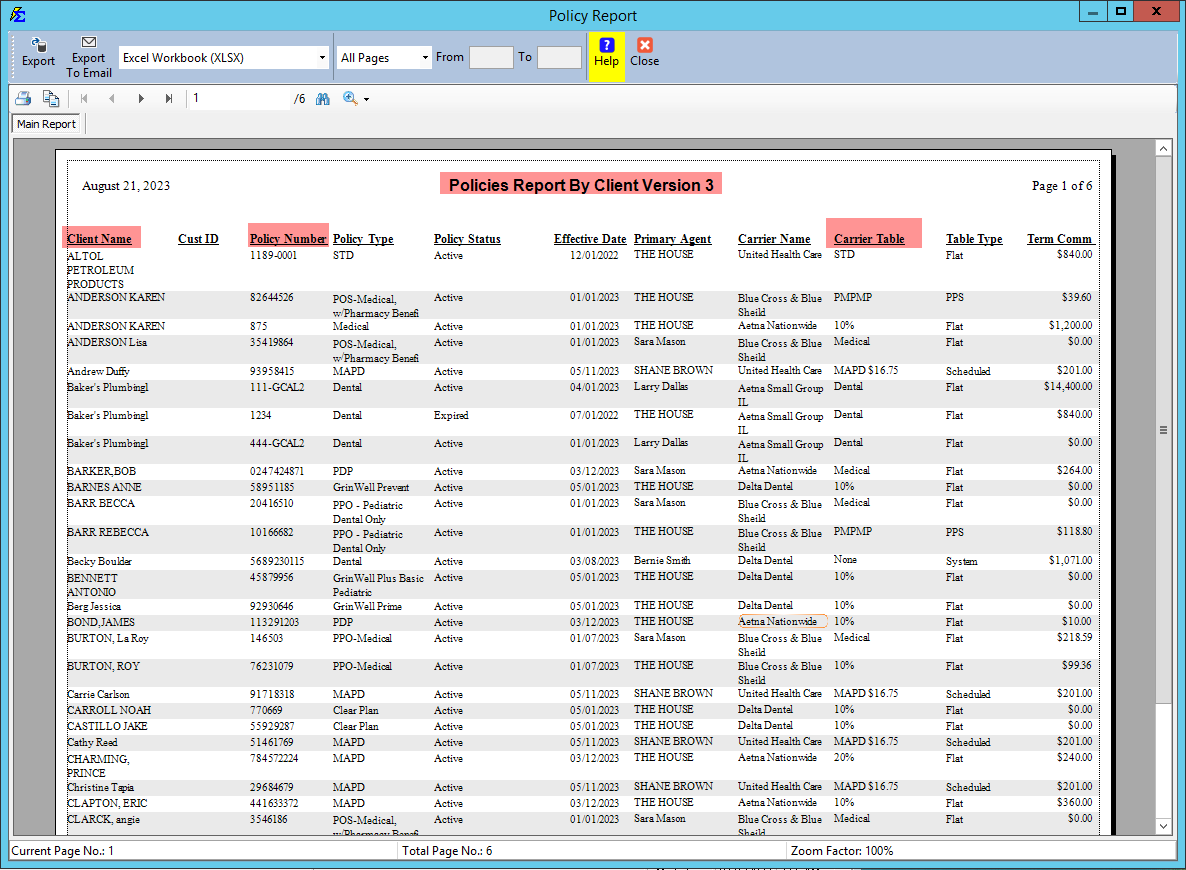
Policy Report: Carrier Commission Table Audit
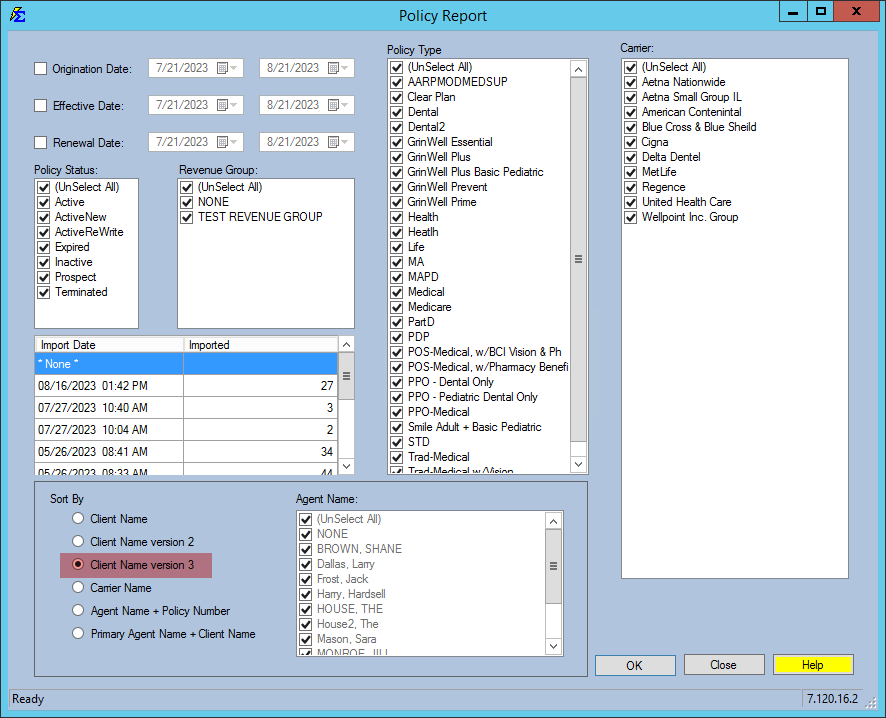
Use this report configuration to show Clients and Policy Numbers associated with specific Carrier Commission Tables — useful for verifying that your data is categorized correctly.
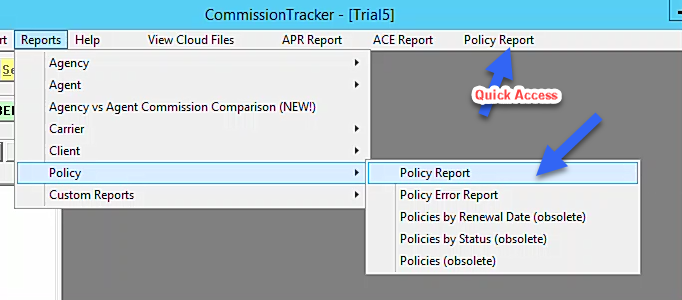
- Navigate to Reports → Policy → Policy Report.
- Under Sort By, select Client Name version 3.
- Run the report. Each row shows the client, policy number, carrier, and Carrier Table.
Tips
Subtotals and Formatting
Always check your Sort and Subtotal By setting before running a report. Use Summary format for a quick overview and Details format when you need to verify individual policy payments.
🔗 Related Topics
- Agency Payments Received — The full APR report reference.
- Reports — Overview of all available reports.
- Preset Date Range — Quickly set common date range filters.
- Email or Export Reports — Save or send report results.
Need help? Contact support@commission-tracker.com