Report of Import or Reconcile Session
The Import/Reconcile Session filter in the Agency Payments Received report lets you view a detailed list of every payment successfully posted during a specific import or reconcile session. Use it to verify totals immediately after an import.
💡 Why Use This
Use this report when:
- Verifying an import is complete — Confirm that all expected payments posted and your totals match your carrier statement.
- Matching your bank deposit — Compare the session total against what you received to catch discrepancies before closing the month.
- Identifying missing payments — If the report total is lower than expected, some rows may still be in the ICSE error queue.
🗺️ How to Access
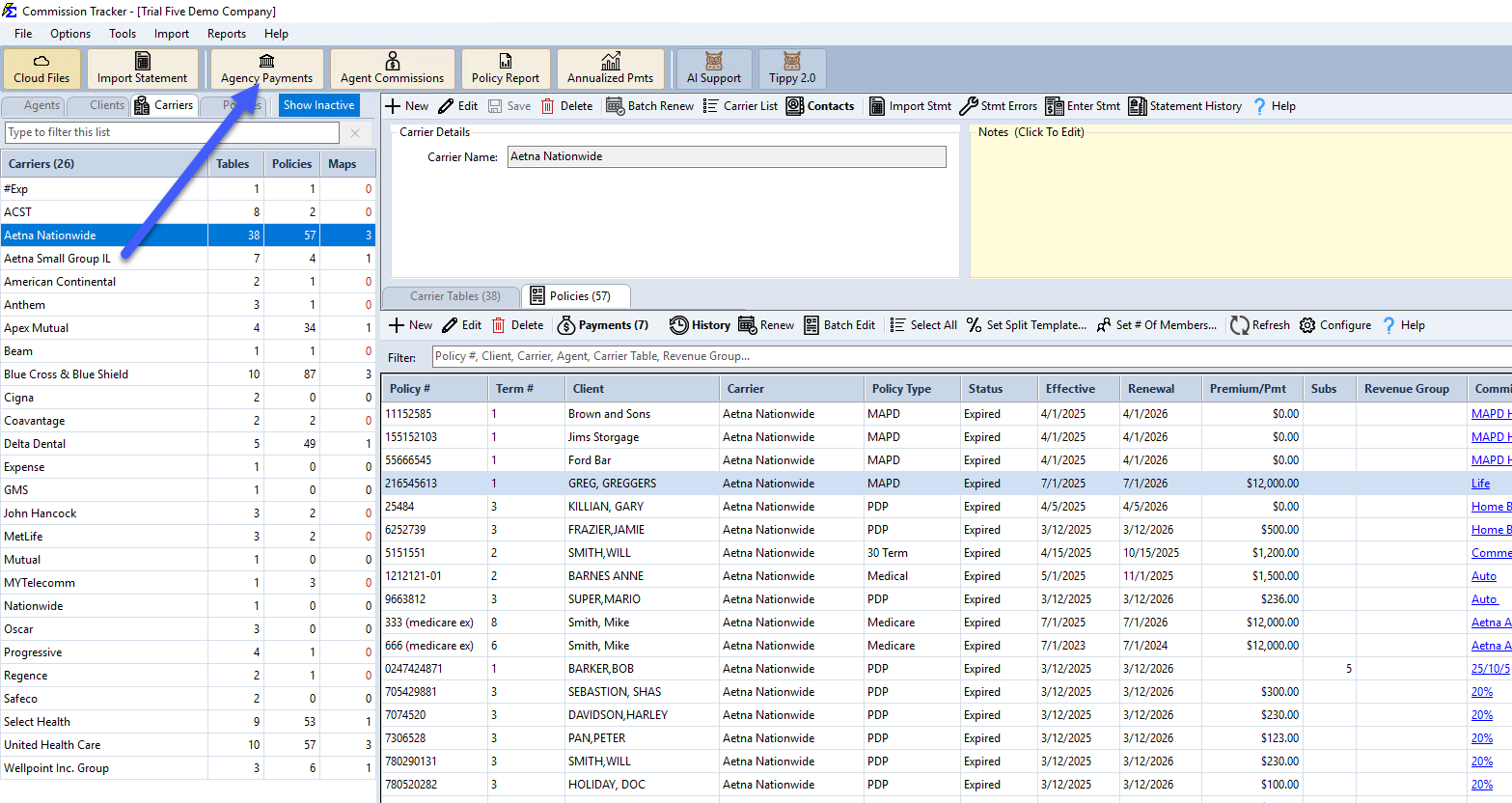
- Open the Agency Payments Received report.
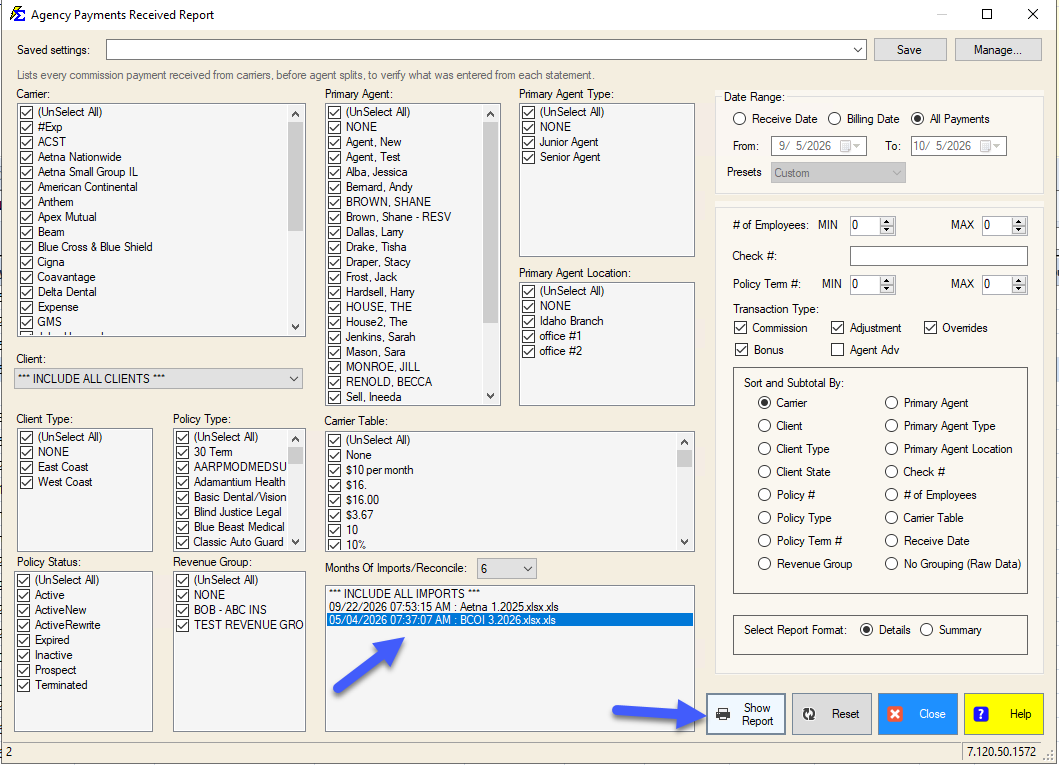
- Use the Months Of Imports/Reconcile list to find and select your session (listed as Date/Time : Filename).
- Click Show Report to generate the report.
🔧 Troubleshooting
The session total doesn't match my carrier statement. Some payments may have been sent to the ICSE error queue instead of posting successfully. Open the ICSE screen, filter to your session, resolve the errors, and click Retry Payments. Then rerun this report.
I can't find my session in the list. Sessions are listed by date/time and filename. If the session was recently created, try refreshing the report screen. If the session was reversed, it will no longer appear in the list.
The report shows fewer payments than I expected. Confirm all error rows in the ICSE screen for that session have been resolved and retried. Payments that remain in the error queue are not included in this report.
🔗 Related Topics
- Agency Payments Received — The full report where session filtering is available.
- Errors — Import Carrier Statement (ICSE) — Resolve payments that didn't post.
- Manage Import or Reconcile Session — Reverse an entire session if needed.
Need help? Contact support@commission-tracker.com