Agency Payments Received Annualized
The Agency Payments Received Annualized report provides a comprehensive 12-month view of your agency's incoming commissions, designed to show trends and total annual values rather than single-month snapshots.
💡 Why Use This
Use this report when:
- Analyzing annual revenue — View a rolling 12-month window of all payments received.
- Identifying trends — Compare performance across different Carriers or Agents over a full year.
- Budgeting and forecasting — Use historical annual data to predict future agency growth.
🗺️ How to Access
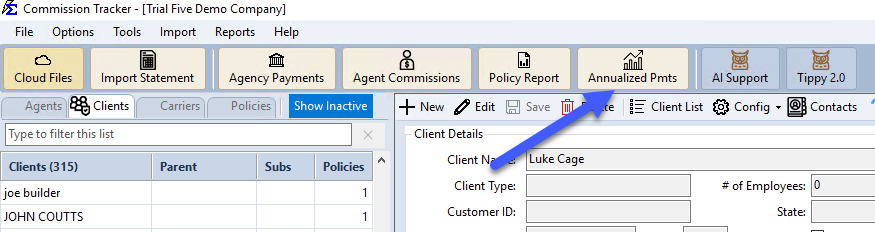
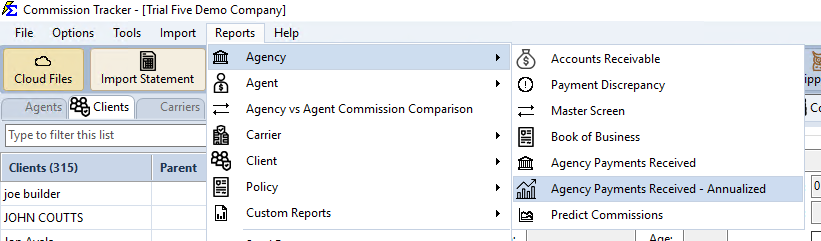
- Click the Annualized Pmts button on the main toolbar, or navigate to Reports → Agency → Agency Payments Received - Annualized.
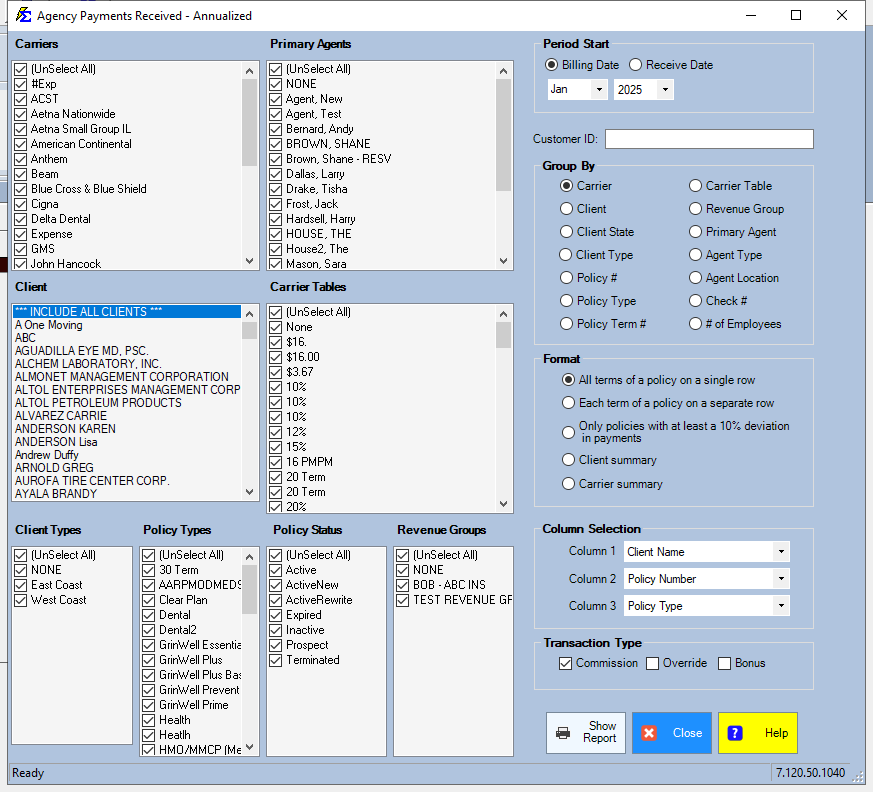
- Under Period Start, pick the first month and the year, and choose Billing Date or Receive Date. The report covers that month and the 11 months after it.
- Pick a Group By choice (for example Carrier or Primary Agent) and, under Column Selection, the three columns each row shows.
- Choose a Format variation to control the level of detail.
- Click Show Report.
Newer versions only
This is in newer versions of Commission Tracker. If you do not see it, your server has not been updated yet.
Click Reset to put the whole filter screen back to the way it opens.
Saved Settings
Newer versions only
This is in newer versions of Commission Tracker. If you do not see it, your server has not been updated yet.
The filter screen has a Saved settings row at the top. Set the filters the way you run this report each cycle, type a name and click Save; next time, pick the name and the whole screen fills in. Saved settings are shared by everyone in your company, and the report remembers the last one you used.
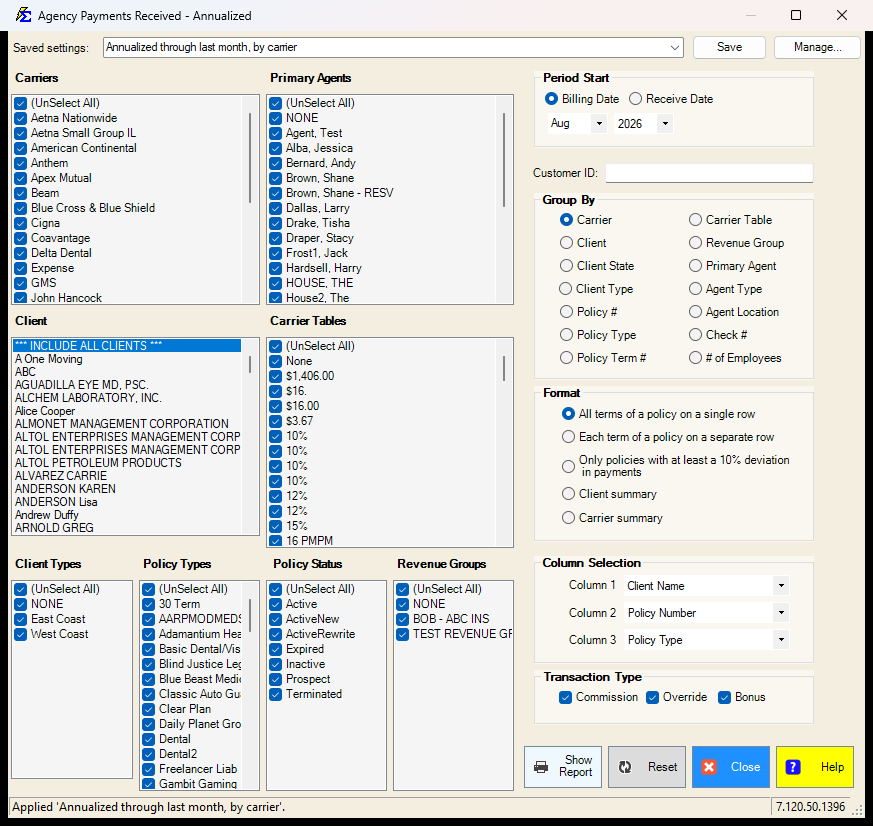
- The Period Start month is what a saved setting remembers. Pick the current month and the setting means "this month"; pick the month before and it means "last month", so either one moves with the calendar. Any older month is saved as that fixed month and year.
- Everything else on the screen is remembered: the carriers, primary agents, client, carrier tables, client types, policy types, statuses, revenue groups, the Receive or Billing date choice, the customer ID, the group-by, the report format, the three custom columns and the transaction types.
- Lists left at (Select All) stay "all", so a carrier or agent added later is included automatically.
See Saved Report Settings for saving, renaming and deleting.
Report Customization
Column Selection and Filters
Group By decides how the rows are grouped: Carrier, Client, Client Type, Policy #, Policy Type, Policy Term #, Revenue Group, Agent Type, Agent Location, Primary Agent, Check #, # of Employees, Carrier Table or Client State. Column Selection picks the three columns each row shows (Column 1, Column 2, Column 3): Carrier Name, Client Name, Policy Number, Policy Term, Policy Type or None. You can also narrow the report with the Carriers, Primary Agents, Client, Carrier Tables, Client Types, Policy Types, Policy Status and Revenue Groups lists and the Customer ID: box.
Format Variations
The Format section offers additional variations that change how data is summarized and how the 12-month grid is displayed.
How This Report Generates
Once generated, the system aggregates all recorded commissions for the selected 12-month period. Results show an itemized breakdown by your chosen grouping, followed by a grand total for the year.
🔧 Troubleshooting
The date range is not covering the period I need. The report covers the Period Start month and the 11 months after it. It does not look back from an end date or from today. Set Period Start to the first month you want to analyze — for example, to see all of 2025, pick Jan and 2025.
The report totals do not match the Agency Payments Received report. Verify that both reports are using the same date range and carrier filters. The Annualized report covers a 12-month window, which spans two calendar years unless Period Start is January.
I need to see data for a single carrier or agent. Use the filter options on the selection screen to limit results to one carrier or agent. The Group By choice determines how the results are organized within that filter.
🔗 Related Topics
- Agency Payments Received — Month-by-month gross receipts with session detail.
- Agency vs Agent Commission Comparison — Reconcile agency gross against agent payouts.
- Preset Date Range — Set the reporting period quickly.
Need help? Contact support@commission-tracker.com