Deleted Policy Log
The Deleted Policy Log, found under the Tools Menu, is a master audit trail for every policy permanently removed from your database. Unlike the Deleted Payments screen — which tracks individual transactions — this log records the removal of entire policy records, identifying the user and workstation responsible for each deletion.
💡 Why Use This
Use this log when:
- Investigating a missing policy — Confirm whether a policy was deleted rather than accidentally hidden or filtered out.
- Auditing accountability — Identify who deleted a policy, when, and from which workstation.
- Assessing financial impact — Review what payments and agent commissions were removed along with the policy.
🗺️ How to Access
- Navigate to Tools → Deleted Policy Log.
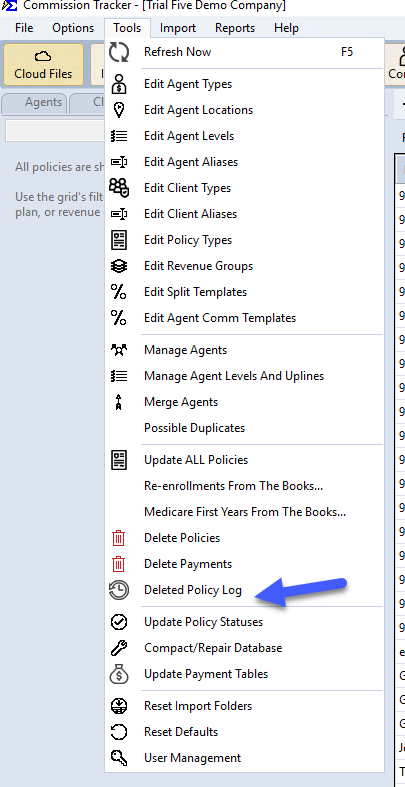
What the Log Shows
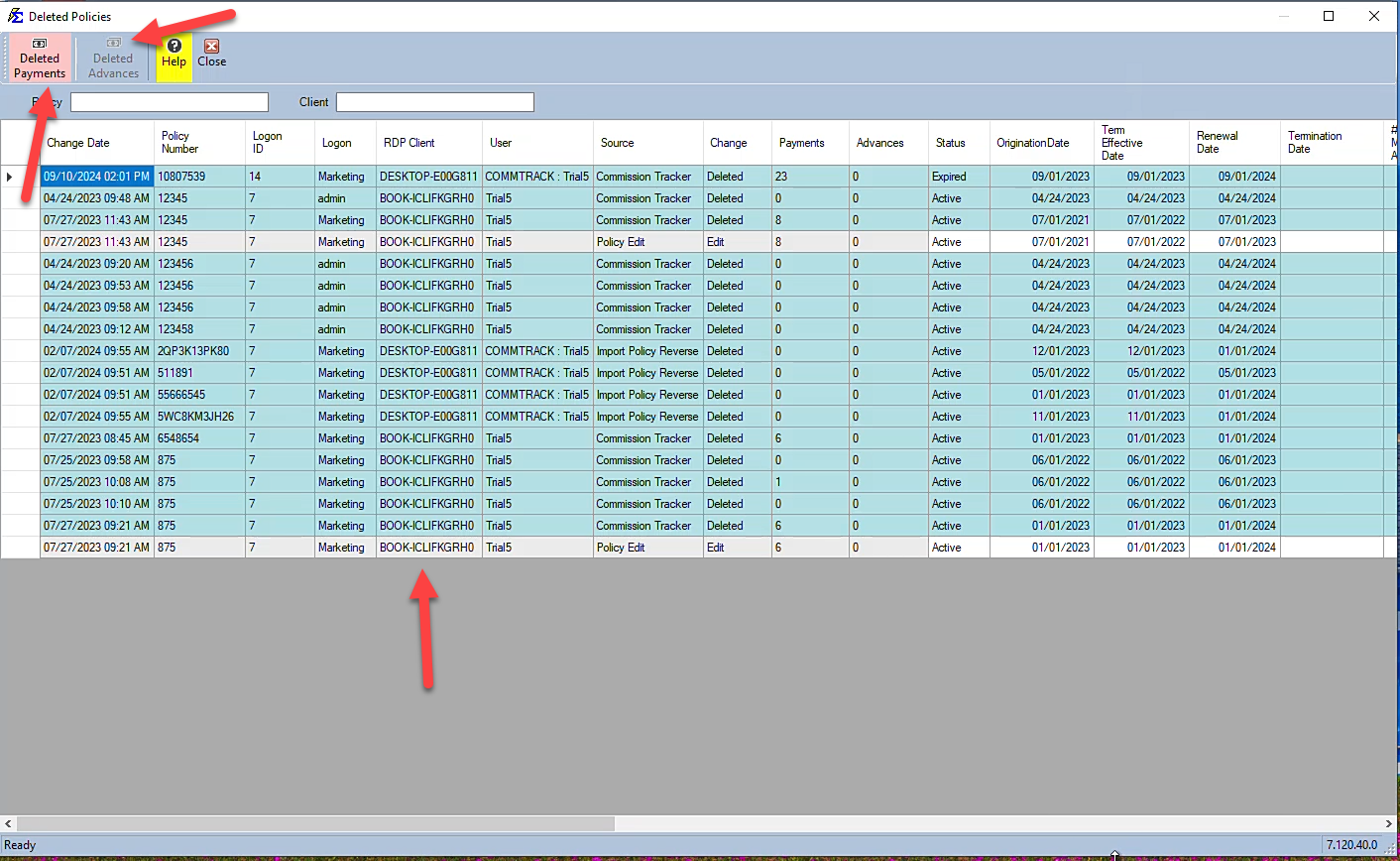
The Deleted Policies window lists one row for each removed policy record. To find a record, type in the Policy or Client box at the top — each box suggests matching entries as you type. Each row shows:
- Change Date — When the change was made.
- Policy Number — The policy that was removed.
- Logon ID and Logon — The Windows login of the person who made the change.
- RDP Client — The computer (workstation) they were connected from.
- User — The Commission Tracker login responsible.
- Source — Where the change came from, for example Commission Tracker, Policy Edit, or Import Policy Reverse.
- Change — Deleted for a deleted policy, or Edit for an edit recorded with it.
- Payments and Advances — How many payments and agent advances the policy had when it was removed.
- Status, OriginationDate, Term Effective Date, Renewal Date, and the policy's other fields as they were at the time of the change.
Auditing Financial Impact
When a policy is deleted, all associated payments and agent advances are also removed. Select a row in the log to drill into those lost records.
Deleted Payments
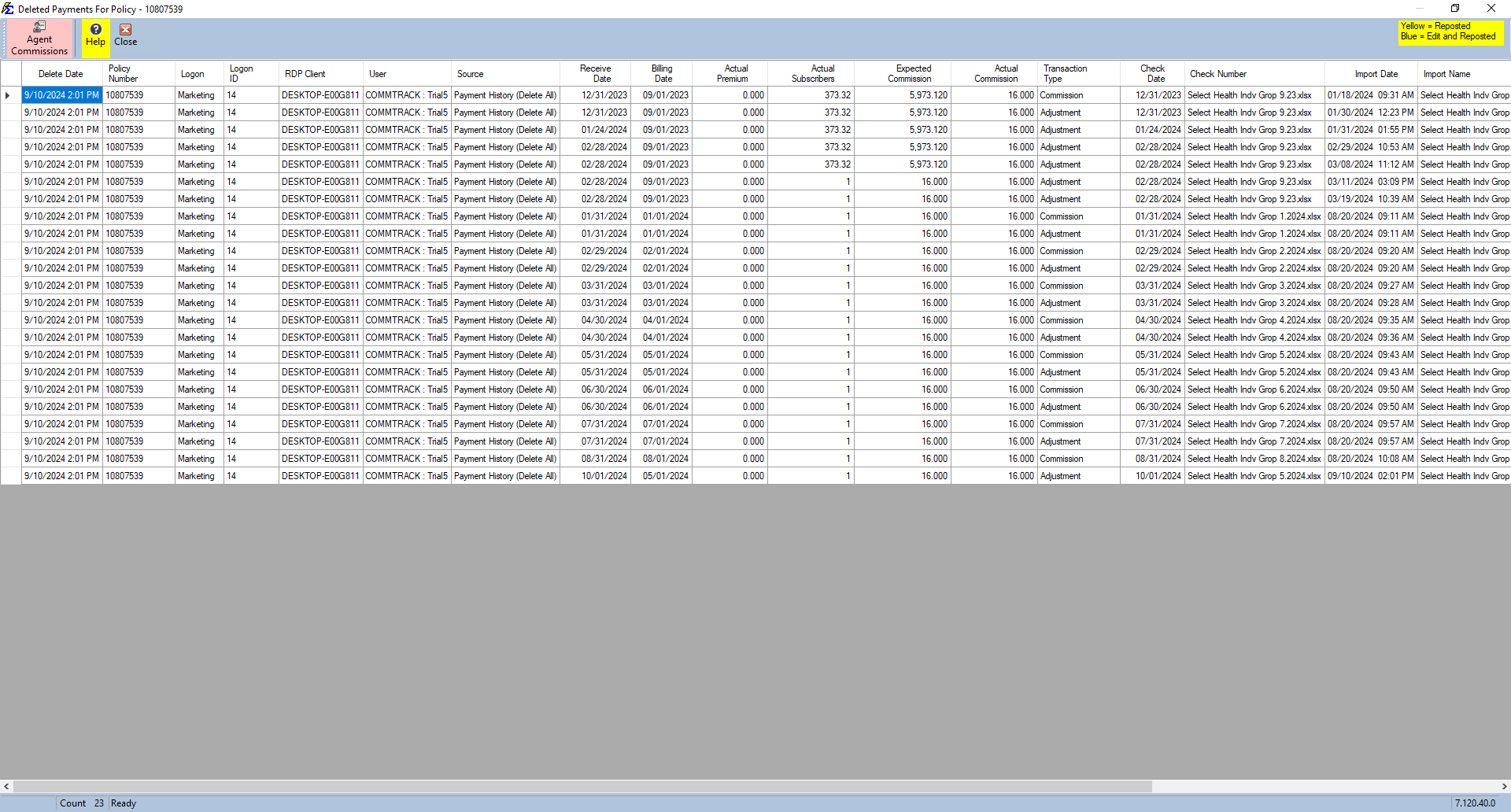
If the selected policy had payments, the Deleted Payments button turns red. Click it to open the Deleted Payments For Policy window, a detailed grid of every payment that was removed, including the receive date, billing date, premium, commission, check number, and the import it came from.
Deleted Advances
If the selected policy had agent advances, the Deleted Advances button turns red. Click it to see the advances that were removed. You can also double-click the Advances cell of the row.
Agent Commissions (Splits)
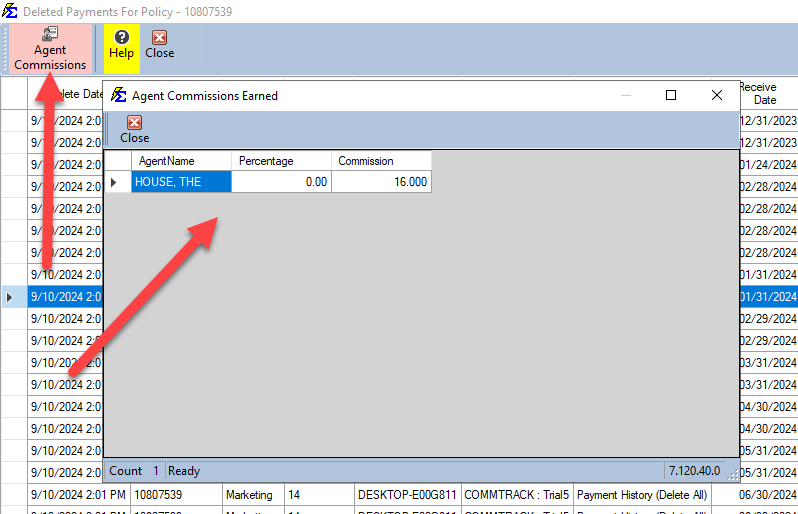
In the Deleted Payments For Policy window, select a payment and click Agent Commissions to see which agents were paid on it, their percentage, and the commission amount that was removed from their historical earnings.
Key Considerations
- Read-only record — This log is a permanent audit record and cannot be edited or cleared. It ensures data integrity is maintained even after records are removed.
- Recovery — A deleted policy cannot be restored directly from this screen. To recover deleted data, contact support to discuss database restore options. The Delete Policies utility creates an automatic backup before each deletion run.
- Agent Advances — This log also tracks any Agent Advances that were associated with deleted policies (see Deleted Advances).
🔧 Troubleshooting
A policy I need is showing in the log as deleted. The policy cannot be restored from this screen. Contact support@commission-tracker.com immediately — the technical team may be able to restore a pre-deletion backup if the deletion was recent.
The Deleted Payments and Deleted Advances buttons are not red. This means the selected policy had no payments or agent advances at the time of deletion. There is no financial impact to audit for that record. Check that you selected the right row — the buttons follow the highlighted row.
I need to find which user deleted a specific policy. Type the policy number in the Policy box or the client's name in the Client box at the top of the window and pick the matching entry. You can also click a column heading to sort the log. The User column identifies the Commission Tracker login that performed the deletion, and RDP Client shows the computer it was done from.
🔗 Related Topics
- Delete Policies Utility — The tool used to bulk-delete policy records.
- Deleted Payments — Audit trail for individual deleted payment records.
- User Management — Manage user permissions to control deletion access.
Need help? Contact support@commission-tracker.com