Premium Per Payment
Premium Per Payment is the estimated dollar amount expected for each payment cycle. Commission Tracker stores both this estimate and the actual premium received for every payment, allowing you to track expected vs. received revenue.
💡 Why Use This
Set the Premium Per Payment accurately when:
- Creating a new policy — This value drives the "Expected Commission" calculation when combined with your Carrier Commission Table rate.
- Reviewing Accounts Receivable — The estimated premium determines how much the system expects the carrier to pay each period.
- Tracking premium changes — When a client's premium changes, updating this field keeps your commission forecasts accurate.
🗺️ How to Access
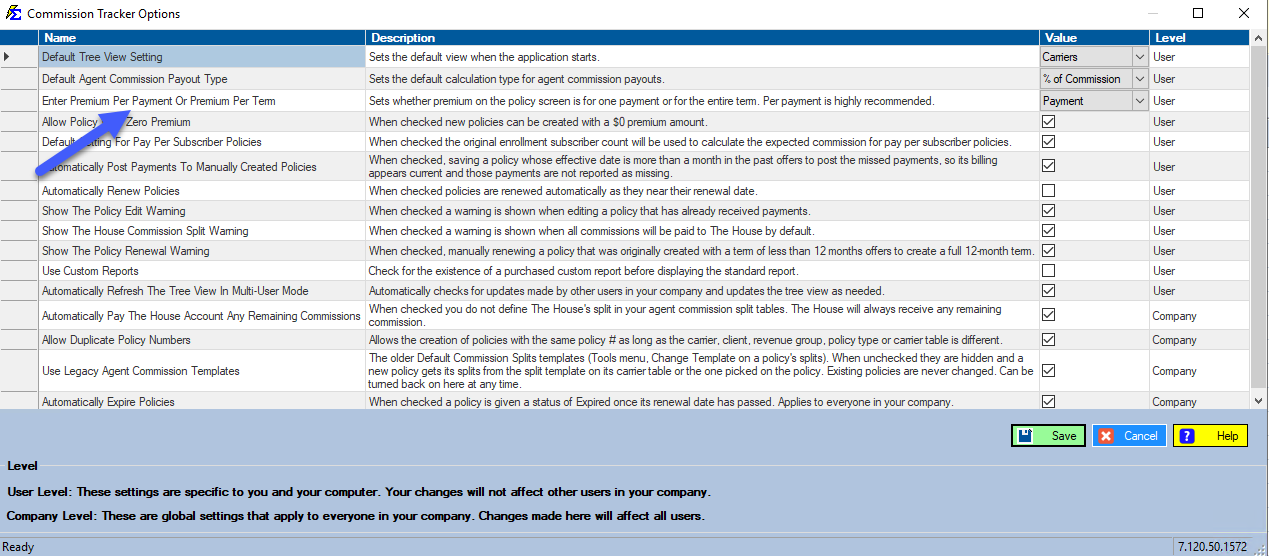
The Premium Per Payment field is the Premium Per Pmt: $ box in the Premium group of the policy window. It reads Premium Per Term: $ when the Enter Premium Per Payment Or Premium Per Term setting in the Options menu is set to per term.
Recommended Method: Premium Per Payment
Premium Per Payment is the standard and recommended way to define policy premiums. It represents the amount expected for each individual payment cycle (e.g., each month).
Actual Premium
The system automatically logs the "Actual Premium" when you post carrier payments. Your estimate does not need to be perfect — the actual amount received is always recorded separately.
Alternative: Premium Per Term
Premium Per Term (Not Recommended)
This option tracks the total value of the entire term rather than individual payments. Use only if your carrier contract specifies a single lump-sum premium for the full term.
Calculation Logic:
Monthly Premium × Months in Term = Total Term Premium
| Component | Value |
|---|---|
| Monthly Premium | $100.00 |
| Term Length | 12 Months |
| Total Term Premium | $1,200.00 |
This setting can be modified in the Options Menu.
🔧 Troubleshooting
My expected commission amount looks wrong. Verify that the Premium Per Payment is entered correctly and that your Carrier Commission Table rate is accurate. The expected commission is calculated as: Premium Per Payment × Commission Rate.
The premium changed mid-term — how do I update it? Update the Premium Per Payment field on the policy and save. The change will apply to future expected payments. Payments already posted will retain their original actual premium values.
🔗 Related Topics
- Commission Source and Premium — Overview of all payment schedule fields.
- Number Of Payments Per Term — How many times per term the carrier pays.
- Commission Per Payment — Override the table math with a fixed dollar amount.
- Options Menu — Switch between Premium Per Payment and Premium Per Term.
Need help? Contact support@commission-tracker.com