Agency vs Agent Commission Comparison
The Agency vs. Agent Commission Comparison report is an auditing tool that confirms the total commission received by your agency matches the total commission paid out to agents — including the portion retained by the House. Use it to catch allocation errors before they compound.
💡 Why Use This
Use this report when:
- You need to audit payouts — Confirm that every dollar received from a carrier has been properly allocated to agents.
- You suspect a discrepancy — Quickly identify specific payments where an agent was underpaid or overpaid.
- Reconciling monthly totals — Replace the manual process of comparing the Agency Payments Received and Agent Commissions Earned reports side by side.
🗺️ How to Access
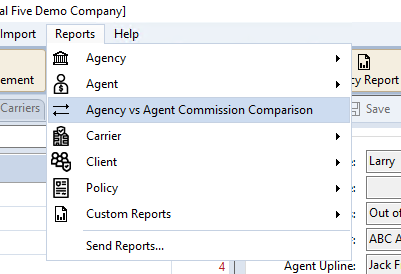
- Navigate to Reports → Agency vs Agent Commission Comparison.
- Set your Date Range to the period you are auditing.
- Select a filter — Carrier, Agent, or Revenue Group.
- Choose a report format (see below) and click Show Report.
Saved Settings
Newer versions only
This is in newer versions of Commission Tracker. If you do not see it, your server has not been updated yet.
The filter screen has a Saved settings row at the top. Set the filters the way you run this audit each cycle, type a name and click Save; next time, pick the name and the whole screen fills in. Saved settings are shared by everyone in your company, and the report remembers the last one you used.
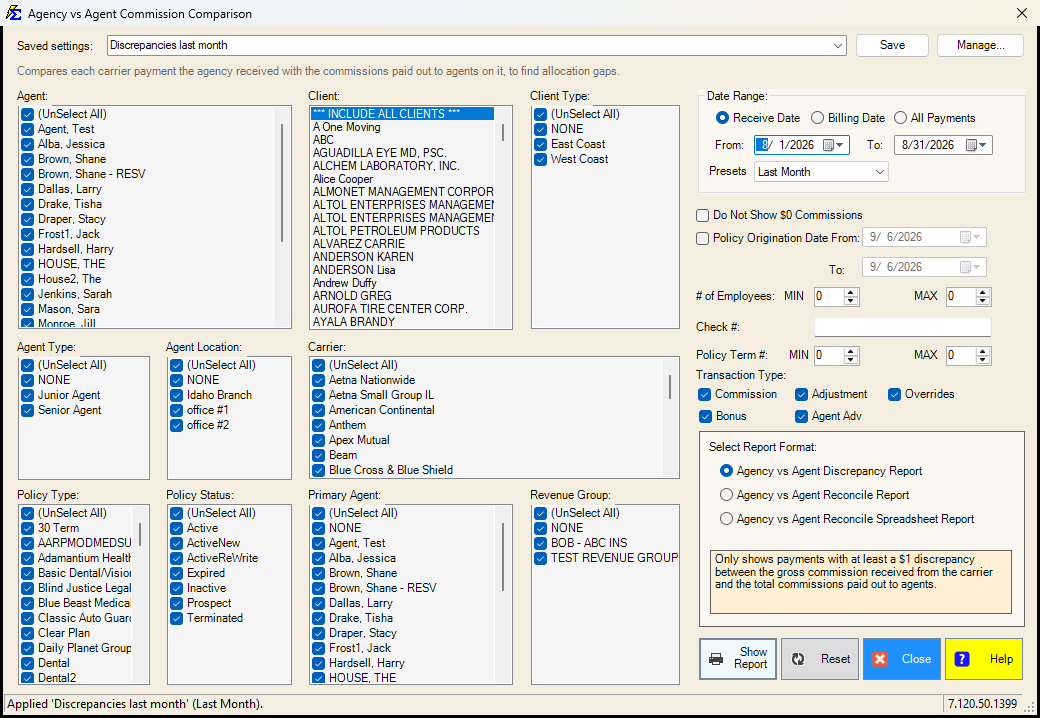
- The Presets box under the dates (Last Month, This Year to date, ...) is what a saved setting remembers, together with the Receive Date / Billing Date / All Payments choice. Choose Custom to save fixed dates.
- The Policy Origination Date filter has no presets, so its dates are saved and come back exactly as typed.
- Everything else on the screen is remembered: the agents, client, client types, agent types, agent locations, carriers, policy types, policy statuses, primary agents, revenue groups, the $0 commissions box, the number ranges, the check number, the transaction types and the report format.
- Lists left at (Select All) stay "all", so a carrier or agent added later is included automatically.
- Reset puts the whole screen back to the way it opens: every list selected, Receive Date, last month to today, no origination filter, every transaction type, the Discrepancy format.
See Saved Report Settings for saving, renaming and deleting.
Report Format Variations
The system offers three views of this comparison data depending on your auditing needs.
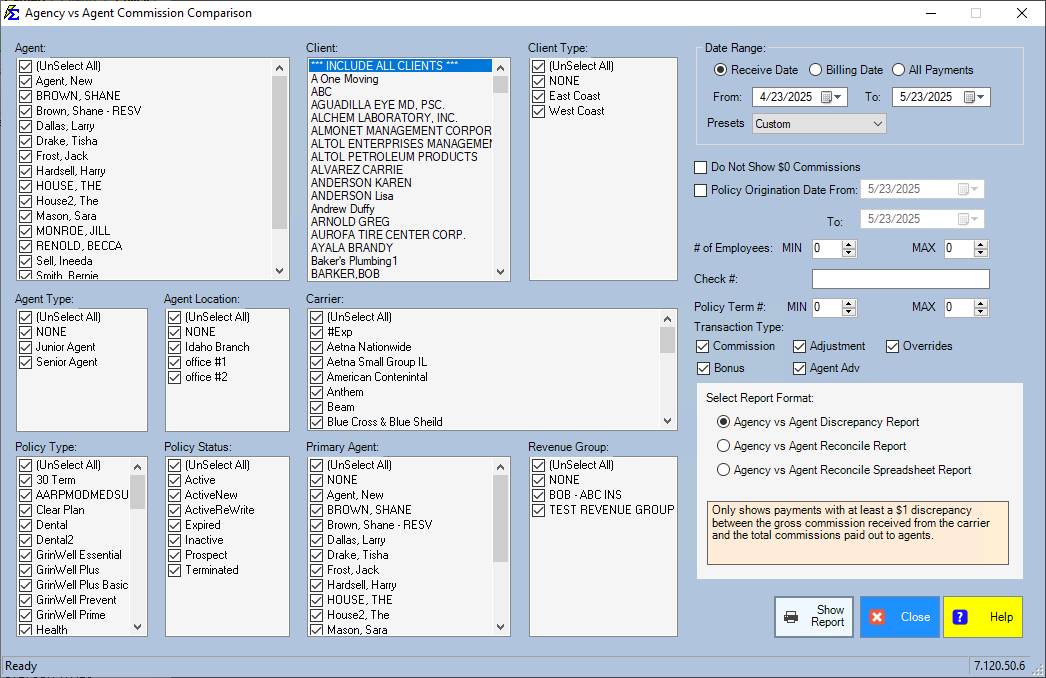
Agency vs Agent Discrepancy Report
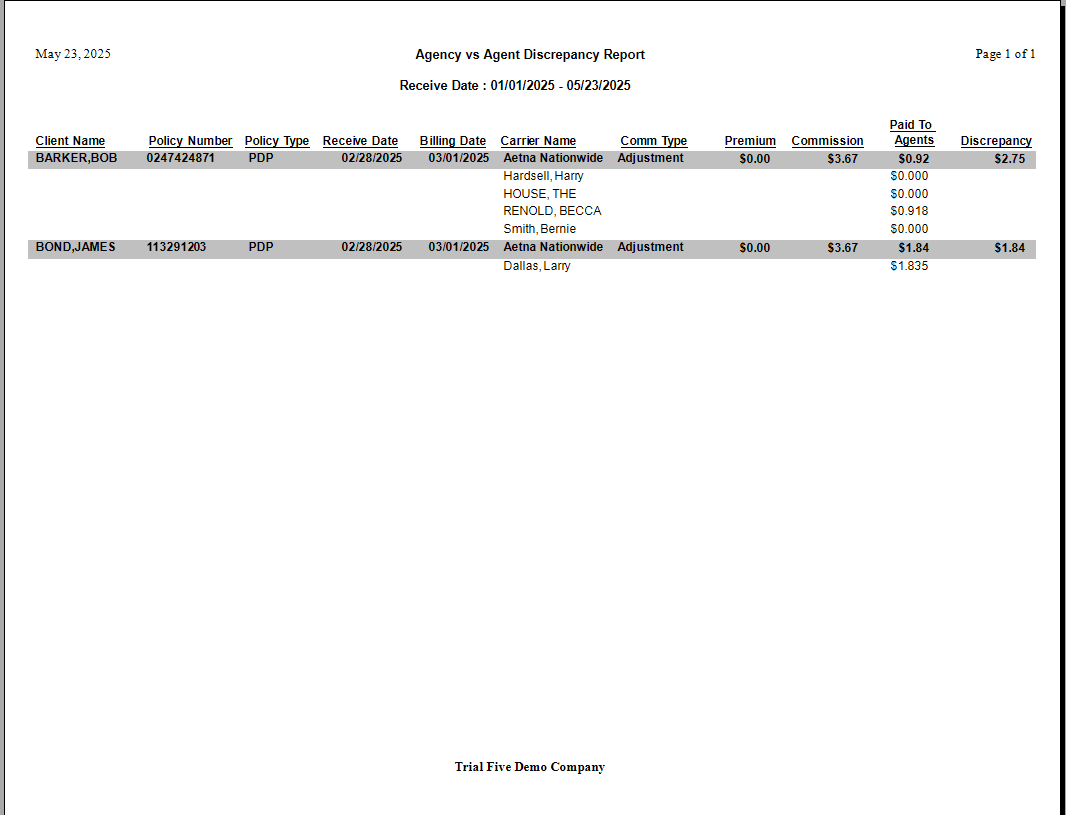
An exception-only report. It shows only payments where there is at least a $1.00 discrepancy between the gross commission received and the total commissions paid out. Use this first to find errors quickly.
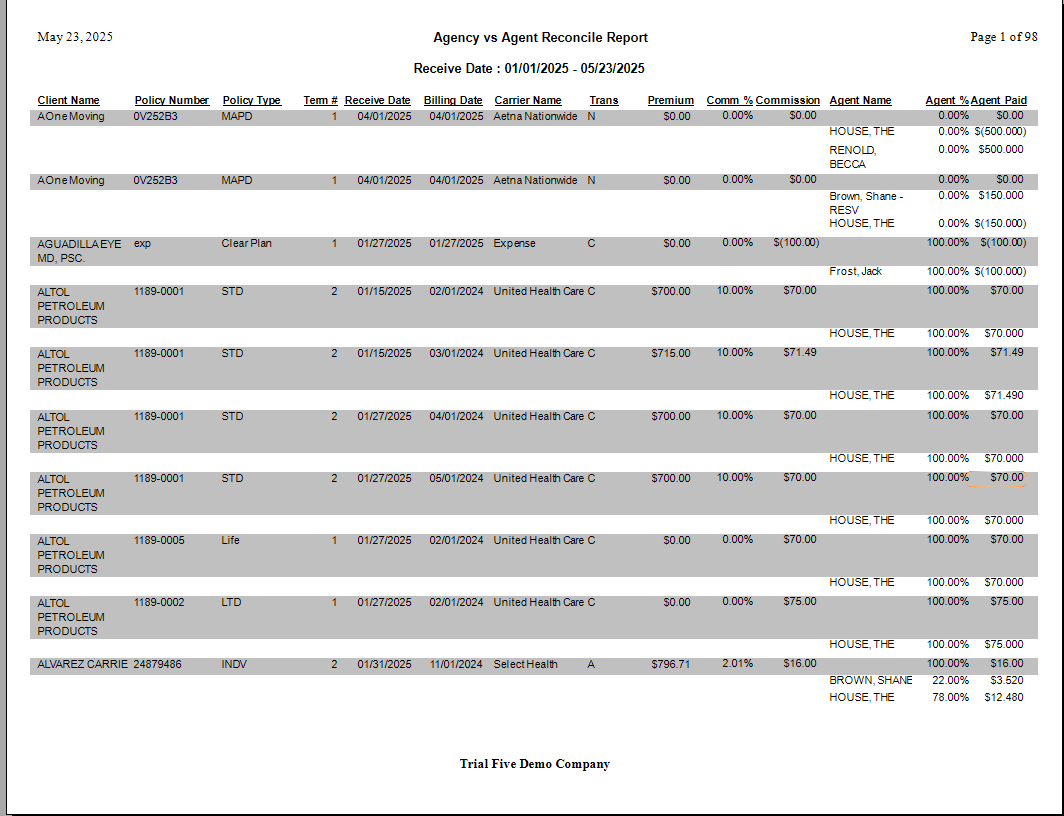
Agency vs Agent Reconcile Report
A full audit report. It compares all payments received from the carrier to the total commissions paid out, regardless of whether they match. Use this for a complete picture of a given period.
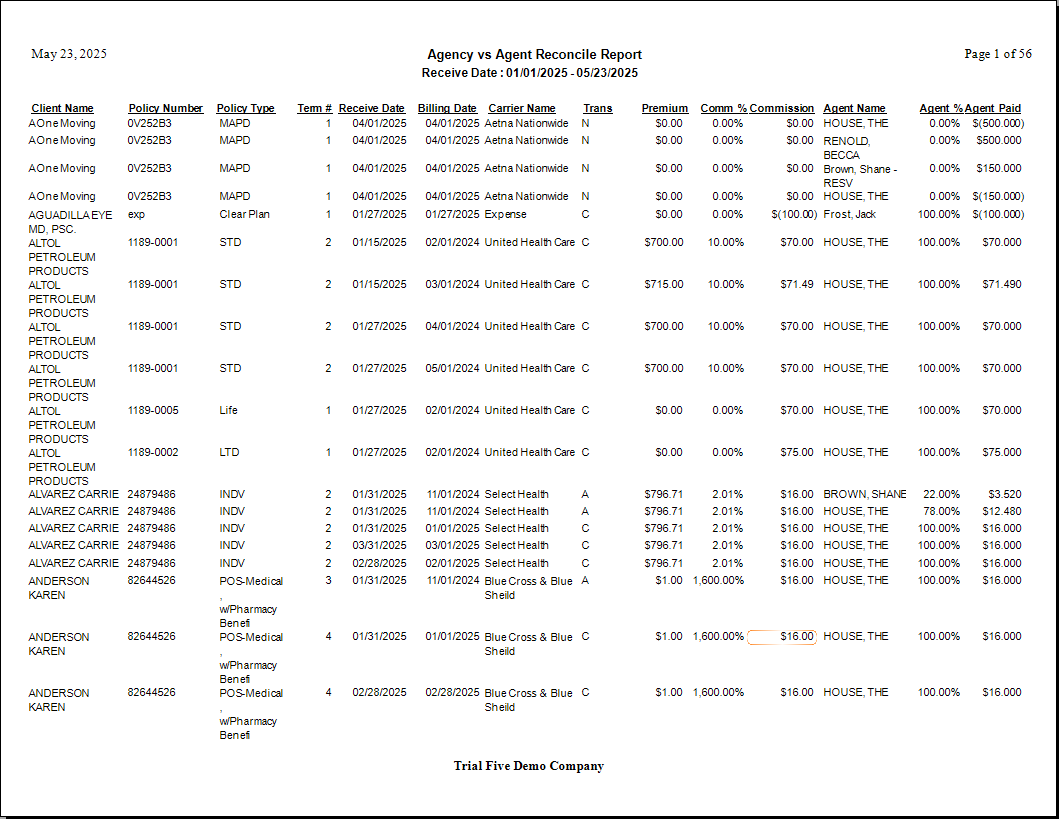
Agency vs Agent Reconcile (Spreadsheet Format)
Provides the same comprehensive data as the Reconcile Report in a flat format. Use this when you plan to export to Excel for further analysis.
How This Report Generates
- The system cross-references the Agency Payments Received (gross) against the calculated Agent Splits.
- It subtracts the total agent payouts from the gross received amount.
- If a difference exists, it is highlighted to show exactly how much commission remains unallocated or is over-allocated.
🔧 Troubleshooting
Almost every line shows a discrepancy. The most common cause is that the House is not included in calculations. If the agency retains a portion of the commission but the House is not configured as an agent split, that retained amount registers as unallocated. Verify your agent split setup includes a House allocation where applicable.
A specific carrier shows a large discrepancy. Filter the report to that carrier and run the Reconcile format to see every transaction. Look for payments that were posted without agent splits assigned, or payments where splits were entered incorrectly.
The report shows a discrepancy for a single payment I know was correct. Check the Payment Received Date. If a payment spans two periods and was partially applied, the allocation may appear offset. Open the payment in Payment History to verify the split amounts.
I want to run this for just one carrier. Use the Carrier filter on the selection screen to limit the report to a single carrier. The Discrepancy format is the fastest way to find problems within that carrier's payments.
🔗 Related Topics
- Agent Commissions Earned Report — View individual agent earnings.
- Agency Payments Received — The gross receipts side of this comparison.
- Preset Date Range — Set the reporting period quickly.
Need help? Contact support@commission-tracker.com