Create Carrier Commission Tables
Carrier Commission Tables are the rulesets used to calculate exactly what a carrier owes your agency. When creating a new policy, you will select the appropriate table for that specific product. Because commission rates typically vary by product (e.g., Dental vs. Life), you will usually create a separate table for each product line.
Once configured, Commission Tracker uses these tables to automatically calculate your Expected Commission each month, enabling you to identify underpayments or missing revenue.
💡 Why Use This
Create a Carrier Commission Table when:
- Setting Up a New Contract — Any product line with a distinct commission rate needs its own table.
- Enabling Revenue Auditing — Commission tables allow the system to compare expected vs. received payments so you can catch underpayments.
- Automating Agent Payouts — Tables drive the commission split calculations that determine what each agent receives.
🗺️ How to Access
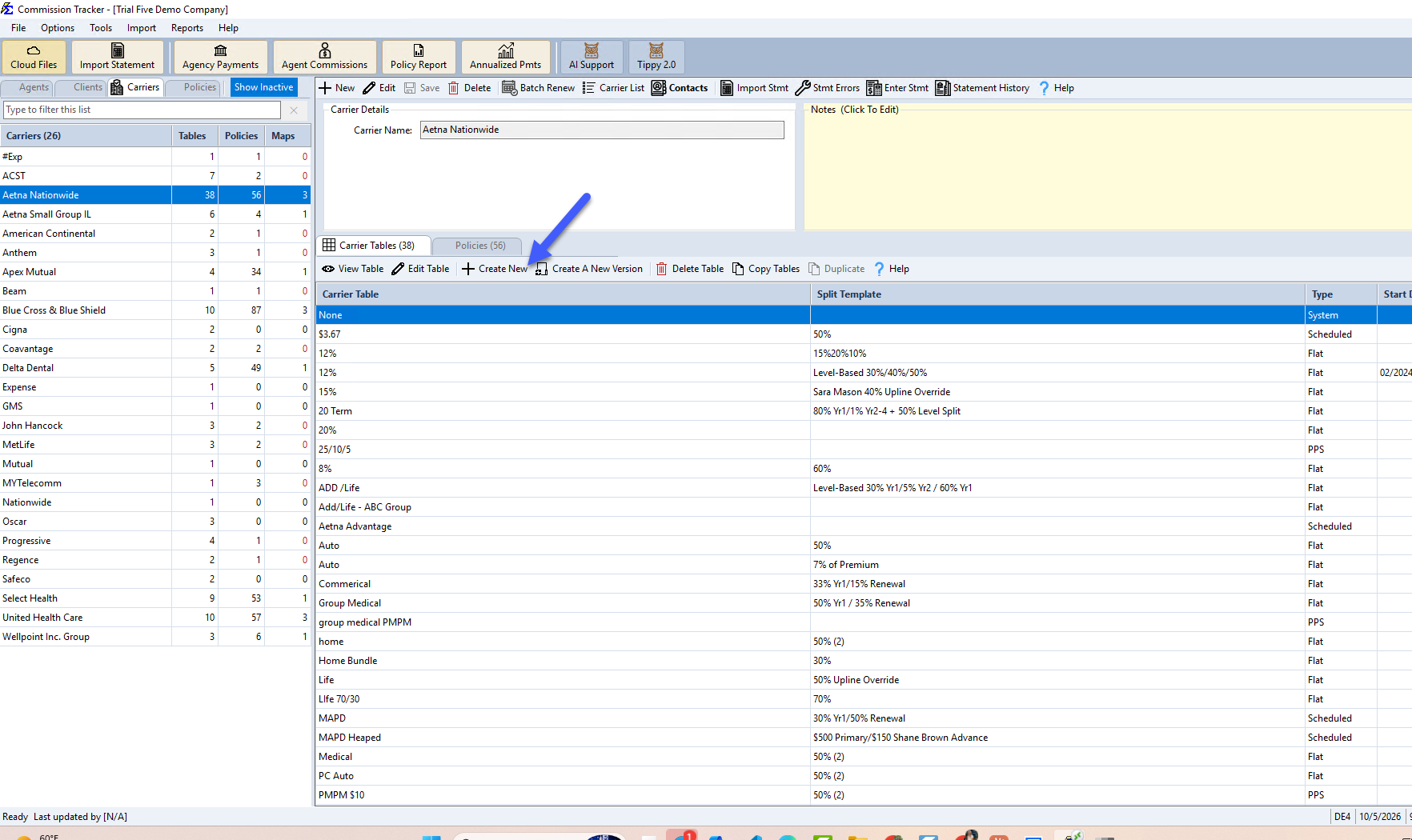
- Select an existing Carrier from the Carrier List (or Create a New Carrier).
- Click the Carrier Tables tab.
- Pick the table type (Flat, Scheduled, Graded or PPS) in the list beside Create New, based on your carrier contract.
- Click Create New.
Newer versions: click Create New first, then pick the type in the New Carrier Table window and click Next.
Supported Table Types
| Table Type | Commission Basis | Best Used For |
|---|---|---|
| Flat | % of Premium | Standard percentage-based contracts (e.g., 10% of premium). |
| Graded | % of Accumulated Premium | Contracts where the rate drops as premium hits certain thresholds. |
| Scheduled | Fixed Dollar Amount | Fixed monthly fees or flat-rate commissions regardless of premium. |
| Pay Per Subscriber | # of Members | Group policies paid per head (e.g., $2.00 per member). |
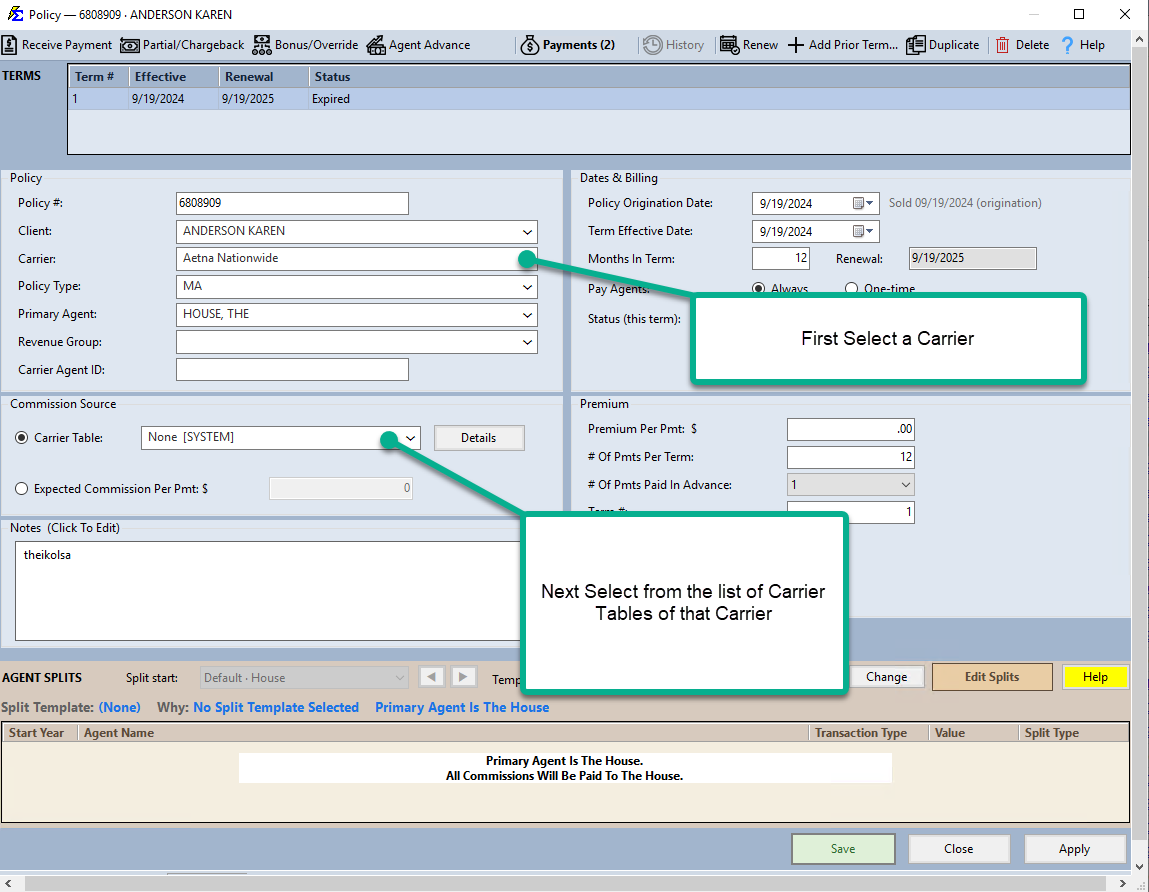
Once a table is created, assign it to a policy by first selecting the Carrier, then selecting the table from the list of Carrier Tables for that carrier.
Alternatives to Automated Tables
If you do not wish for Commission Tracker to audit your statements or predict future revenue, you can bypass table creation:
- Zero Expectations — Pick None [SYSTEM] in the Carrier Table: dropdown of the policy's Commission Source group. The expected commission will always be zero.
- Manual Entry — Use the Commission Per Payment field on the policy screen to manually enter your expected amount, bypassing all system math.
Important Considerations
Historical Accuracy
Once a table is created and used for payments, avoid editing the rates directly. Instead, use Carrier Commission Table Versions to handle rate changes. This ensures your historical records remain accurate while new payments adopt the updated rates.
Agent Payouts
The Carrier Commission Table defines what the Agency gets paid. To define what the Agent gets paid, you must also configure the Carrier Table Agent Splits for that specific table.
🔗 Related Topics
- Flat Carrier Table — Configure a percentage-based commission table.
- Scheduled Carrier Table — Configure a fixed-dollar commission table.
- Graded Carrier Table — Configure a tiered percentage commission table.
- Pay Per Subscriber (PPS) — Configure a per-member commission table.
- Carrier Commission Table Versions — Manage rate changes over time without affecting history.
- Carrier Table Agent Splits — Define how agents are paid from carrier revenue.
Need help? Contact support@commission-tracker.com