Agency Payments Received Annualized
The Agency Payments Received Annualized report provides a comprehensive 12-month view of your agency's incoming commissions. This report is designed to show trends and total annual values rather than single-month snapshots.
When to Use This Report
Use this report when you need to:
-
Analyze Annual Revenue - View a rolling 12-month window of payments.
-
Identify Trends - Compare performance across different Carriers or Agents over a full year.
-
Budget & Forecast - Use historical annual data to predict future agency growth.
Report Customization
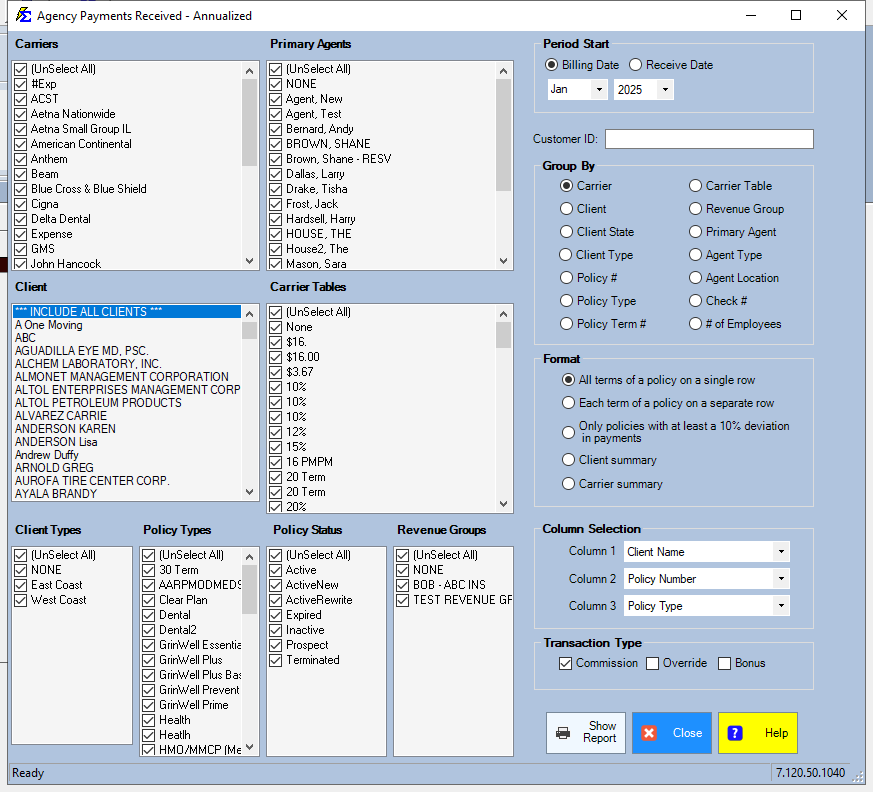
This report is highly flexible. You can filter the data set by Entity (Carrier, Agent, Client), Policy Details, or specific Revenue Groups.
Column Selection & Filters
The choices you make in the Column Selection area determine the hierarchy of the first three columns in your report. This allows you to group data by Agent, then Carrier, or vice versa.
Format Variations
The Format Section offers additional variations to change how the data is summarized. Depending on your selection, the report will adjust its level of detail and how the 12-month grid is displayed.
Step-by-Step: Running the Report
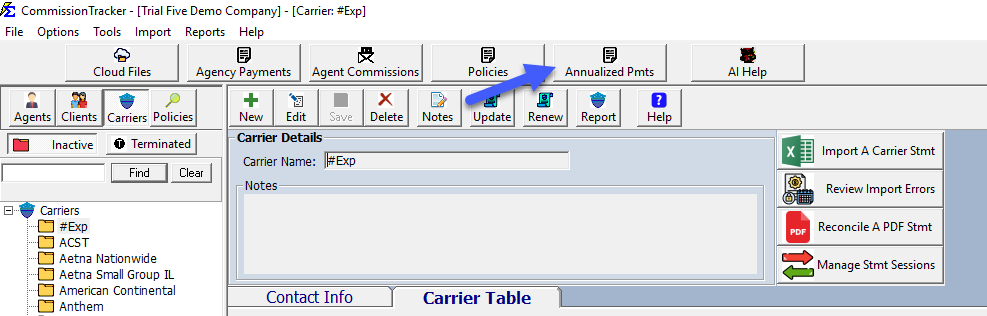
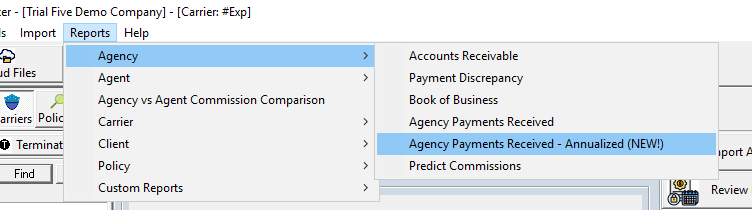
- Go to the Reports menu and select Agency Payments Received Annualized.
- Select your Date Range (this will look back 12 months from your end date).
- Use the Column Selection to choose your primary and secondary grouping.
- Choose a Format variation.
- Click View Report.
What Happens When the Report Generates
Once the report is generated, the system aggregates all recorded commissions for the selected 12-month period. You will see an itemized breakdown followed by a grand total for the year.
Troubleshooting
Q: Why don't the totals match my Monthly Commission report? A: Ensure the date ranges align. The Annualized report looks at the Receive Date across a 12-month spread, whereas monthly reports might be filtered by Billing Date.
Q: Can I export this to Excel? A: Yes. Like all Commission Tracker reports, once the report is generated, you can use the export icon to save it as an Excel or PDF file.
Need help? Contact support@commission-tracker.com