Agency Payments Received
The Agency Payments Received report displays the total commission received from carriers before any agent splits are applied. It is the primary tool for verifying that carrier statements have been entered correctly into the system.
💡 Why Use This
Use this report when:
- Verifying statement entry — Confirm the total Premium and Commission entered for a specific carrier statement matches your records.
- Auditing agency revenue — View the total gross commission received by the agency.
- Performing reconciliation — Compare this report against the Agent Commissions Earned report to ensure total income equals total payout, including House splits.
🗺️ How to Access
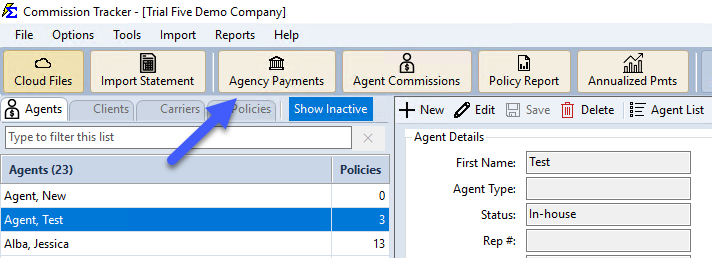
- Click the Agency Payments button on the main toolbar, or navigate to Reports → Agency → Agency Payments Received.
- Select the Carrier and the Date Range for the statement you are verifying.
- Set any Revenue Group filter if needed.
- Click Show Report.
List Only Adjustments (or One Transaction Type)
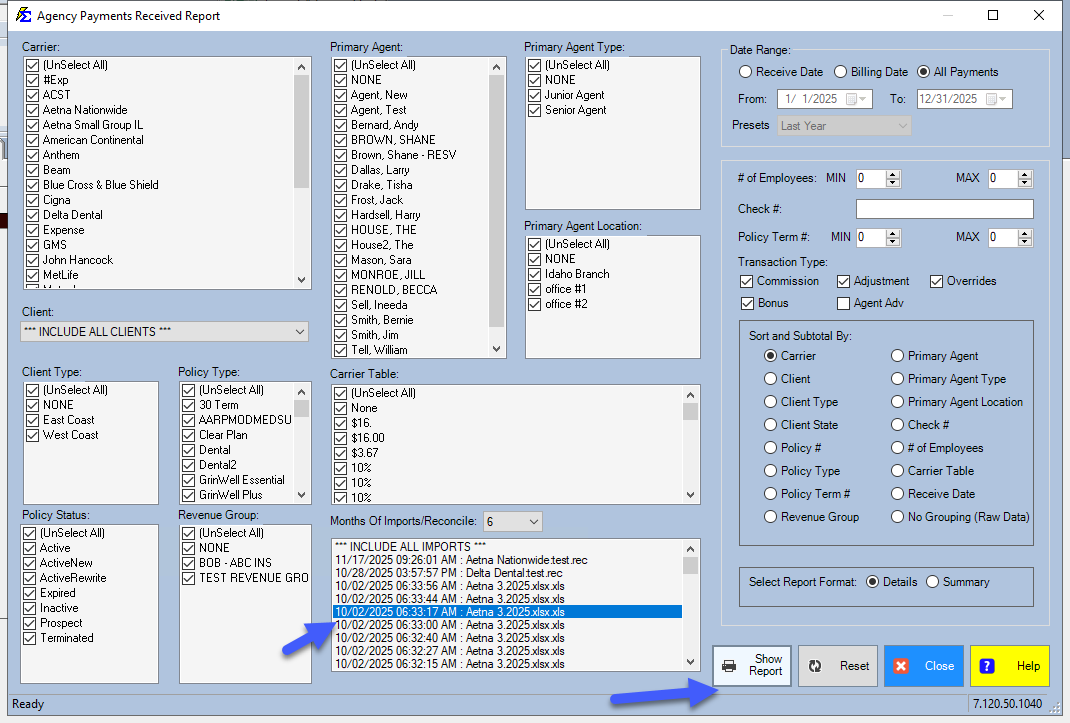
Under Transaction Type:, leave only the type you want checked (Commission, Bonus, Overrides, Agent Adv or Adjustment), choose Details under Select Report Format:, then click Show Report. For example, check only Adjustment to list every payment that posted as an adjustment, policy by policy.
Saved Settings
Newer versions only
This is in newer versions of Commission Tracker. If you do not see it, your server has not been updated yet.
The filter screen has a Saved settings row at the top. Set the filters the way you run this report each cycle, type a name and click Save; next time, pick the name and the whole screen fills in. Saved settings are shared by everyone in your company, and the report remembers the last one you used.
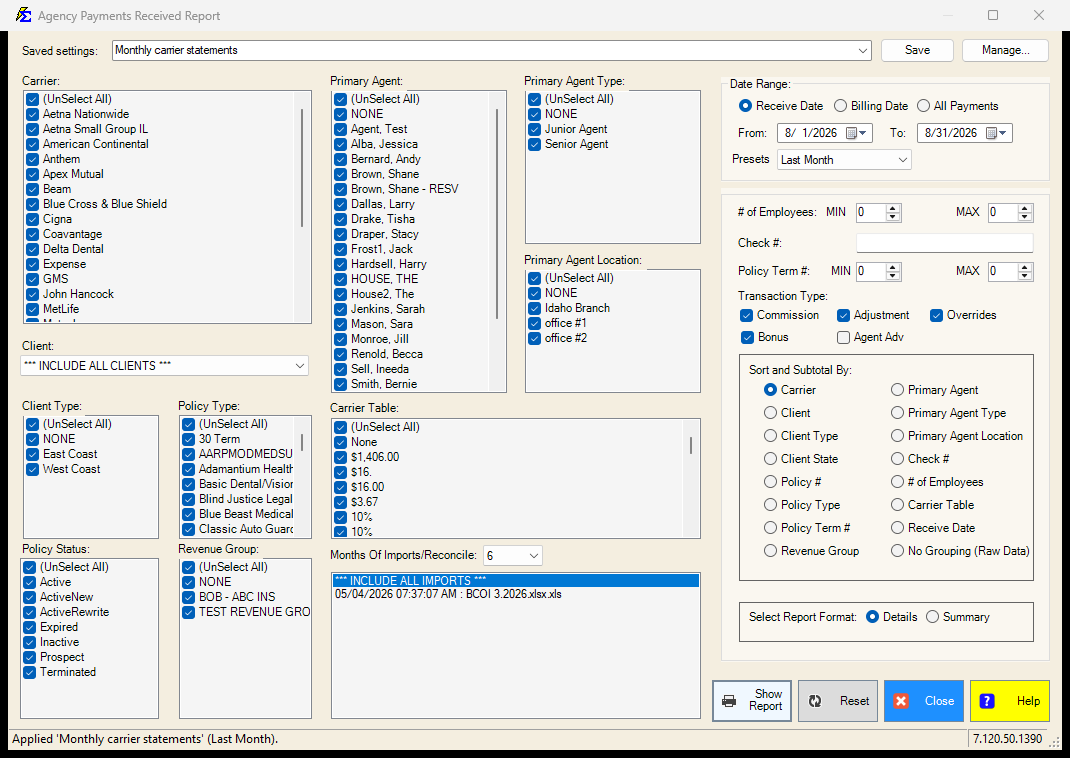
- The Presets box next to the dates (Last Month, This Year-to-date, ...) is what a saved setting remembers, so "Last Month" is always the month before the one you run it in. Choose Custom to save fixed dates.
- Everything on the screen is remembered: the carriers, primary agents, client, types, statuses, carrier tables, the date choice (Receive Date, Billing Date or All Payments), the import session, the months of imports, the employee and term ranges, the check number, the transaction types, the sort and the report format.
- Lists left at (Select All) stay "all", so a carrier or agent added later is included automatically.
See Saved Report Settings for saving, renaming and deleting.
Report Results
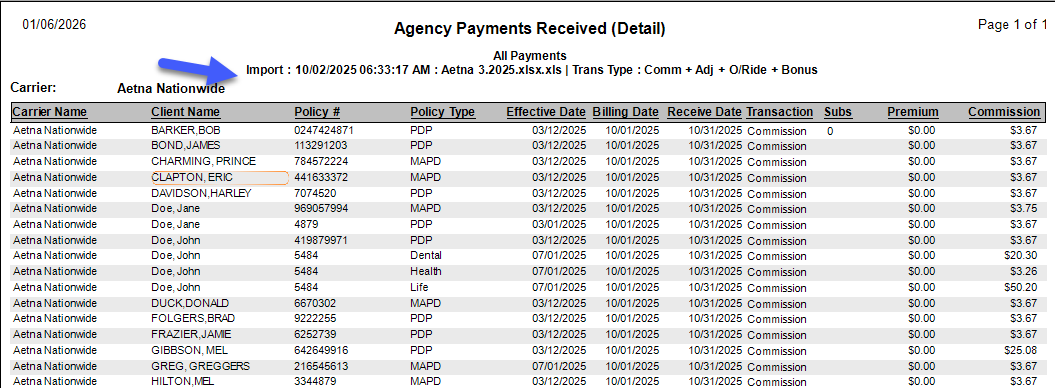
The report aggregates received records (Commission, Bonus, Adjustment, and Override types) by carrier and shows a high-level summary with a drill-down view of the Premium vs. Commission for every policy included.
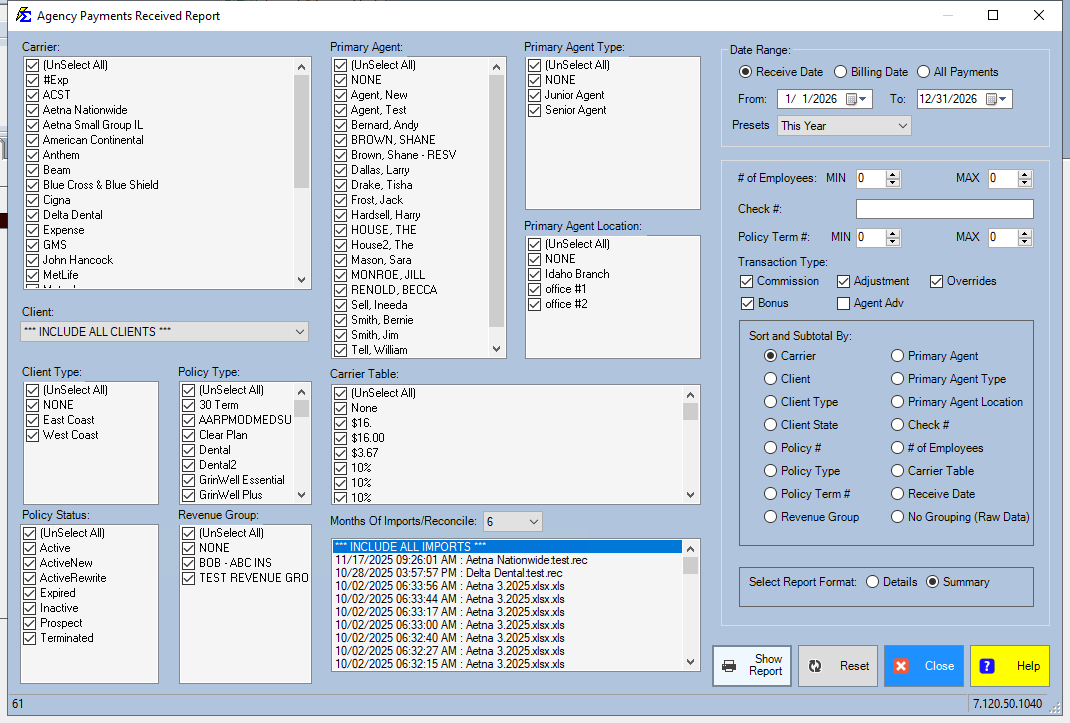
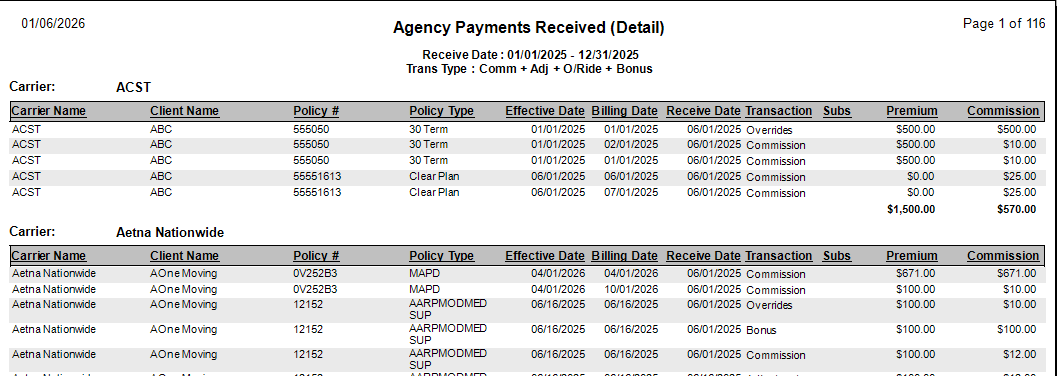
For a complete financial audit, run this report alongside the Agent Commissions Earned report using the same criteria. The total commission received here should equal the total commission paid out to agents plus the commission retained by the House.
Accessing Import and Reconcile Sessions
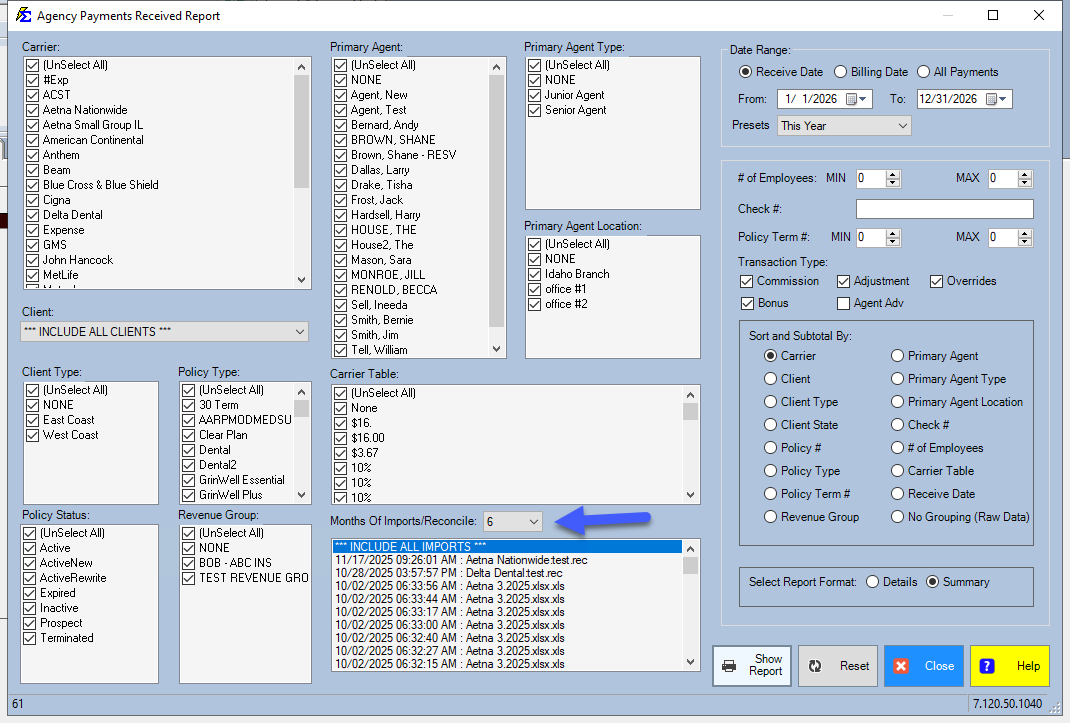
The bottom of the screen shows a list of historical import sessions for the selected carrier and date range.
- Viewing historical data — By default, the system shows recent sessions.
- Months Of Imports/Reconcile — Use this dropdown to look back further than 6 months when reviewing older data.
🔧 Troubleshooting
This report shows more money than what was paid to my agents. This report shows gross commission — the total received before splits. The difference is the portion retained by the House or splits not yet processed through the ACE Report. Run the Agency vs Agent Commission Comparison report to reconcile the difference precisely.
I cannot find an import session from last year. Change the Months Of Imports/Reconcile dropdown to a higher number (such as 12 or 24). The screen defaults to the last 6 months to keep load times fast. Increasing this value will surface older sessions.
The carrier totals don't match my statement. Confirm the date range matches the statement period exactly. Also verify that all payments from that statement were posted — check the Import Carrier Statement session log if the statement was imported via ICS.
🔗 Related Topics
- Agent Commissions Earned Report — View the agent payout side of this comparison.
- Agency vs Agent Commission Comparison — Reconcile gross receipts against agent payouts.
- Preset Date Range — Set the reporting period quickly.
Need help? Contact support@commission-tracker.com