Agency vs Agent Commission Comparison
The Agency vs. Agent Commission Comparison report is a powerful auditing tool. It allows you to confirm that the total commission received by your agency perfectly matches the total commission paid out to your agents (including the portion retained by "The House").
When to Use This Report
Use this report when you need to:
-
Audit Payouts - Ensure that every dollar received from a carrier has been properly allocated to agents.
-
Find Discrepancies - Quickly identify specific payments where an agent was underpaid or overpaid.
-
Reconcile Monthly Totals - Replace the manual process of comparing the Agency Payments Received and Agent Commissions Earned reports.
Selection Options
To begin, select your date range and the specific criteria (Carrier, Agent, or Revenue Group) you wish to audit.
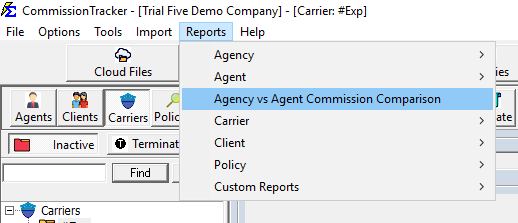
Report Format Variations
The system offers three distinct ways to view this comparison data, depending on your auditing needs:
1. Agency vs Agent Discrepancy Report
This is an "exception only" report. It only shows payments where there is at least a $1.00 discrepancy between the gross commission received and the total commissions paid out.
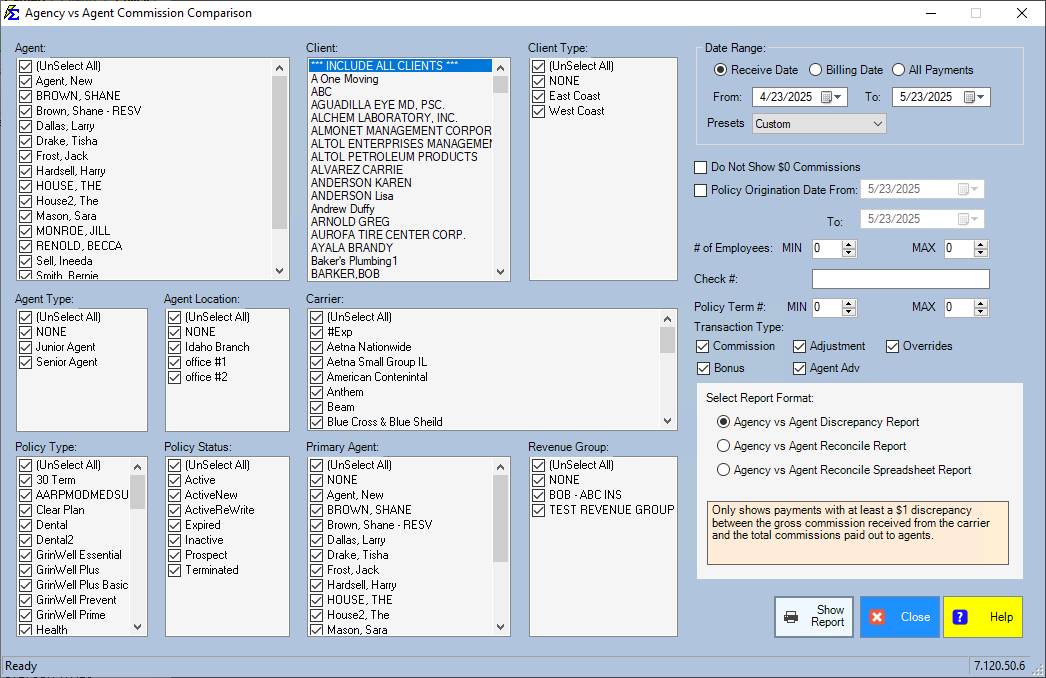
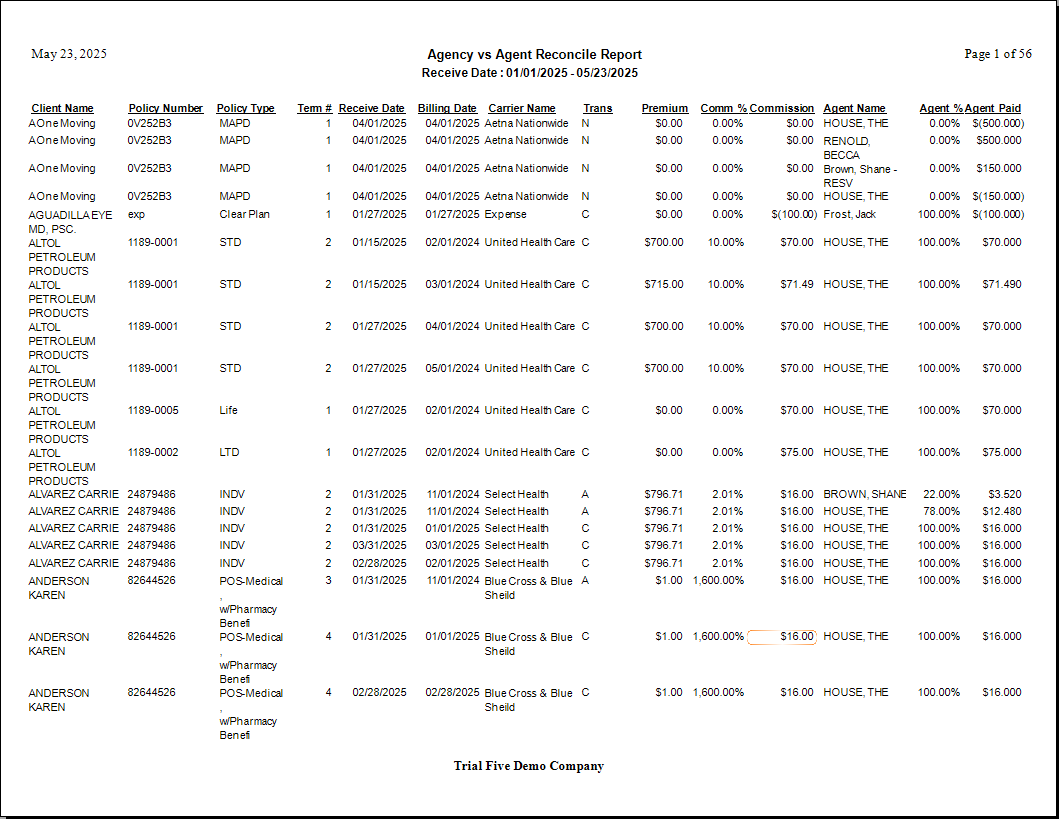
2. Agency vs Agent Reconcile Report
This is a full audit report. It compares all payments received from the carrier to the total commissions paid out, regardless of whether they match or not.
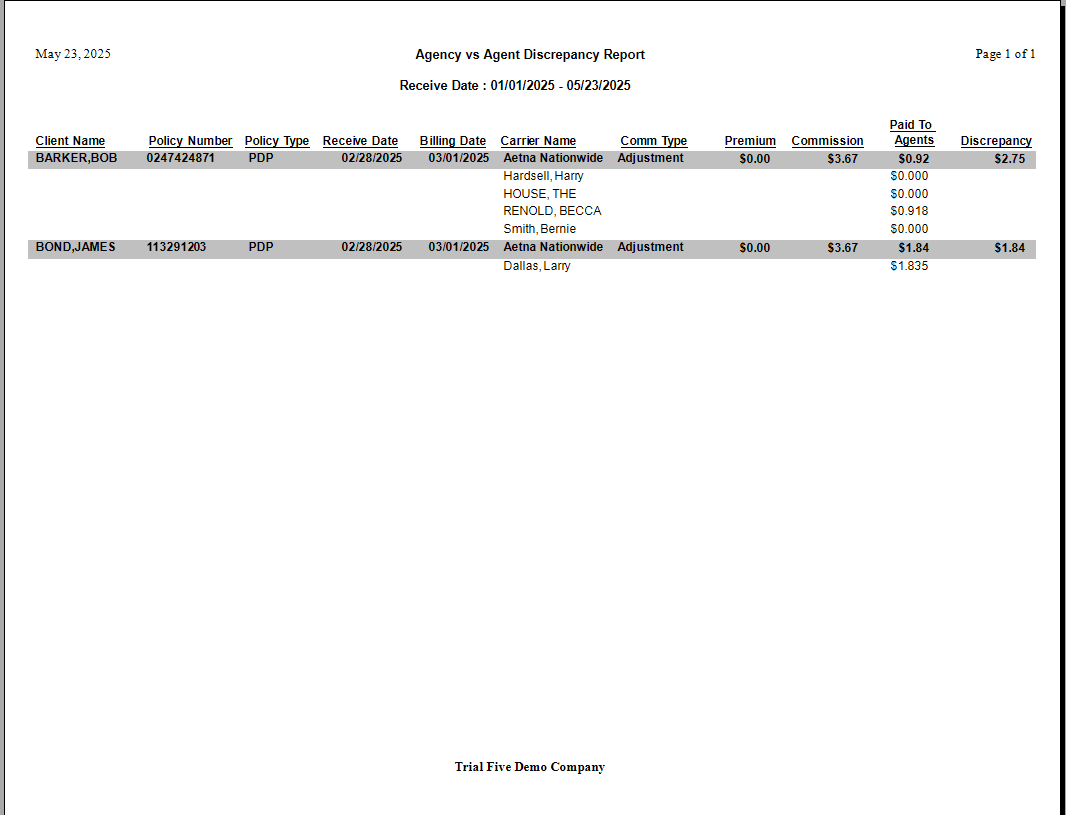
3. Agency vs Agent Reconcile (Spreadsheet Format)
This version provides the same comprehensive data as the Reconcile Report but in a "flat" format. This is the best option if you plan to export your data to Excel for further manipulation.
Step-by-Step: Finding a Payout Error
- Navigate to Reports > Agency vs Agent Commission Comparison.
- Set your Date Range to match the commission period you are auditing.
- Select the Discrepancy Report option to find errors quickly.
- Click View Report.
- Review the "Difference" column to see exactly where the allocation does not match the receipt.
What Happens When You Run This Report
- The system cross-references the Agency Payments Received (Gross) against the calculated Agent Splits.
- It subtracts the total agent payouts from the gross received amount.
- If a difference exists, it is highlighted to show exactly how much commission remains unallocated or over-allocated.
Troubleshooting
Q: Why is there a discrepancy on almost every line? A: Ensure that "The House" is included in your calculations. If the agency retains a portion of the commission but "The House" isn't set up as an agent/split, the report will show that amount as a discrepancy.
Q: Can I run this for just one carrier? A: Yes.