Automatic House Calculation
The Automatic House Calculation feature simplifies your commission split tables by automatically assigning any unallocated commission, bonus, or override to "The House." This eliminates the need to manually add the House account to every policy split table.
When to Use This Feature
Enable this feature when:
-
The House Always Retains the Balance - You want to ensure that if you pay an agent 70%, the remaining 30% always goes to the agency without manual entry.
-
Simplifying Setup - You want to reduce the number of rows in your Agent Commission Split Tables.
-
Ensuring Reconciliation - You want to guarantee that 100% of every received dollar is accounted for, even if you forget to add a House split.
Enabling the Feature
This is a global system setting located in the Options menu.
- Navigate to the Options menu.
- Select the checkbox for "Automatically Pay The House Remaining Commission."
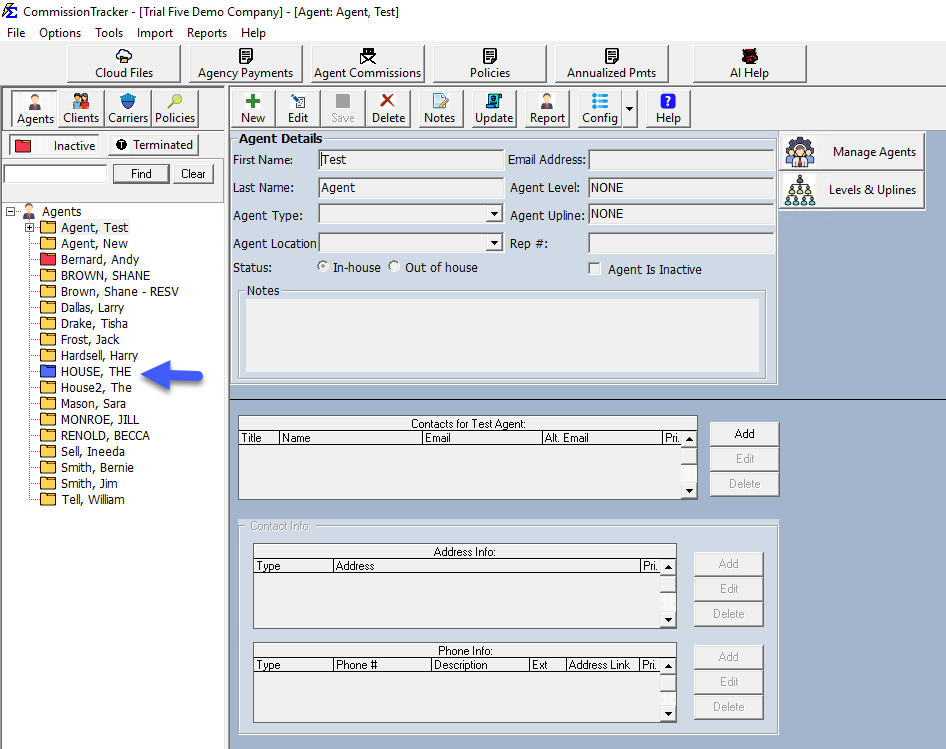
- The system will identify your primary Agency account (highlighted in blue in your agent list) as "The House."
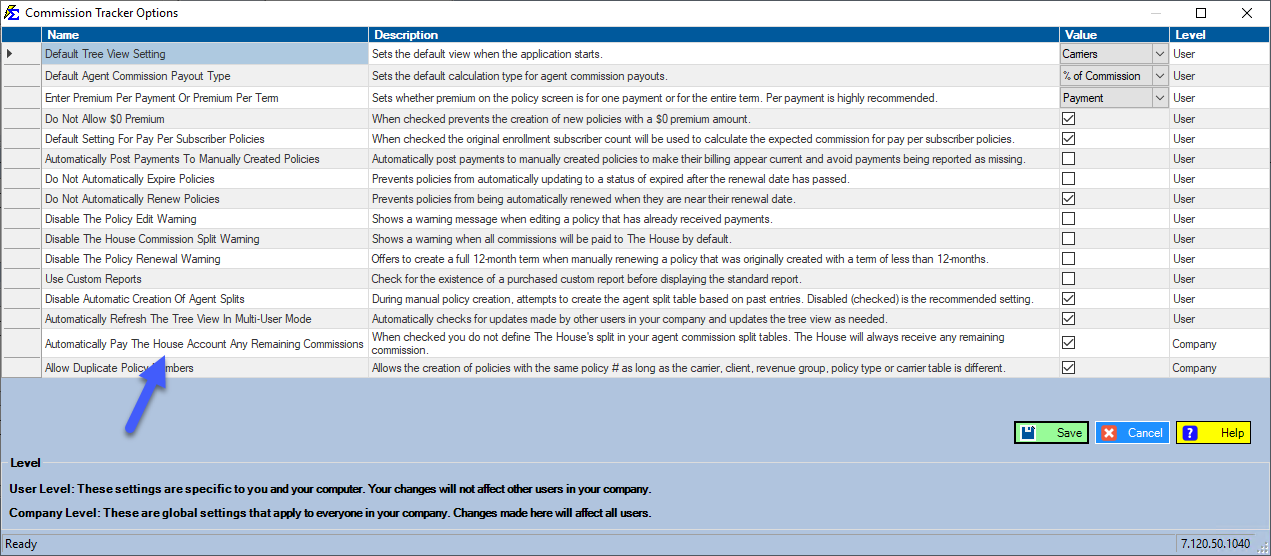
What Happens When This Feature is On
Once enabled, the behavior of your split tables changes to prioritize simplicity:
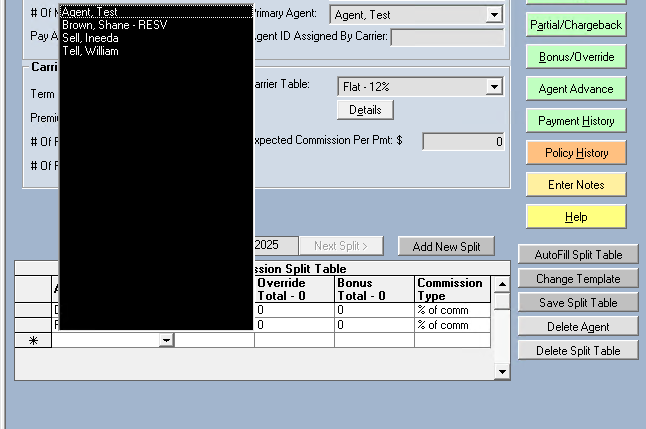
1. The House is Hidden from Selection
When setting up a Policy Specific Split, you will notice that "The House" no longer appears as an option in the dropdown. The software assumes the House is the "bucket" for whatever is left over.
2. Automatic Allocation
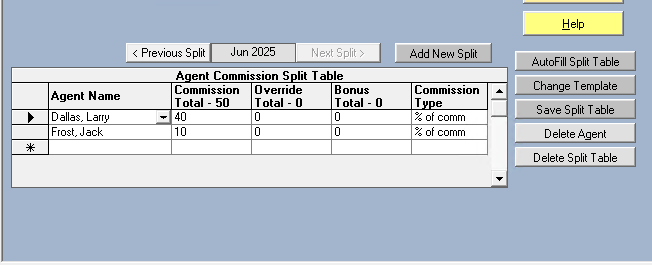
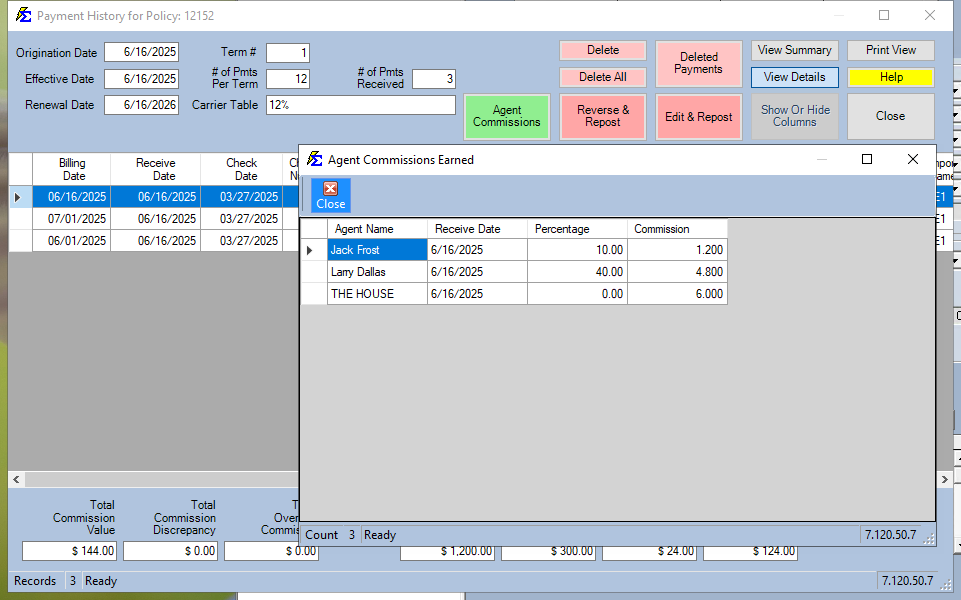
If you create a split giving Agent Jack Frost 75%, the system automatically calculates the remaining 25% for the House in the background.
3. Payment History Accuracy
When a payment is posted, the Payment History will show the correct payouts to both the Agent and the House, ensuring your agency totals remain perfectly balanced.
Important Rules
Legacy Splits
Turning this feature on will not impact split tables created before the setting was enabled. It only applies to new split tables created moving forward.
- Deactivation: If you turn this feature off, payments will only be paid out to the specific agents listed in the table. If a table only has an agent at 75% and the feature is off, 25% of that commission will remain unallocated.
- Transaction Types: This automatic calculation applies to all transaction types, including Commissions, Bonuses, and Overrides.
Troubleshooting
Q: Why do I still see the House on some policies? A: Those policies likely had their split tables created before you enabled the global option. You can manually remove the House from those tables if you wish to standardize them.
Q: How do I know which account is "The House"? A: Go to your Agent List. The account that was created during your initial software setup is designated as the House and will be highlighted in blue.
Next Step: Learn how this affects your Agent Commissions Earned reporting.
Need help with your global options? Contact support@commission-tracker.com