Book of Business Report
The Book of Business (BOB) report is a powerful valuation tool that calculates the total projected worth of your current policies. It provides critical insights into your agency's health by totaling both premium and commission values across your entire database.
Strategic Value of the BOB Report
Use this report when you need to:
-
Value Your Agency - Determine the total commission and premium currently under management.
-
Evaluate Agent Performance - Calculate an individual agent's "Book Value" to assist with compensation reviews or buyouts.
-
Analyze Carrier Concentration - See which carriers represent the largest portion of your revenue.
-
Track Growth - Use the Effective Date filter to see the value of new business written within a specific timeframe.
Data Requirements for Accuracy
The BOB report relies on Expected Commission. For the report to generate accurate values, you must have one of the following configured:
-
Carrier Commission Tables assigned to your policies.
-
The "Commission Per Pmt" value entered directly on the Policy Screen.
Note on Accuracy
If a policy has $0.00 listed for its expected commission or premium, it will be calculated as zero in the report totals.
Generating the Report
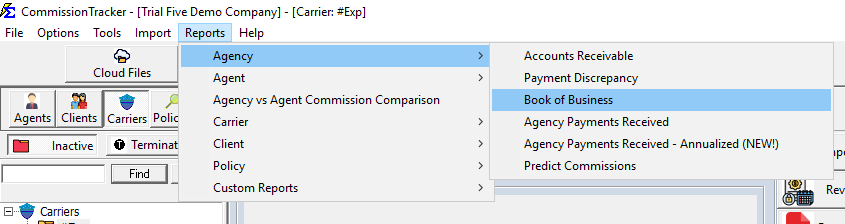
- Navigate to the Reports menu and select Agency.
- Select Book of Business.
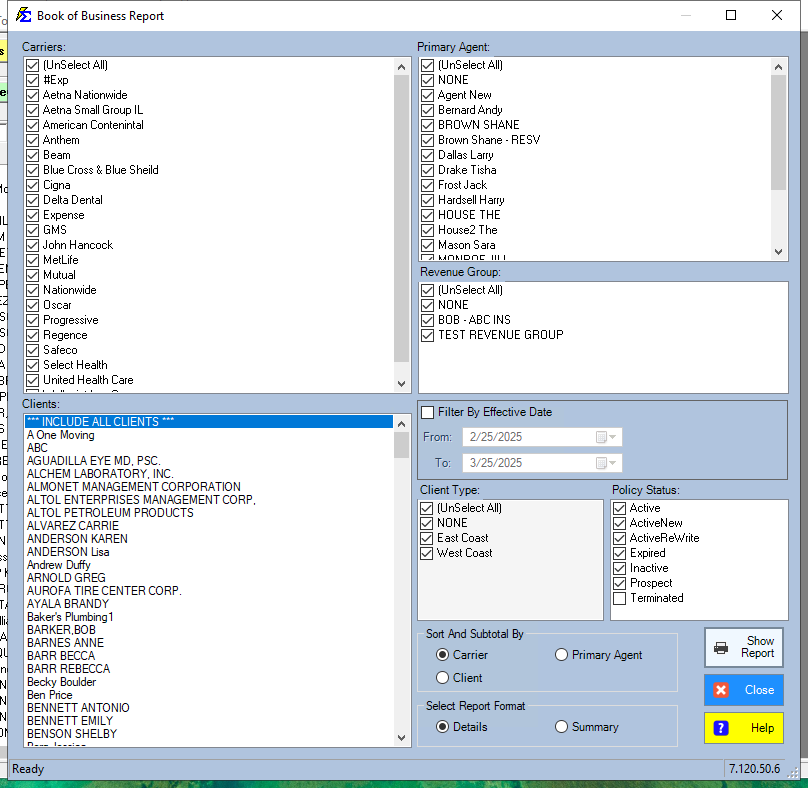
- Choose your Grouping (Carrier, Client, or Primary Agent).
Report Formats
1. Details View
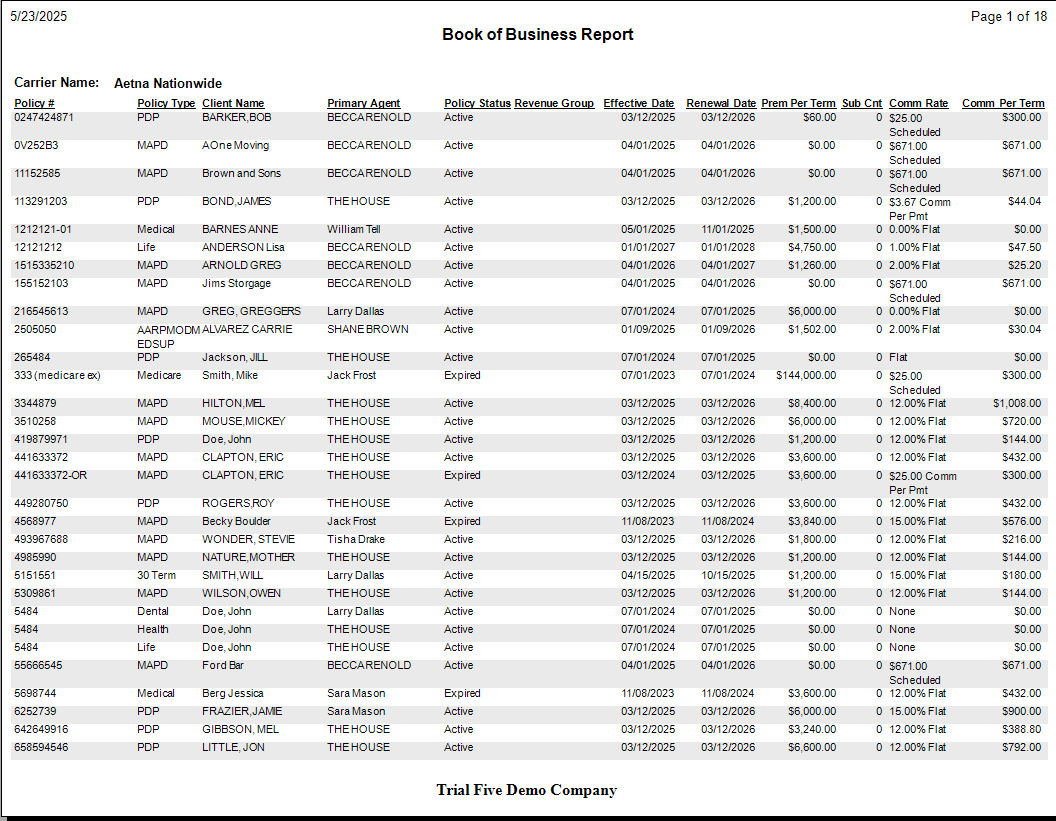
The Details View provides a line-item breakdown of every policy. This is ideal for deep-dive audits where you need to see exactly which clients make up the totals.
- Includes: Client Name, Policy Number, Effective Date, Status, and individual Premium/Commission amounts.
- Status Filter: By default, "Terminated" policies are excluded to ensure you are looking at active revenue only.
2. Summary View
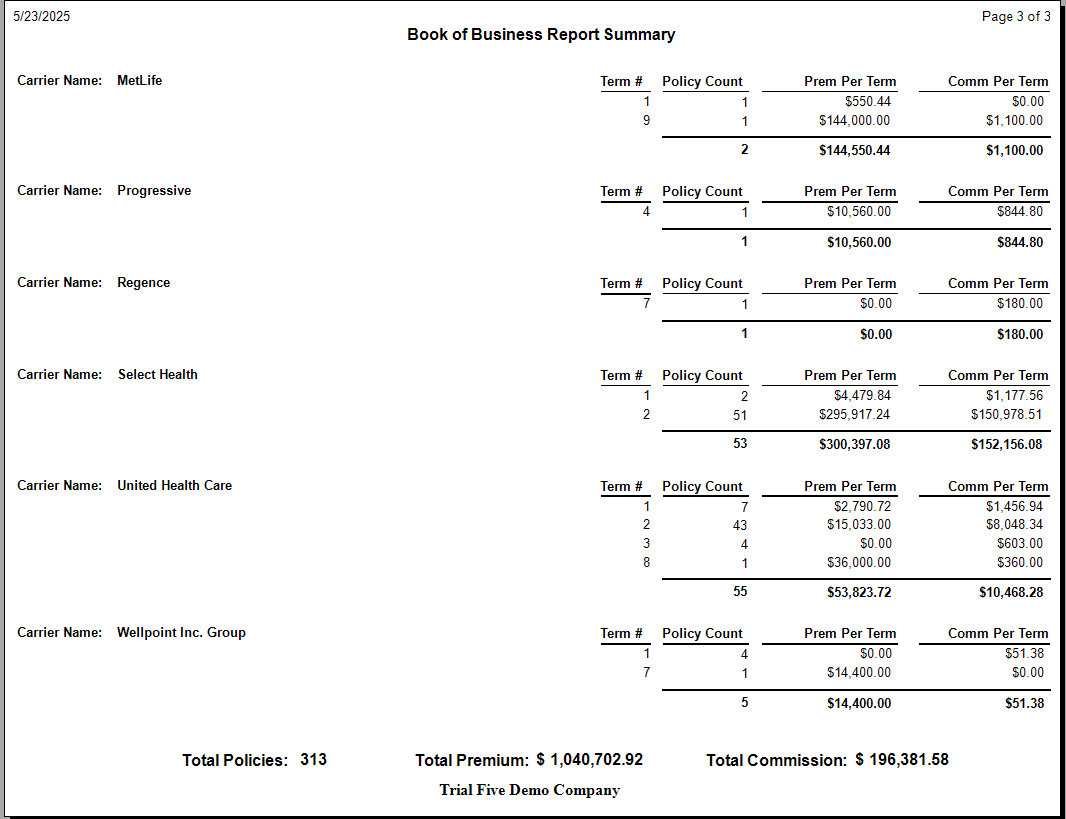
The Summary View provides a high-level executive overview. It removes the policy-specific noise and gives you totals by Term Number.
- Includes: Policy Count, Subtotaled Premium, and Subtotaled Commission.
- Grand Totals: Every summary report concludes with a bottom-line calculation of your total Policy Count and Agency Valuation.
What Happens When the Report Runs
- The system scans all policies that match your status and date filters.
- It looks at the Current Term of each policy.
- It pulls the expected values (Premium and Commission) and aggregates them based on your "Group By" selection.
- It presents the data in an interactive format that can be exported to PDF or Excel for further analysis.
Troubleshooting
Q: Why is my Book Value lower than expected? A: Check your filters. If you have "Active" selected but some of your policies are still in "Pending" status, they will be excluded. Also, ensure your Estimated Premium values are filled in on the policy screen.
Q: Can I run this for a single Agent? A: Yes. Use the Primary Agent filter on the report selection screen to isolate one person's book of business.
Next Step: If you notice missing values in this report, visit the Carrier Commission Tables page to set up automated expectations.
Need help interpreting your book value? Contact support@commission-tracker.com