Carrier Table Agent Splits: Agent Levels
Agent Levels allow you to create "smart" commission rules that automatically adjust based on the experience or rank of the Primary Agent. Instead of creating a unique split for every policy, you can define a single Carrier Table that pays a "Junior" agent differently than a "Senior" agent.
Prerequisite
Before using this advanced feature, ensure you are familiar with the standard Carrier Table Agent Splits logic.
Step 1: Define Your Agent Levels
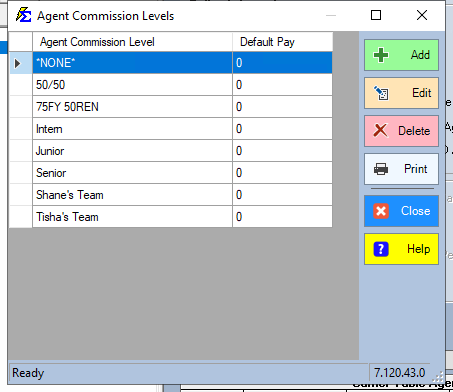
First, you must establish the naming conventions for your levels (e.g., Junior, Senior, Principal).
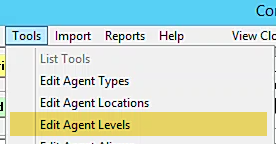
- Navigate to the Tools menu.
- Select Edit Agent Commission Levels.
- Add your custom levels to the list.
Step 2: Assign Levels to Agents
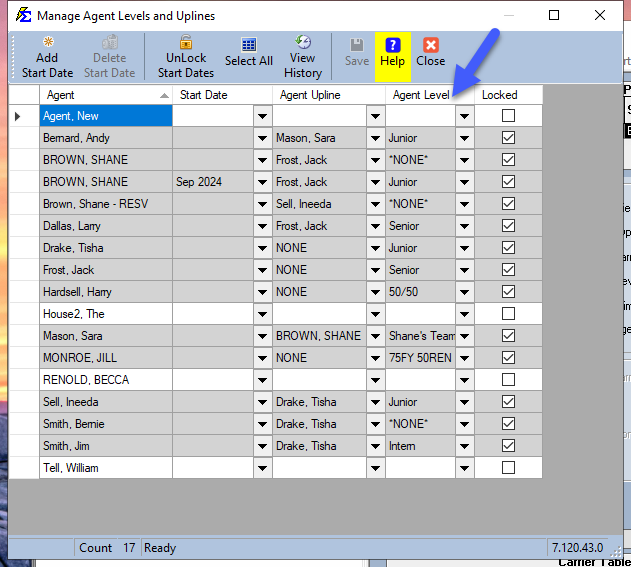
By default, all agents are set to level "NONE." You must manually assign your new levels to the appropriate team members.
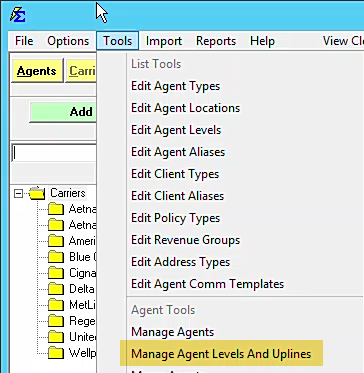
- Navigate to the Tools menu.
- Select Manage Agent Levels and Uplines.
- Assign the correct level to each agent (e.g., Andy Bernard = Junior, Larry Dallas = Senior).
Step 3: Configure the Level-Based Split Table
Now, you can build rules in your Carrier Table that react to these levels.
Adding Primary Agent Rules
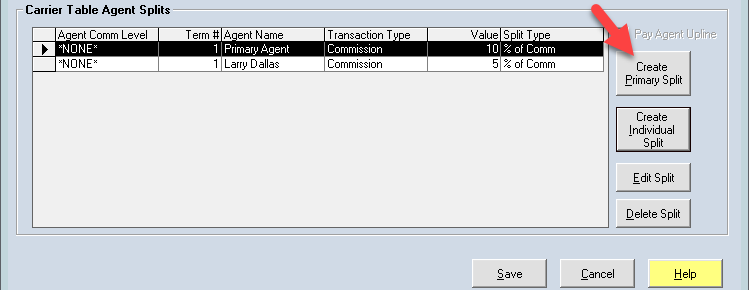
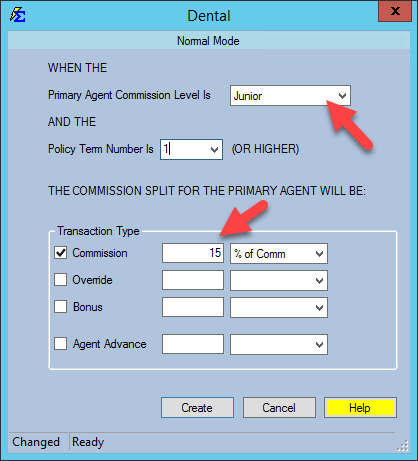
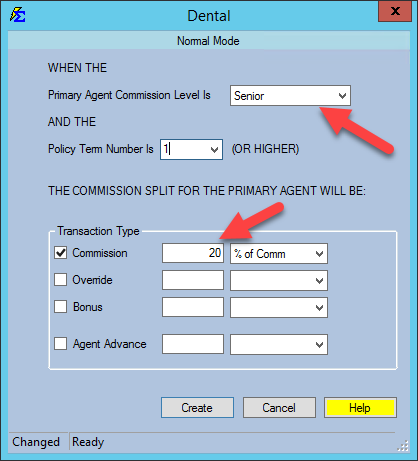
Use the Create Primary button to define what the Primary Agent receives based on their specific level.
- Junior Level: 15% of Commission.
- Senior Level: 20% of Commission.
- NONE Level: 10% of Commission.
Adding Override/Manager Rules
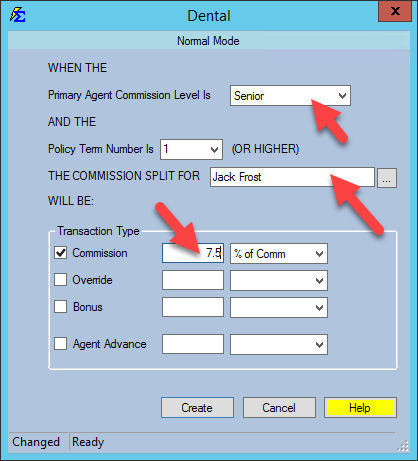
You can also dictate who else gets paid based on the Primary Agent's level. For example, you may want to pay a manager (Jack Frost) an override only when a Junior or Senior agent makes a sale.
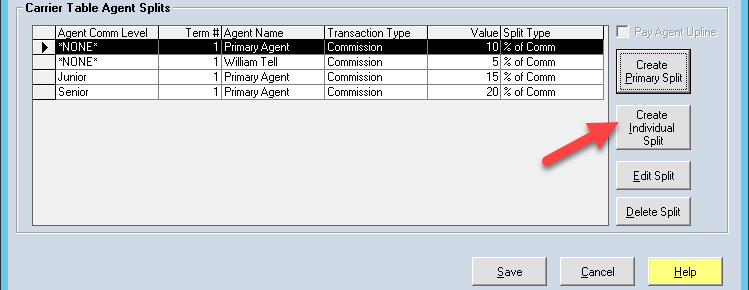
- Click Create Individual.
- Select the recipient (Jack Frost).
- Associate his payout with the Junior or Senior level.
Final Table Review
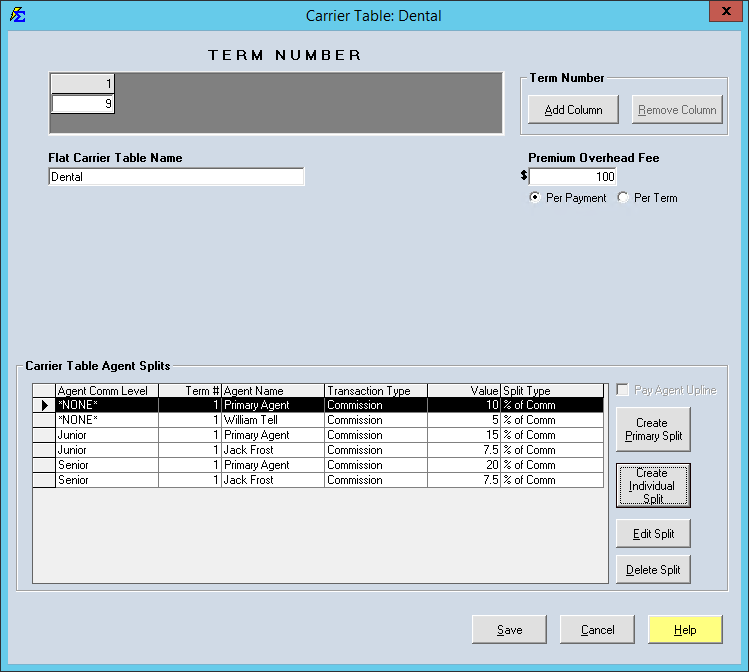
Your final table now acts as a dynamic engine. When a policy is linked to this table, the software looks at the Primary Agent's level and automates the payouts:
| If Primary Agent Level is... | Primary Agent Receives | Additional Payouts |
|---|---|---|
| NONE (Standard) | 10% | William Tell (5%) |
| Junior | 15% | Jack Frost (7.5%) |
| Senior | 20% | Jack Frost (7.5%) |
What Happens During Processing
- Automation: When you Receive a Payment, the system checks the Primary Agent on the policy, identifies their level, and calculates the exact dollar amounts for everyone in the split.
- Scalability: If you promote a Junior agent to Senior in the "Manage Agent Levels" screen, every policy they own that uses this table will automatically begin paying them at the Senior rate—no manual policy updates required.
Troubleshooting
Q: Why is my agent being paid the "NONE" rate? A: Check the Manage Agent Levels screen. If the agent isn't explicitly assigned to a level, the system defaults to "NONE."
Q: Can I have multiple managers paid on one level? A: Yes. You can click Create Individual as many times as needed to add multiple overrides for a single level.
Next Step: Learn how to apply these tables to your carriers in the Carrier Commission Tables guide.
Need help building complex splits? Contact support@commission-tracker.com