Carrier Table Agent Splits
Defining Agent Commission Splits at the Carrier Table level is the most efficient way to manage payouts. Instead of manually configuring splits for every individual policy, you define a single rule for a specific product (e.g., "Dental") that applies to all associated policies automatically.
Why Use Table-Level Splits?
- Automation: New policies created or imported will automatically inherit these split rules.
- Scalability: When using the Policy Import feature, hundreds of policies can be set up to pay agents correctly in seconds, provided they have a Primary Agent and a Carrier Table assigned.
- Consistency: Ensures that all agents are paid the same percentage for the same product type across your entire agency.
Basic Agent Split
By default, if no split is defined, 100% of the commission is retained by The House. When you define a split, you are telling the system what portion of the Agency's commission should be redirected to the agents.
Example: Primary Agent Split
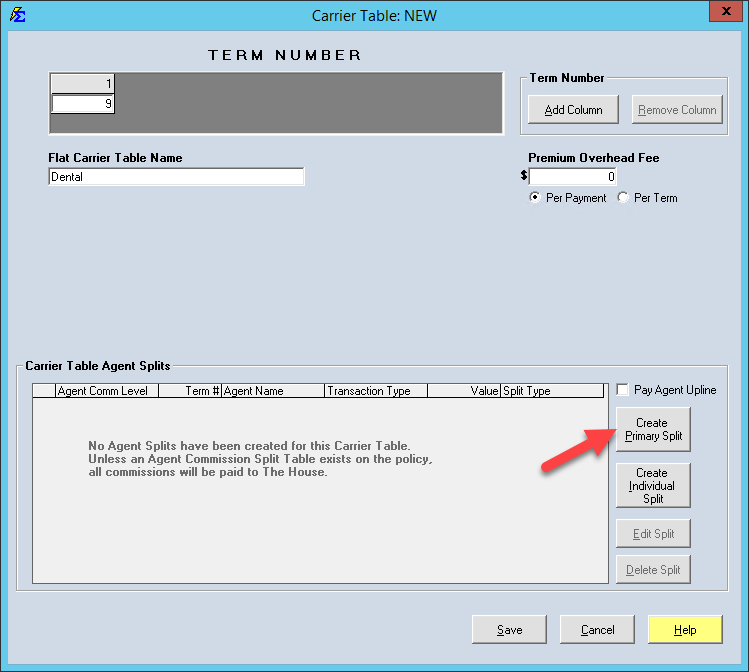
In this scenario, a "Dental" table is set to receive 9% from the Carrier. We want to pay the Primary Agent 10% of that 9%.
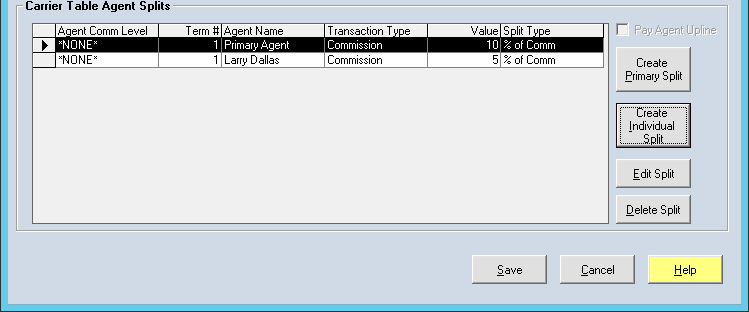
- Navigate to the Agent Splits tab on the Carrier Table.
- Click Create Primary.
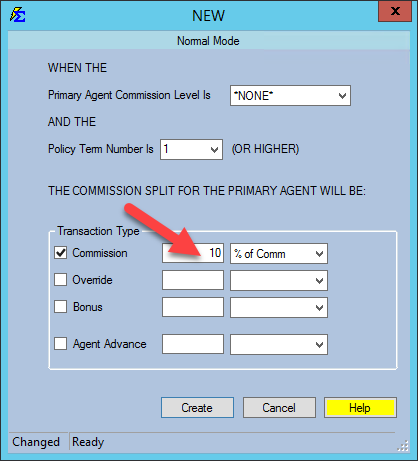
- Enter 10% as the commission.
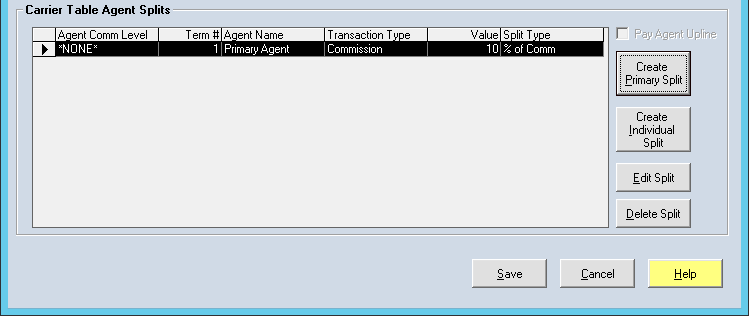
- The system internally calculates that 90% remains with The House. You do not need to create a separate entry for the House.
Adding Individual Agent Splits (Overrides)
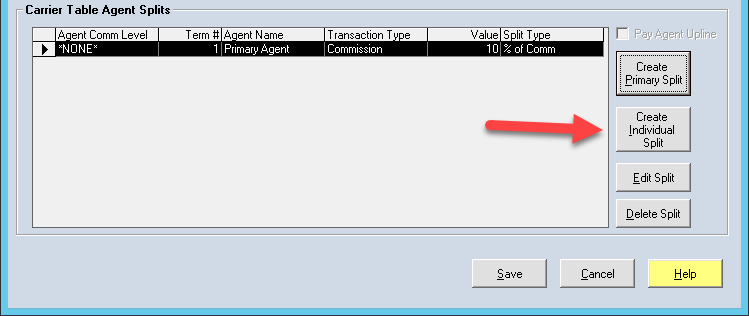
You can also assign a specific agent to receive a commission on every policy using a specific table, regardless of who the Primary Agent is. This is often used for manager overrides or referral fees.
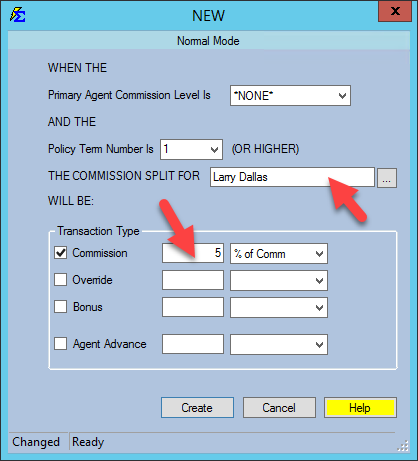
Example: Adding a Manager Override
If William Tell receives 5% on every Dental policy sold: 1. Click Create Individual. 2. Select William Tell from the agent list. 3. Set his percentage to 5%.
The Final Calculation: * Primary Agent: 10% * William Tell: 5% * The House: 85% (Automatic)
Advanced Term Splits
Commission rates can change over the life of a policy (e.g., paying more in Year 1 than in Year 2). You can define different splits for different terms within the same table.
Important Logic Rules
The House Rule
If the Primary Agent on a Policy is set to "The House," then 100% of the commission will stay with the agency, even if you have complex Carrier Table Agent Splits defined. The House selection overrides all other agent split logic.
Hierarchy of Splits
If a policy has a Policy-Level Split defined, it will override the Carrier Table Split. Use Policy-Level splits only for "one-off" exceptions to your standard rules.
Next Steps:
-
Carrier Table Agent Splits: Agent Levels
-
Carrier Table Agent Splits: Agent Uplines
Need help configuring complex splits? Contact support@commission-tracker.com