Carrier Commission Table Versions
Carrier Table Versioning allows you to manage rate updates from insurance providers without affecting historical data. This feature ensures that payments received prior to a rate change remain accurate, while new payments or policies automatically adopt the updated commission schedule.
Why Use Versions?
When a carrier updates their commission schedule, you should never edit an existing table that has already been used to post payments. Doing so would retroactively change your historical financial records. Instead, create a new version to establish a "clean break" based on a specific date.
Types of Versioning Logic
When creating a new version, you must decide how the system should trigger the switch to the new rates:
| Date Type | Logic Application | Best Used For... |
|---|---|---|
| Billing Date | Applies the new rate to all payments for a specific month and forward, regardless of when the policy was written. | Global rate increases or decreases that affect every active client simultaneously. |
| Effective Date | Applies the new rate only to new or renewing policies that start on or after the specified date. | Changes to new business commission or renewals where older "legacy" policies are grandfathered in. |
Note: The Billing Date refers to the month the carrier is paying you for, not necessarily the date you physically receive the statement.
Step-by-Step: Creating a New Version
- Navigate to the Carrier Table you wish to update.
- Click the Create A New Version button.
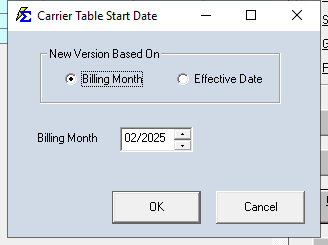
- In the popup window, define the Start Date and the Date Type (Billing Date or Effective Date).
- Update the commission percentages or tiers in the newly created version.
- Click Save.
Example: Aetna Small Group Rate Increase
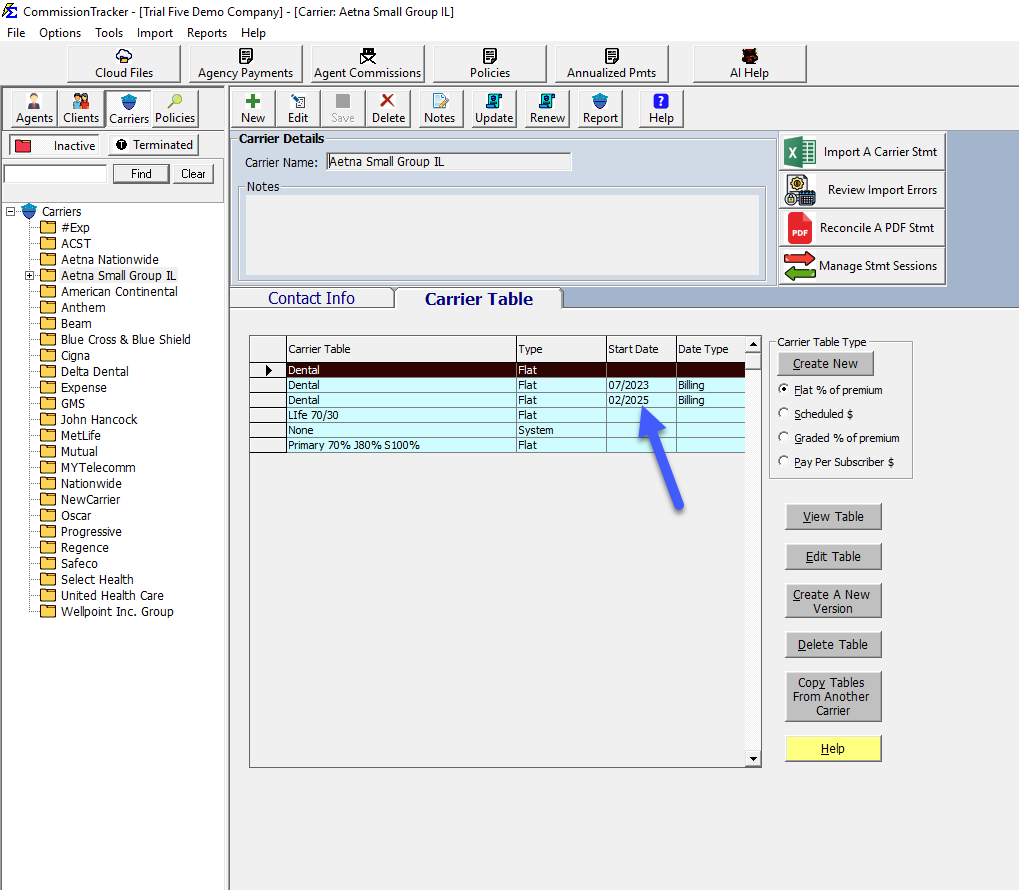
In this scenario, Aetna Small Group IL updated their Dental rate from 9% to 10% effective for all February 2025 billing.
- Action: You highlight the existing Dental table and create a new version.
- Settings: Set the Start Date to
02/01/2025and the Type toBilling Date. - Result: You will now see two "Dental" tables in your list. The software will automatically use the 9% version for any payments through January 2025 and the 10% version for anything February 2025 or later.
Troubleshooting
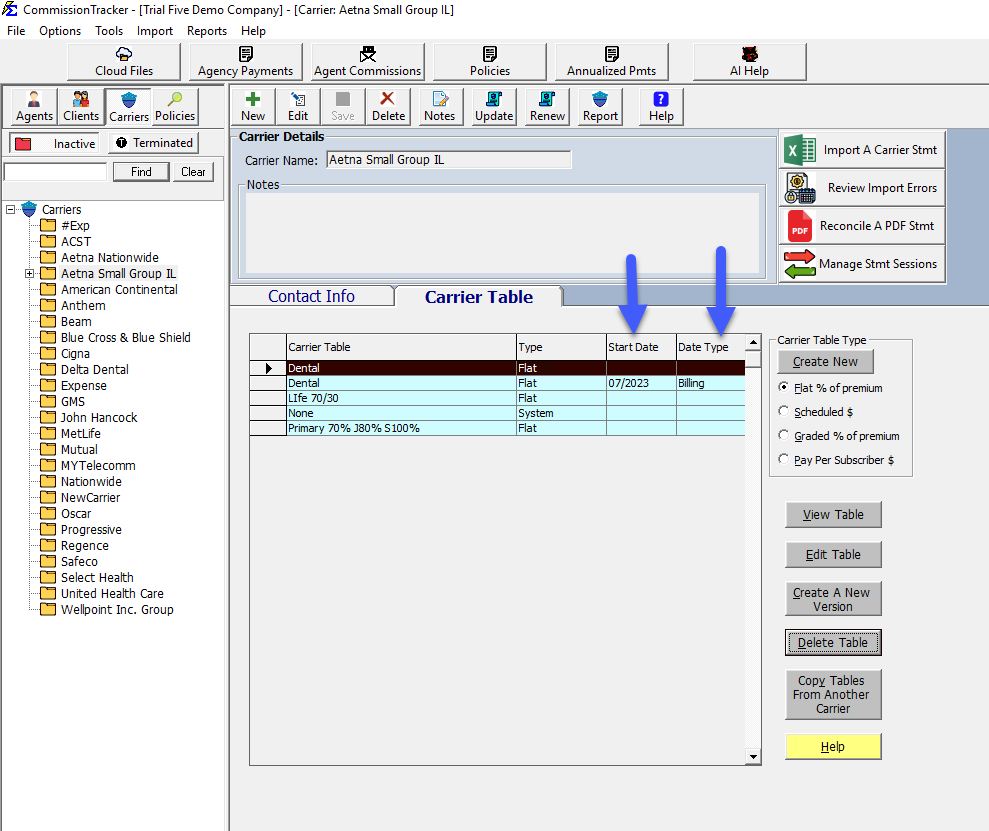
Q: I created a version with the wrong date. Can I fix it? A: You can edit the Start Date and Type on the table properties, but ensure no payments have been posted using the incorrect logic yet, as this could cause reconciliation discrepancies.
Q: Do I need to update all my policies to use the "new" version? A: No. The software is intelligent. It looks at the name of the table assigned to the policy and then checks the Versioning logic to decide which rate to apply at the time of payment.
Need help with complex rate changes? Contact support@commission-tracker.com