Create New Agent
In Commission Tracker, Agents (also referred to as Producers) are the individuals or entities that split the commission paid by the carrier. This section covers the essential fields required to build an agent profile and establish their role within your agency.
Video Tutorial
If the video below does not play, please copy and paste this link into your web browser: https://www.youtube.com/watch?v=BRsqVsmO5Xk
The Agent Profile
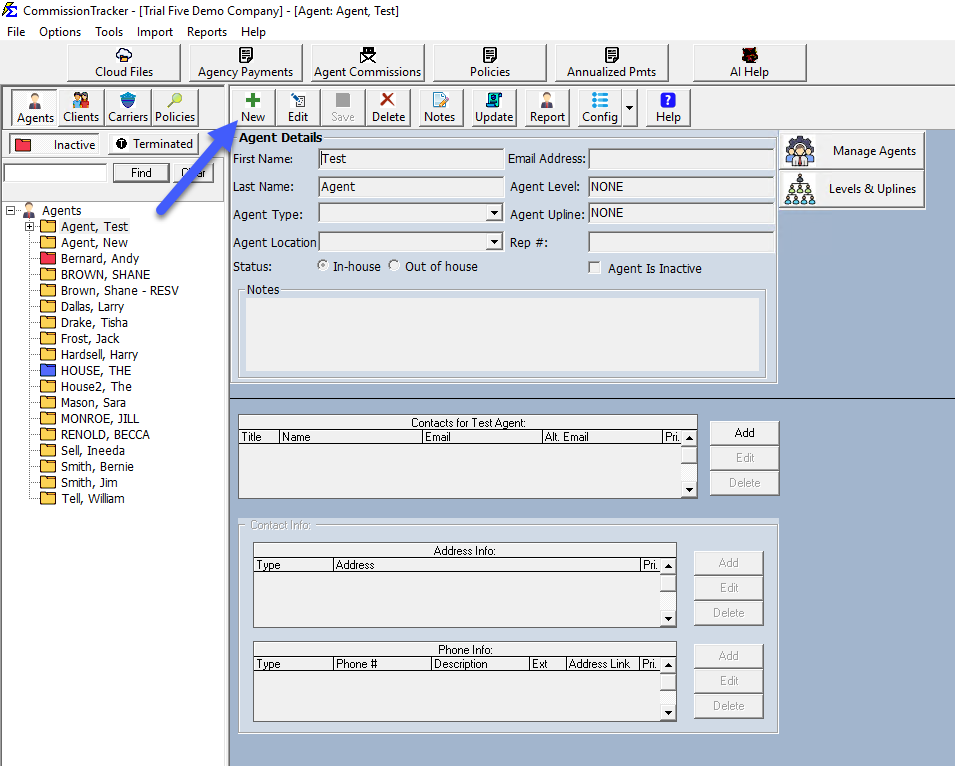
When adding an agent, use the main profile screen to define their status, reporting filters, and payout logic.
Key Fields
| Field | Description |
|---|---|
| First / Last Name | The primary identifier for the agent. Note that Reports and the Policy List sort agents by Last Name. |
| Agent Status | Defaults to "In-house." This is an internal marker to track if a producer is an employee or an external contractor. |
| Agent Type | A customizable filter used for high-level reporting (e.g., "Full-Time," "Broker," "Manager"). |
| Agent Location | Used to group agents by specific offices or departments. This is a powerful filter for comparing revenue across different branches. |
| Rep # | A flexible field for storing License Numbers, EINs, or SSNs. This displays on the Agent Commissions Earned report, making it useful for payroll. |
| Commission Level | Used by Carrier Table Agent Splits to automate payout percentages based on the agent's rank or tier. |
| Email Address | Required for emailing commission statements directly to agents. This also serves as their login username for the Agent Portal. |
Managing Multiple Emails
If an agent needs their reports sent to multiple addresses (e.g., to both the agent and their assistant), enter them in the email field separated by a semi-colon (;).
The "House Account" Concept
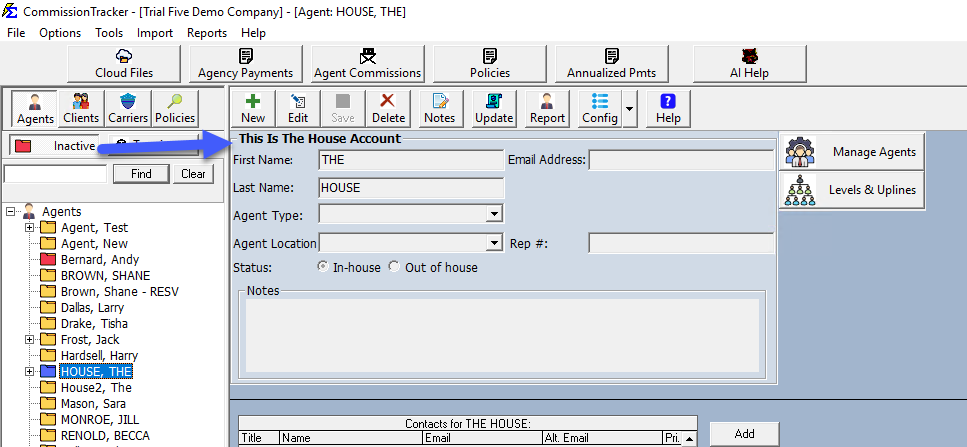
In Commission Tracker, The House represents the agency itself. While it is treated like an agent for split purposes, it has unique logic:
- Automatic Residuals: When using Carrier Table Agent Splits, The House automatically retains any commission percentage not explicitly assigned to other agents.
- System Identification: Use the House Account checkbox to tell the system which agent profile represents the agency's bottom line.
Note
Every agency must have at least one agent designated as the "House Account" to ensure all revenue is properly accounted for.
Troubleshooting
Q: Can I delete an agent who has left the agency? A: To preserve historical financial data, we recommend setting their status to "Inactive" or "Terminated" rather than deleting them. This ensures their past commissions still appear in historical reports.
Q: Where do I add the agent's phone number? A: Use the Agent Phone Number sub-tab to record contact details.
Next Steps:
Need help organizing your producer list? Contact support@commission-tracker.com