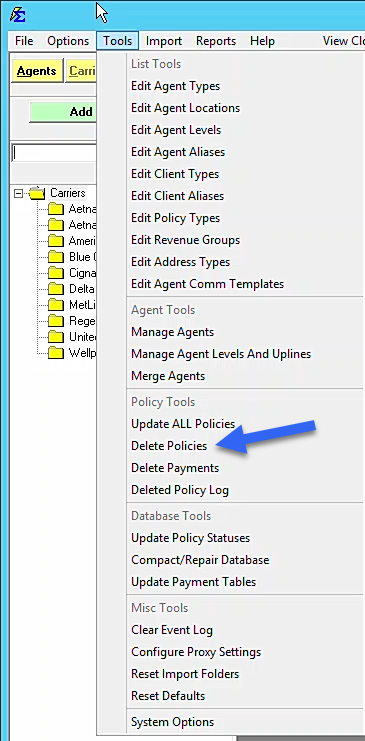
Delete Policies Utility
The Delete Policies utility, located under the Tools menu, is designed to help you maintain a clean and efficient database. Over time, expired or terminated policies can clutter your reports and tree views; this tool allows you to remove them in bulk based on their status and effective dates.
Scope of Deletion
When you use this utility, it performs a deep clean of all data associated with the selected records. Deleting a policy via this tool will remove:
-
The Primary Policy: The record visible in your current policy list.
-
All Prior Terms: Every renewal term associated with that policy history.
-
Payment History: Every carrier payment ever posted to these policies.
-
Agent Commissions: All split data and earnings records linked to these payments.
-
Unused Clients: Any client records that become "empty" (having no remaining policies) after the deletion.
How to Filter and Review Data
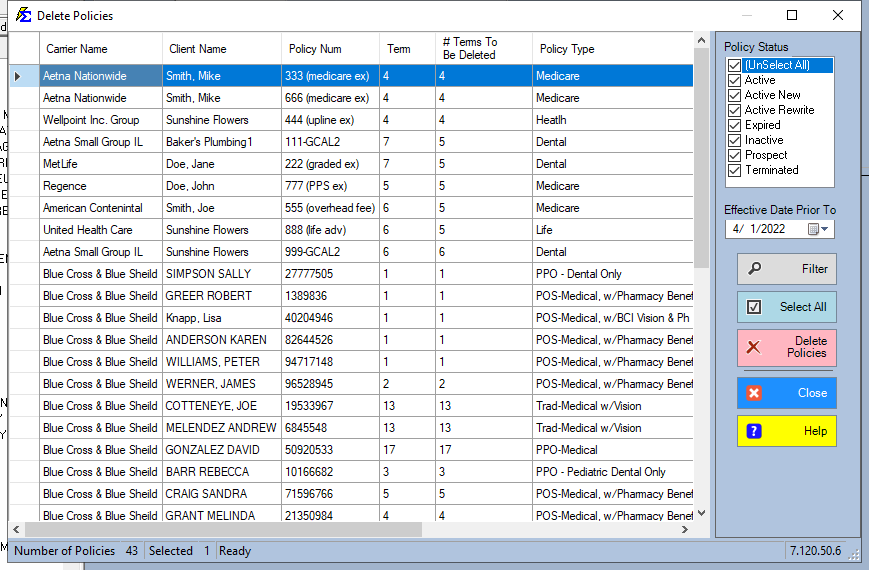
Before committing to a deletion, you can filter and organize the grid to ensure only the intended data is removed.
- Filter by Status: Only policies marked as Expired, Inactive, Prospect, or Terminated should be targeted.
- Filter by Date: Use the Policy Effective Date to target older books of business.
- Review the Impact: The # of Terms to be Deleted column calculates the total volume of historical data that will be removed for each row.
Customizing the View
- Sorting: Click any column heading to resort the list (e.g., sort by Effective Date to see the oldest policies first).
- Column Order: Drag and drop column headings to rearrange the grid to your preference.
Safety Measures
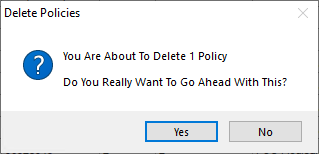
Deletion is permanent for your active session, but we provide two layers of protection:
- Automated Backup: Commission Tracker automatically creates a restore point of your database immediately before the deletion process begins.
- Emergency Restore: If you realize a mistake was made, contact support@commission-tracker.com immediately. Our technical team can restore the pre-deletion backup for you.
Best Practices
- Audit Before Deleting: We recommend running an Accounts Receivable report for the policies you intend to delete to ensure there are no outstanding carrier balances you might need for tax or legal purposes.
- Yearly Cleanup: Perform this task annually after your tax filings are complete to keep the software running at peak performance.
- Use Prospects Sparingly: If a "Prospect" never converts to a client, use this tool to remove them and keep your "New Client" counts accurate.
Need help filtering your deletion list? Contact support@commission-tracker.com