Deleted Payments Audit
The Deleted Payments screen is an essential auditing tool that provides a permanent record of any revenue entries removed from the system. This ensures that no payment data "disappears" without a traceable log of who performed the action and when.
Accessing the Audit Log
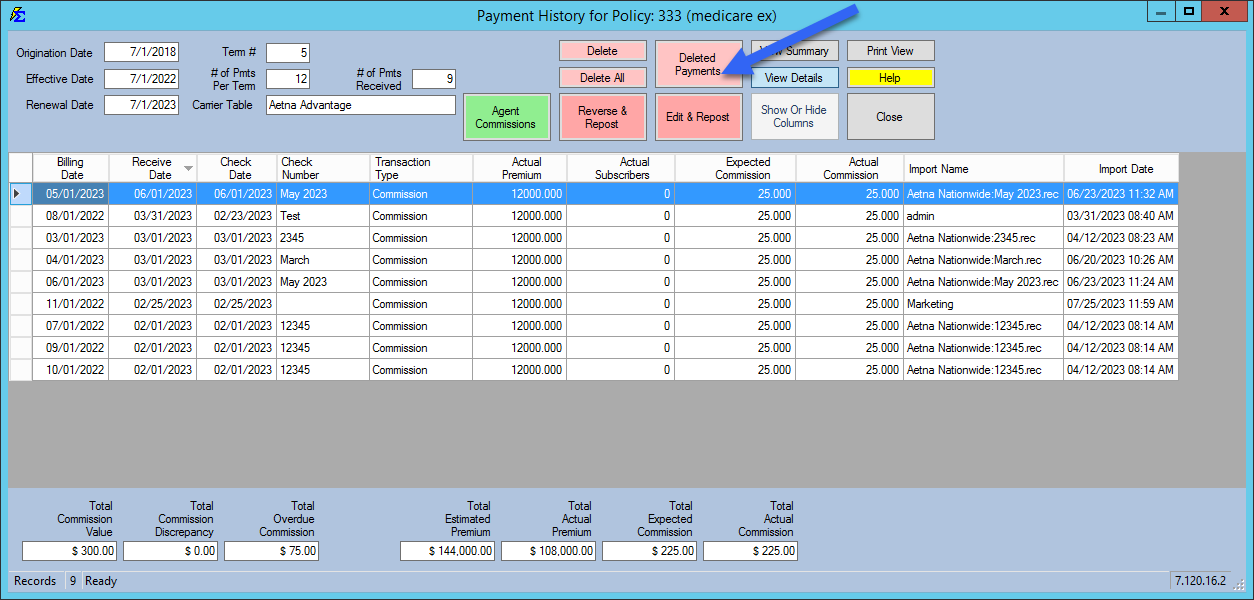
You can access this log directly from the Payment History screen.
- Visual Indicator: If any payments have been deleted for a specific policy, the Deleted Payments button will turn Pink.
Understanding the Audit Columns
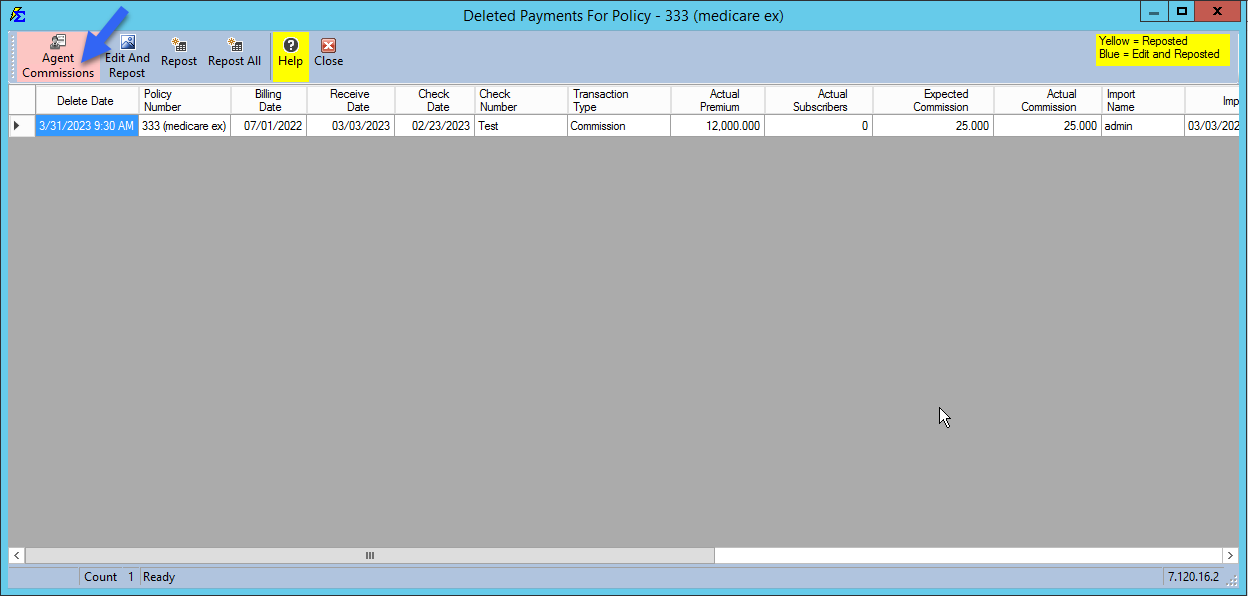
When you open the Deleted Payments view, the system displays specific metadata regarding the deletion event:
| Column | Description |
|---|---|
| Delete Date | The exact date and time stamp of when the record was removed. |
| Logon | The Commission Tracker username of the individual who deleted the payment. |
| User | The name of the Remote Desktop (RDP) connection used during the deletion. |
| Source | Indicates if the user clicked the individual Delete button or the Delete All button. |
Agent Commission Impact
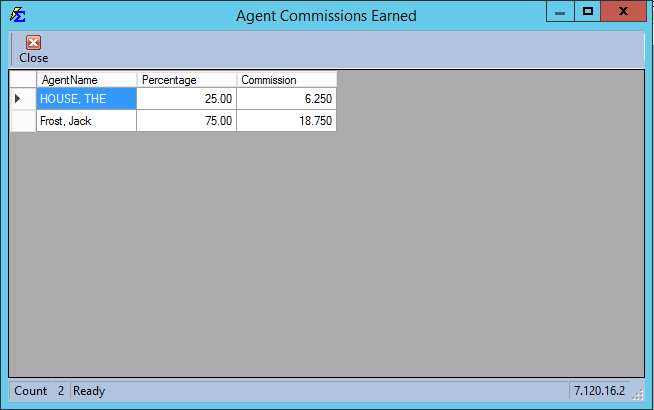
Deleting a payment doesn't just affect the carrier ledger; it also removes the corresponding earnings from the agent's payroll. You can audit this impact using the Agent Commissions Button.
Clicking this button opens a pop-up detail box containing:
-
Agent Name: The producer(s) whose earnings were reduced.
-
Percentage: The specific split percentage that was revoked.
-
Commission: The exact dollar amount removed from the Agent Commissions Earned report.
Frequently Asked Questions
Q: Can I "Restore" a deleted payment from this screen? A: Yes. If a payment was deleted in error, you must can Repost, Edit and Repost or Repost all.
Q: Why is the button pink if I didn't delete anything today? A: The button remains pink as long as any historical payment for that policy has been deleted at any point in the past. It serves as a permanent flag for the policy's history.
Q: Does deleting a payment affect my tax reports? A: Yes. Deleting a payment immediately updates all real-time reports.
Next Steps:
Need to investigate a suspicious deletion? Contact support@commission-tracker.com