Deleted Policy Log
The Deleted Policy Log, found under the Tools Menu, serves as a master audit trail for every policy removed from your database. Unlike the Deleted Payments screen which focuses on individual transactions, this log tracks the removal of entire policy records, identifying the specific user and workstation responsible.
Accessing the Log
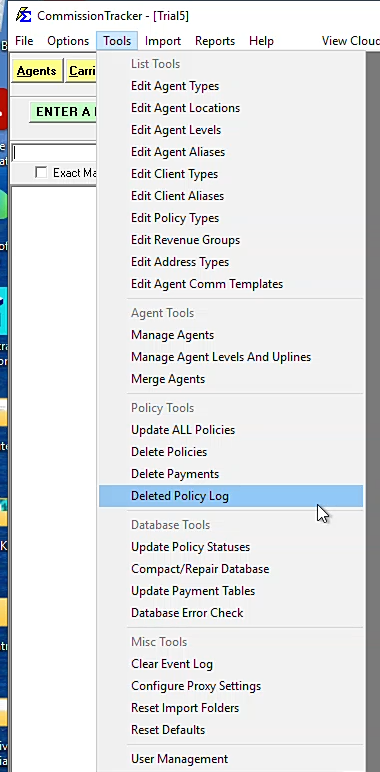
Navigate to Tools > Deleted Policy Log to view the master list of removals.
Tracking Accountability
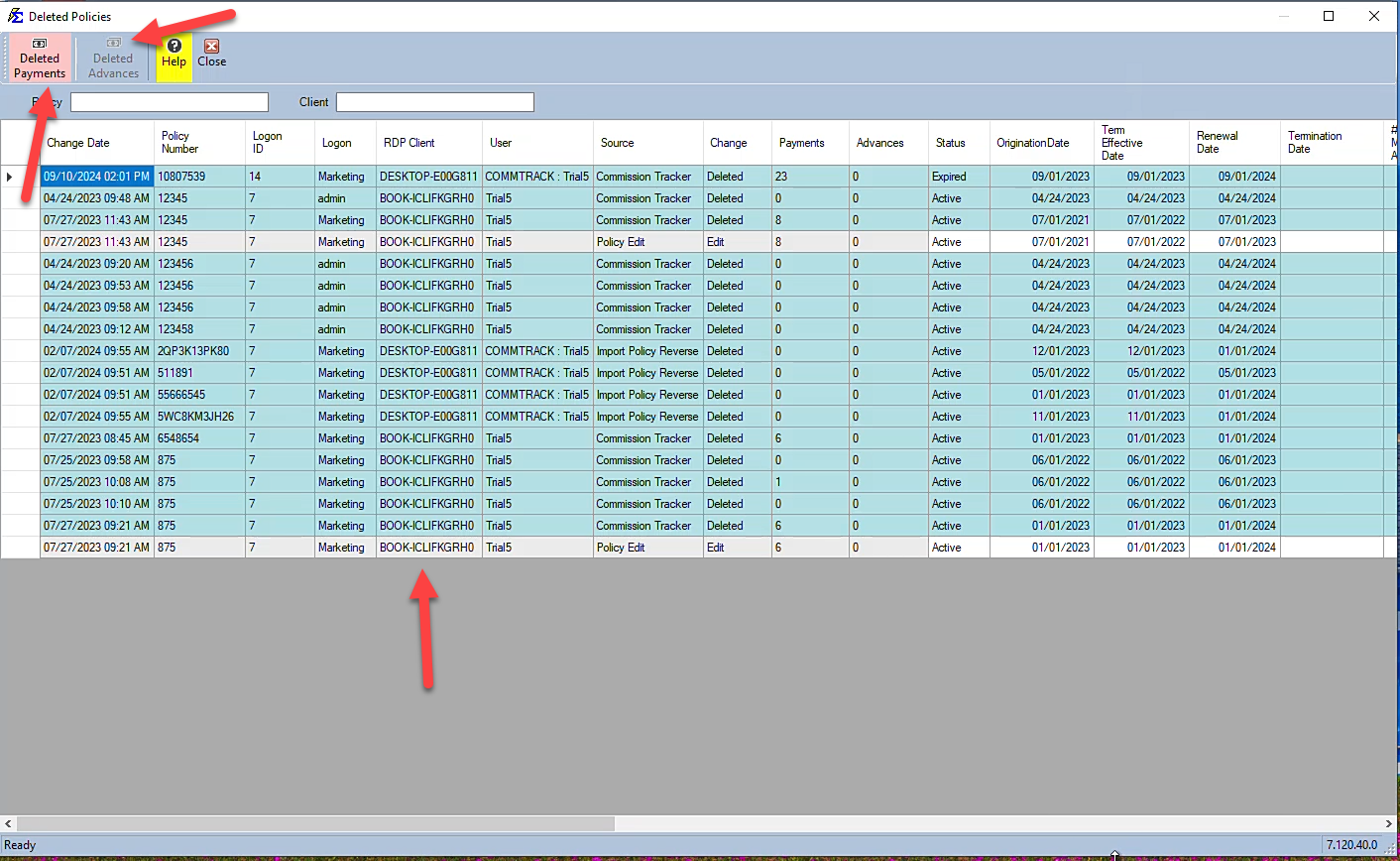
The log provides transparency regarding the "who, where, and when" of policy deletions. The grid displays:
-
Computer Name: The specific RDP or local workstation used.
-
User: The Commission Tracker login responsible for the deletion.
-
Policy Details: The Client and Policy Number that were removed.
Auditing Financial Impact
When a policy is deleted, all associated payments and agent payouts are also removed. The log allows you to drill down into these lost transactions.
1. Deleted Payments
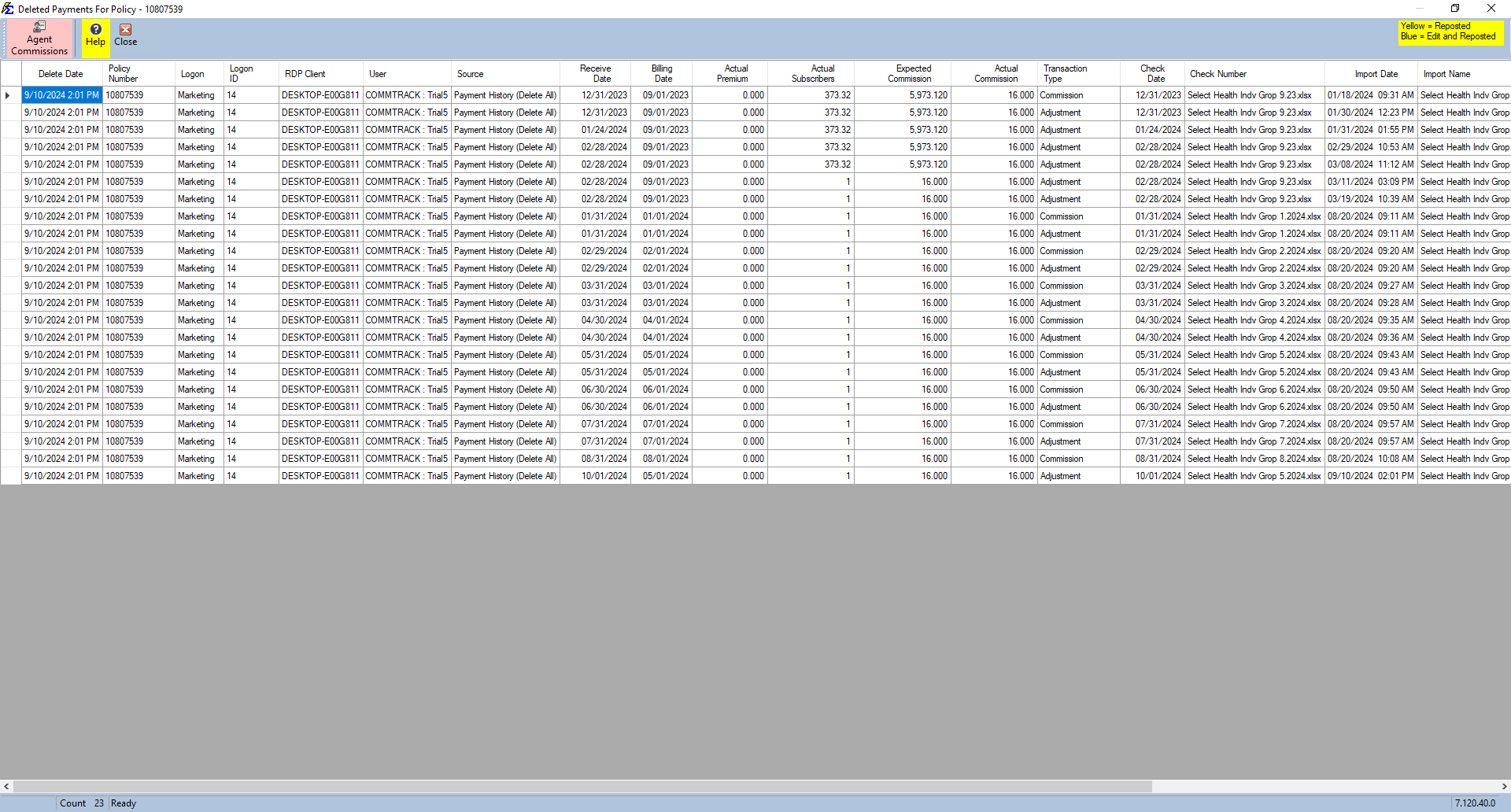
If a deleted policy contained payment history, the Deleted Payments button will be highlighted in Red. Clicking this button opens a detailed grid of every payment that was purged, along with the specific user responsible for those individual entries.
2. Agent Commissions (Splits)
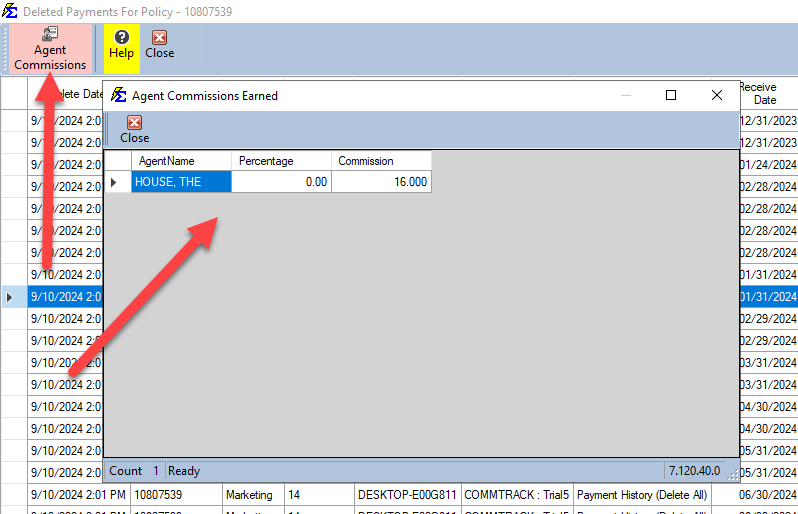
Similarly, if the Agent Commissions button is Red, it indicates that commissions had already been calculated and paid to agents for that policy. Clicking this button reveals which agents were affected and the exact dollar amounts that were removed from their historical earnings.
Key Considerations
-
Read-Only Record: This log is a permanent audit record and cannot be edited or cleared. It ensures that data integrity is maintained even after records are removed.
-
Recovery: If a policy appears in this log that should not have been deleted, it cannot be "restored" directly from this screen. You must either re-enter the policy or contact support to discuss Database Restore options.
-
Deleted Agent Advances: This grid also tracks any unearned Agent Advances that were associated with the deleted policy.
Next Steps:
Need to investigate an unauthorized deletion? Contact support@commission-tracker.com