Disable Agent Commission Split Warning Message
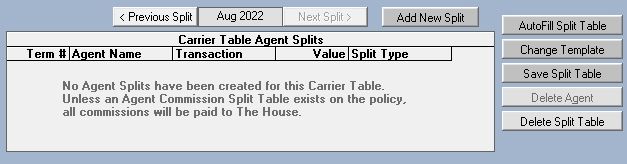
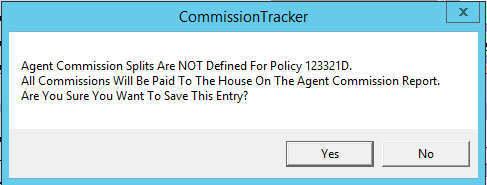
When manually posting a payment to a policy where the Agent Split Table is empty, Commission Tracker typically triggers a warning message. This alert notifies the user that 100% of the commission will be allocated to the House Account by default.
For agencies that intentionally direct all commissions to the House, this recurring warning can disrupt the workflow and slow down data entry.
The Warning Message
If this feature is enabled, you will see the following prompt whenever an agent split table is not defined for a policy:
How to Disable the Warning
If you prefer to bypass this alert and have the system automatically assign the total commission to the House without prompting, you can disable the message in the global options.
- Navigate to the Options menu.
- Locate the checkbox labeled "Disable Agent Commission Split Warning Message".
- Check the box to silence future alerts.
- Click Save or Apply.
When to Use This Setting
| Best Used When... | Why? |
|---|---|
| House-Only Agencies | If your agency does not pay out external splits, the House is the only recipient, making the warning redundant. |
| Bulk Manual Entry | If you are manually entering a high volume of payments, removing this extra click can significantly speed up the process. |
| Testing/Setup | During initial software setup, you may want to clear the warning while you are still building your agent tables. |
Important Note
By disabling this warning, you are responsible for ensuring that policies intended to have agent splits actually have them configured. Without this alert, the system will not stop you from accidentally paying 100% to the House on a policy that should have had a producer split.
Troubleshooting
Q: Can I turn this back on later? A: Yes. Simply return to the Options menu and uncheck the box to re-enable the safety alert.
Next Steps:
Need help configuring your agency's global options? Contact support@commission-tracker.com