Edit Billing Date
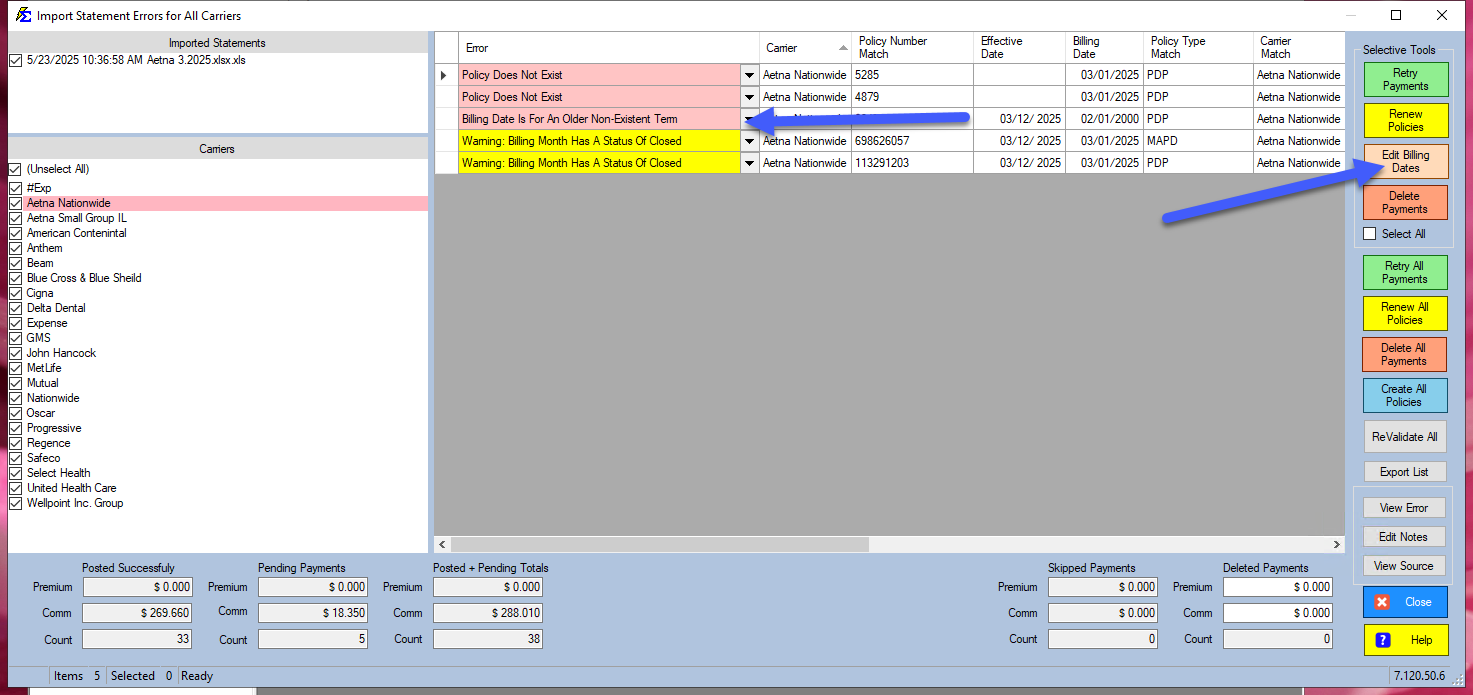
The Edit Billing Date utility allows you to correct date mismatches on pending payments before they are posted to your history. This is primarily used to resolve the common system error: "Billing Date Is For An Older Non-Existent Term."
Understanding the Date Logic
In Commission Tracker, a payment cannot be applied to a period before the policy exists. The Billing Date of a payment must always be equal to or more recent than the policy's Effective Date.
If a carrier statement lists a billing month that predates your policy's start date in the system, the payment will be flagged as an error and held in the pending grid.
How to Correct a Billing Date
If you determine that a payment belongs to the current policy term but has an incorrect billing date:
- Identify the Error: Look for the "Older Non-Existent Term" message in the status column of your pending payments.
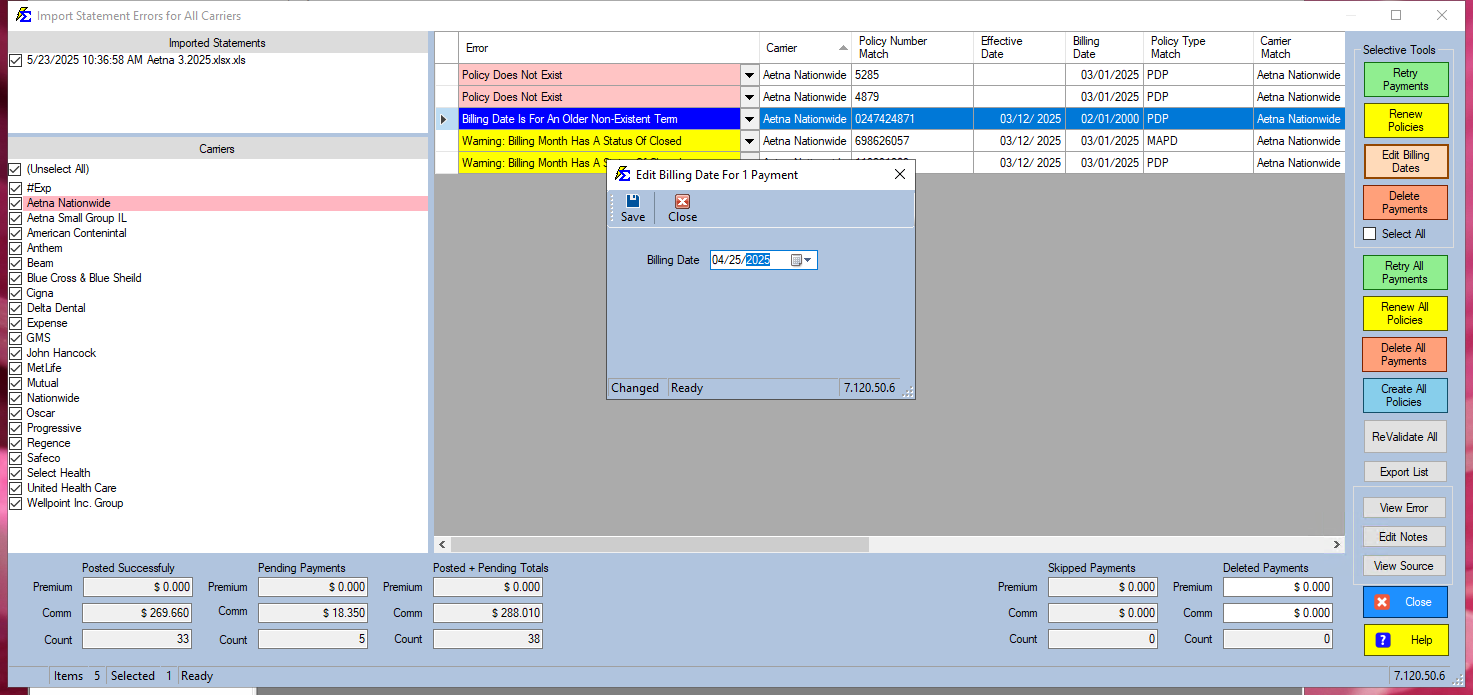
- Select the Payment: Highlight the specific payment row(s) you wish to correct.
- Click Edit Billing Date: This button is located in the toolbar.
- Update the Date: Enter a date that is the same as or later than the Policy Effective Date.
- Save: The system will re-validate the payment, and the error status should clear.
Common Scenarios
| Scenario | Resolution |
|---|---|
| Wrong Effective Date | If the billing date on the statement is correct, you may actually need to edit the Policy Effective Date on the Policy Information screen instead. |
| Carrier Adjustments | Carriers sometimes send "Catch-up" payments with old dates. Update the Billing Date to the policy's first active month to allow the payment to post. |
| Data Entry Error | If the statement import incorrectly parsed the date, use this tool to bulk-edit the dates for that entire session. |
Best Practices
- Audit Your Terms: Before editing billing dates, verify that you aren't missing a Prior Policy Term. If the payment truly belongs to an older term, it is better to create that term than to force the date forward.
- Batch Editing: You can select multiple payments at once to update the billing dates in bulk, saving significant time during large statement imports.
Next Steps:
Struggling with persistent date errors? Contact support@commission-tracker.com