Manually Renew a Policy
Overview
Commission Tracker allows you to manually progress a policy into its next term. By using the Renew Policy tool, you create a new historical record for the upcoming year while preserving the data and payment history of the previous term.
How to Renew a Policy
To renew a single policy manually, follow these steps:
- Locate and open the specific Policy record.
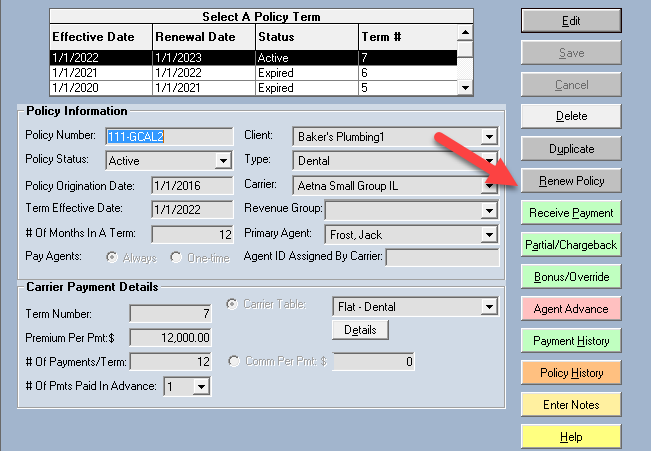
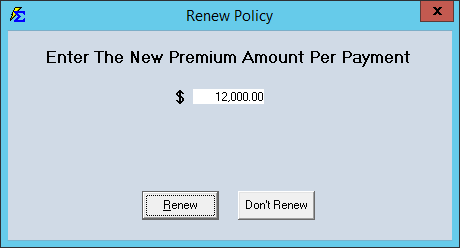
- Click the Renew Policy button located in the top action menu.
- A new term will be generated and displayed at the top of the Policy screen.
Understanding Policy Terms
Each time you renew, the system creates a distinct "Term."
-
Historical Integrity: Each term retains its own unique Payment History.
-
Data Carry-Over: Most policy details carry over to the new term automatically, but you can adjust rates or splits for the new year without affecting the old records.
⚠️ Handling Partial Terms
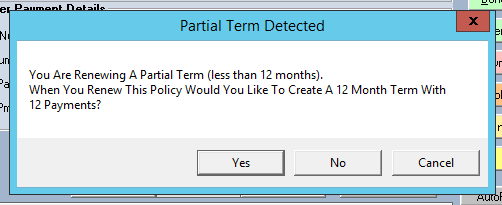
If you attempt to renew a policy that has not yet reached its expected expiration date (a "partial term"), the system will trigger a notification.
The Partial Term Prompt:
When this box appears, the system is offering to automatically adjust the start and end dates for the new term to ensure there are no gaps or overlaps in coverage.
- ✅ Accepting the adjustment: Recommended for most users to keep term dates aligned.
- ❌ Ignoring the adjustment: Only recommended if you are manually override-dating a specific short-term policy.
💡 Best Practices
- ✅ Review Splits Before Saving: A renewal is the perfect time to check if the Agent Commission Splits need to change for the new year.
- ✅ Verify Effective Dates: Always double-check that the new term's Effective Date matches the carrier's renewal date.
- ❌ Don't Overwrite Data: Never simply change the dates on an old term to renew a policy; always use the Renew Policy button to ensure your historical reports stay accurate.
Still Need Help?
Are you looking to renew policies in bulk? Check out the Update All Policies guide.