Options Menu
Overview
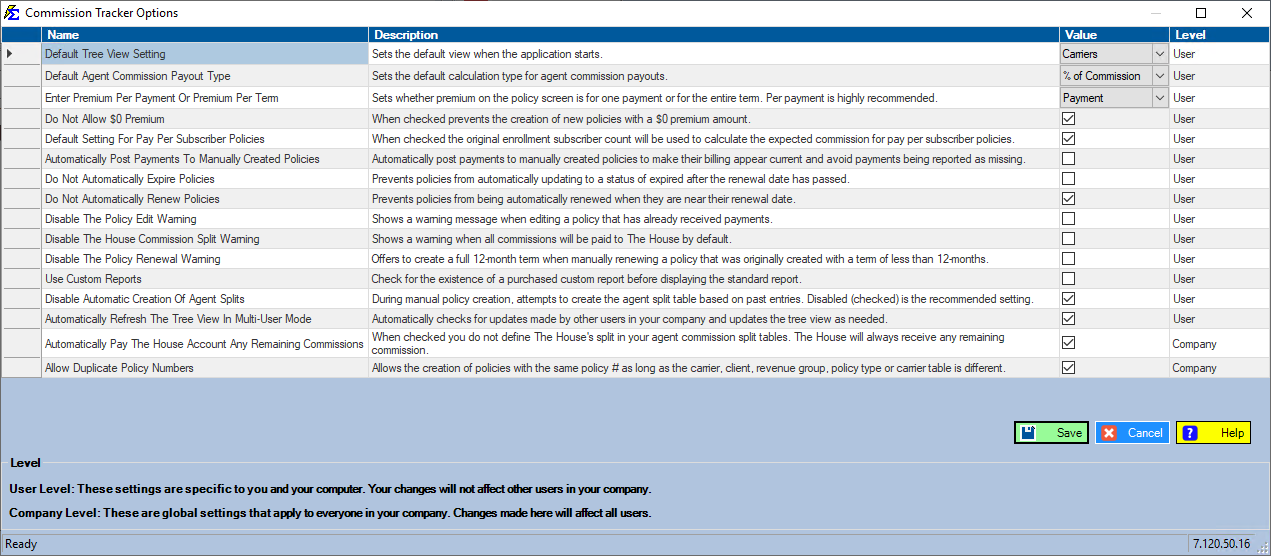
The Options Menu allows you to customize your user experience and system behavior in Commission Tracker. Use these toggles to manage how policy data is displayed and to streamline your workflow by silencing specific system alerts.
⚙️ Available Settings
| Setting | Purpose |
|---|---|
| Show Terminated Policies | Toggle the visibility of inactive or terminated records in your main policy grid. |
| Disable Policy Edit Warning | Suppresses the confirmation prompt that appears when you modify a saved policy record. |
| Disable Split Warning | Suppresses the alert shown when modifying agent splits that may affect existing payments. |
⚠️ Important Considerations
Visibility vs. Deletion
Checking Show Terminated Policies does not reactivate them for commission; it simply allows you to view them for historical reference. Keeping this unchecked is recommended for a cleaner daily workspace.
Warning Messages
While disabling warning messages can speed up data entry, these alerts are designed to prevent accidental changes to your commission data.
- ✅ Disable if: you are performing a large volume of manual cleanup and find the pop-ups intrusive.
- ❌ Keep enabled if: you want to ensure a "double-check" step exists before saving changes to sensitive policy fields.
💡 Tips for Success
- ✅ Standardize Your View: Most agencies prefer to keep "Show Terminated Policies" off to focus on active revenue.
- ✅ Individual User Preference: Remember that these options are often tied to your specific user profile or workstation.
Still Need Help?
Are you looking for more advanced configuration? Visit the System Tools page.