Pay Per Subscriber (PEPM)
Overview
A Pay Per Subscriber carrier table is used when your commission is based on the number of individuals (subscribers or members) covered by a group policy rather than a percentage of premium.
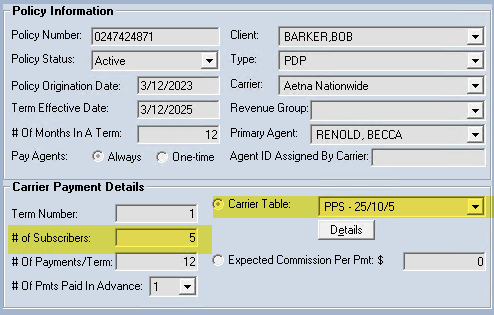
The system uses the # of Subscribers (members) field on the Policy screen to calculate the total expected revenue for each billing period.
🧮 Tiered Calculation Example
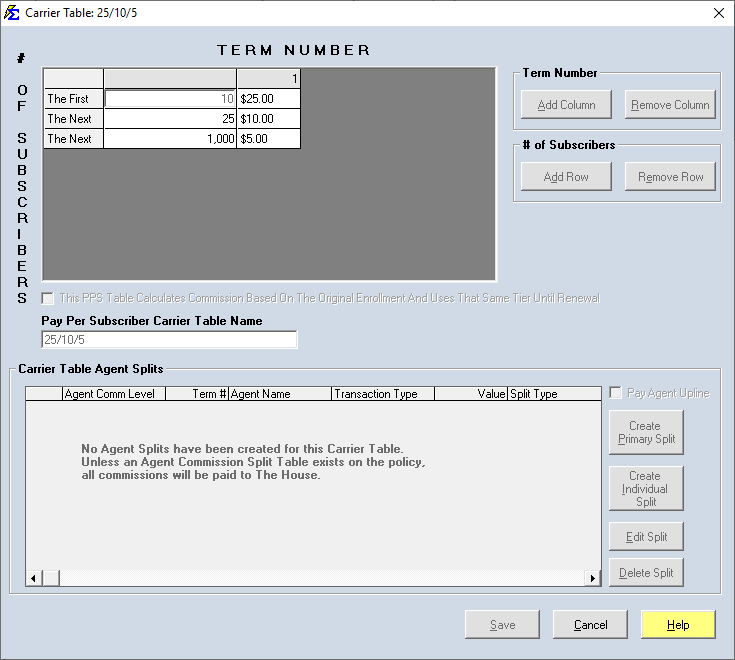
The system uses a "bracket" logic to calculate totals. This allows you to handle contracts where the rate per head decreases as the group size increases.
Scenario:
-
First 10 members: $25.00 each
-
Next 25 members: $10.00 each
-
Next 1000 members: $5.00 each
If a policy has 50 members, the monthly commission is calculated as follows:
-
First 10: $10 \times \$25 = \$250$
-
Next 25: $25 \times \$10 = \$250$
-
Final 15: $15 \times \$5 = \$75$
-
Total Expected Monthly Commission: $575.00
⚙️ Logic Configuration
On the Carrier Table screen, you will find a specific checkbox that controls how the math is applied:
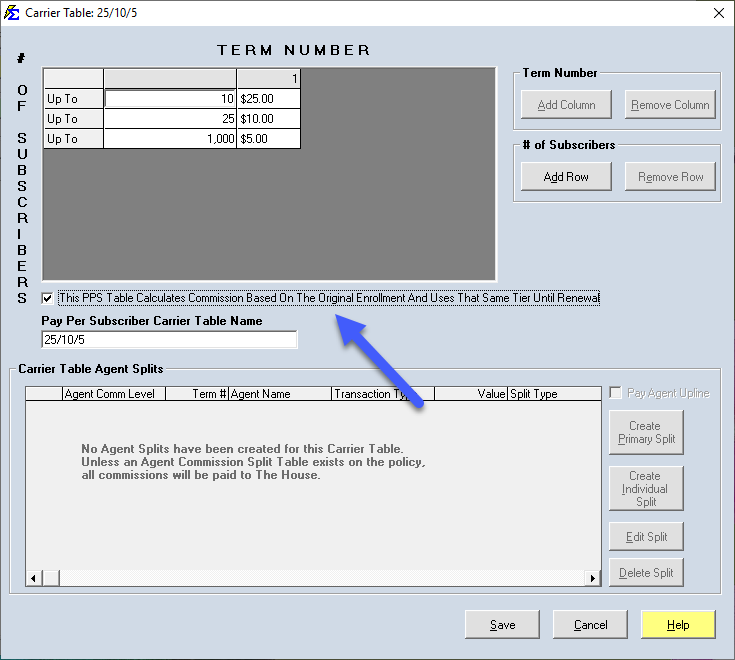
- ✅ Checked: Use this if you want the payout to always be calculated based on the subscriber count entered manually on the Policy Screen. Use this for "fixed" enrollment contracts.
- ❌ Unchecked (Dynamic): Use this if you want the payout to be calculated based on the subscriber count provided on each individual carrier statement. This is the best option for groups with monthly enrollment fluctuations.
💡 Best Practices
- ✅ Term Logic: Remember to set rates for Term 1 and Term 2+. Often, carriers pay a higher PEPM for the first year of a new group.
- ✅ Verify Imports: If using the dynamic (unchecked) option, ensure your Data Map includes a column for the number of members/subscribers.
- ✅ Zero-Member Groups: If a statement shows 0 members, the system will calculate $0 commission, even if the policy screen shows a higher number (if the dynamic option is unchecked).
Still Need Help?
Need to set up a standard percentage-based table instead? Visit the Carrier Commission Tables guide.