Payment Discrepancy Report
Overview
The Payment Discrepancy Report is a primary auditing tool in Commission Tracker. It compares the actual commission received from the carrier against the expected commission calculated by the system.
Unlike standard reports that show all data, this report specifically isolates payments where the figures do not match, allowing you to quickly identify underpayments or carrier rate errors.
🛠️ How it Works
To find a discrepancy, the system must have a "benchmark" to compare against. This is handled in one of two ways:
-
Carrier Commission Tables: The system calculates the expected amount based on your contract rates.
-
Commission Per Pmt: You have manually set a fixed expected dollar amount on the policy level.
Note: If neither of these are set up, the system cannot calculate an "Expected" amount, and the report will not be able to identify discrepancies.
🔍 Report Filters & Settings
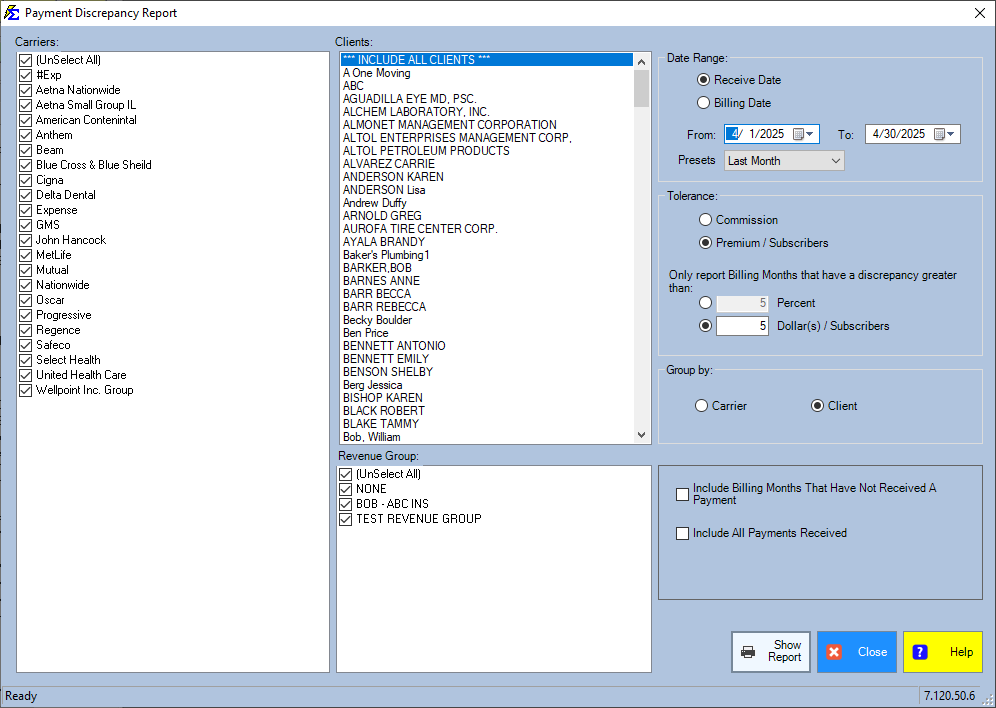
Date Range
Filter by Received Date (when you posted the money) or Billing Date (the month the premium was due).
Tolerance (Filtering the "Noise")
Avoid wasting time on minor rounding differences. You can set a "Tolerance" to only show significant differences:
-
Percentage: Only show discrepancies greater than a specific percentage (e.g., 10%).
-
Dollar Amount: Only show discrepancies greater than a specific dollar amount (e.g., $10.00).
Premium vs. Commission
You can choose to compare discrepancies in the Agency Commission total or the Client Premium total.
📈 Enhanced Reporting Options
Recent updates allow you to expand the scope of this report to get a 360-degree view of your revenue:
-
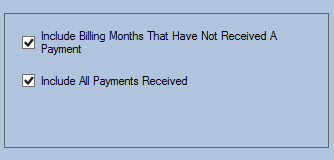
Include Missing Payments: Shows billing months where no payment was received. This combines Discrepancy tracking with Accounts Receivable.
-
Include All Payments: Shows every payment received, even those that match perfectly. This is useful for a complete audit of a specific carrier or agent.
🖼️ Interface Guide
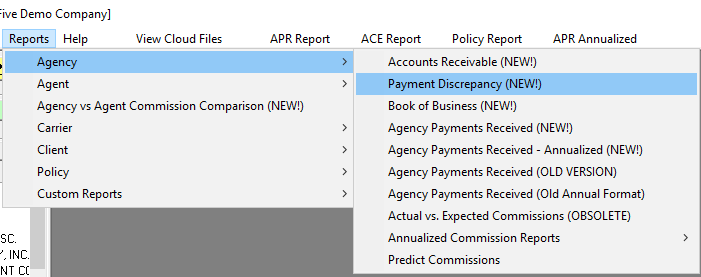
Setting Your Parameters
Choose your carrier, tolerance levels, and inclusion options before generating the report.
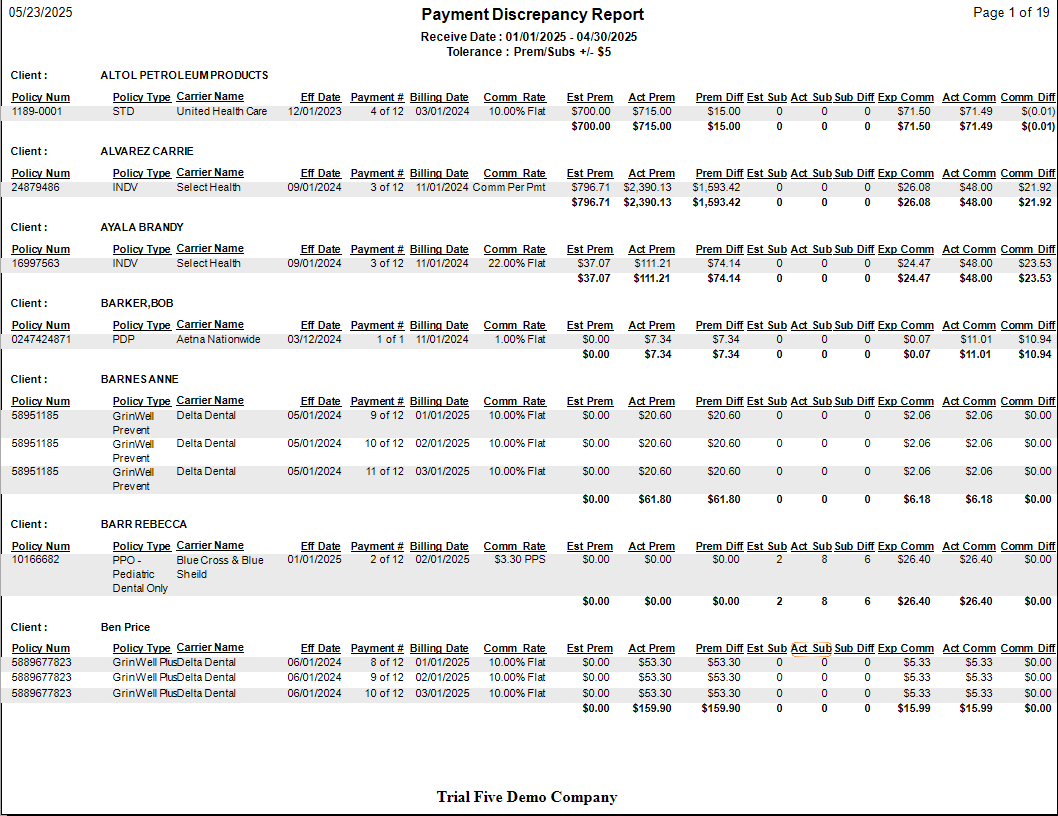
Reviewing the Results
The report highlights the Expected vs. Actual amounts and calculates the Variance (the difference) for you.
⚖️ Discrepancy Report vs. Accounts Receivable (A/R)
| Report | Primary Focus | Use Case |
|---|---|---|
| Discrepancy Report | Incorrect Payments | Identifying underpayments or rate errors. |
| Accounts Receivable | Missing Payments | Identifying policies that haven't paid at all. |
💡 Tips for Success
- ✅ Run Monthly: Run this report after every major carrier statement import to catch errors before you pay out your agents.
- ✅ Check Your Math: If a policy constantly shows a discrepancy, verify that your Term Number and Carrier Table are set correctly.
- ✅ Use for Bonuses: This report is also excellent for identifying if a carrier paid a bonus that you weren't expecting.
Still Need Help?
Are you seeing missing payments that should be there? Check your Accounts Receivable guide.