Policy List Report
Overview
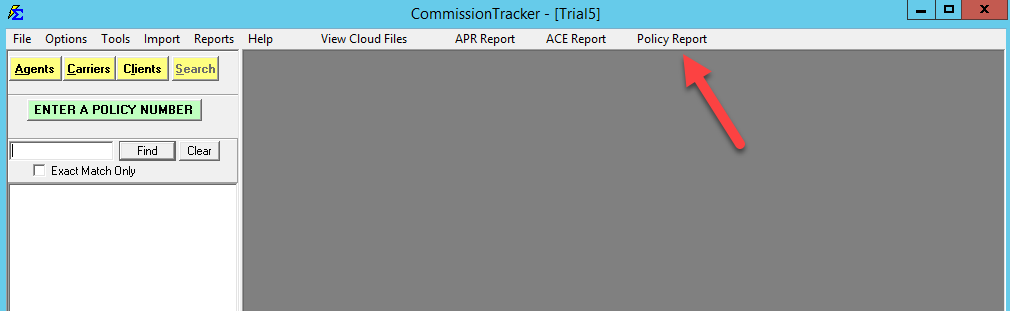
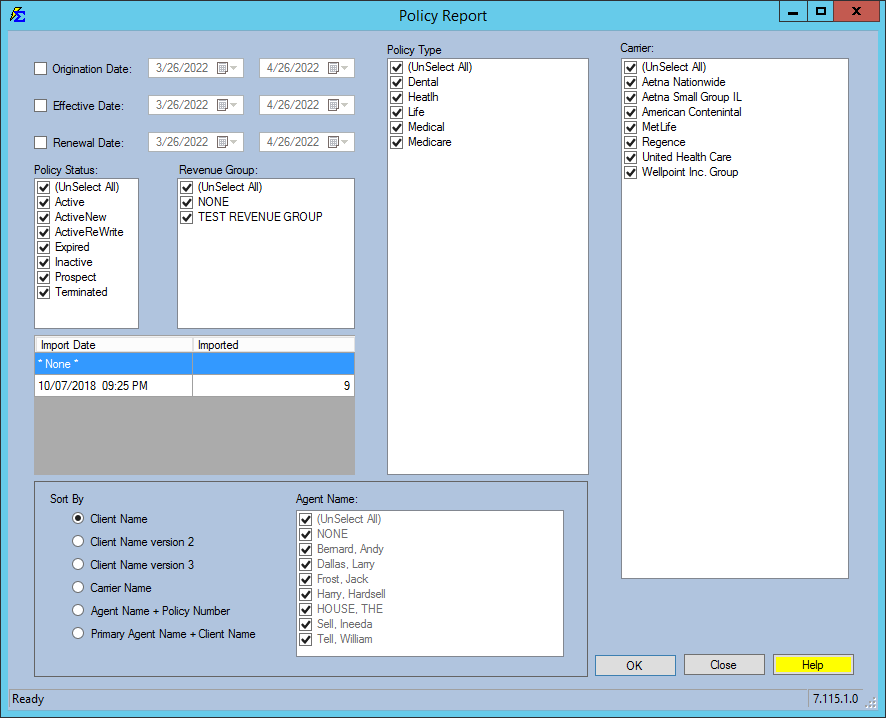
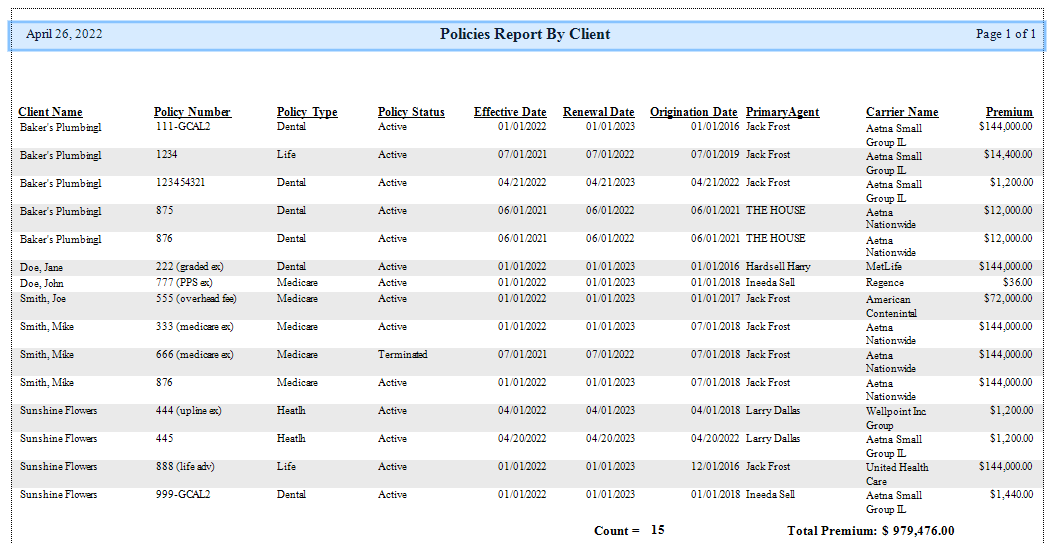
The Policy List Report allows you to generate comprehensive lists of policies organized by Client, Carrier, or Agent. It is the primary tool for auditing your book of business and tracking renewals.
🔍 Key Features
- Custom Grouping: View policies by Client, Carrier, or Agent.
- Date Filtering: Filter by Origination, Effective, or Renewal dates.
- Import Audits: Filter by "Import Policy Session" to verify policies added during a bulk data import.
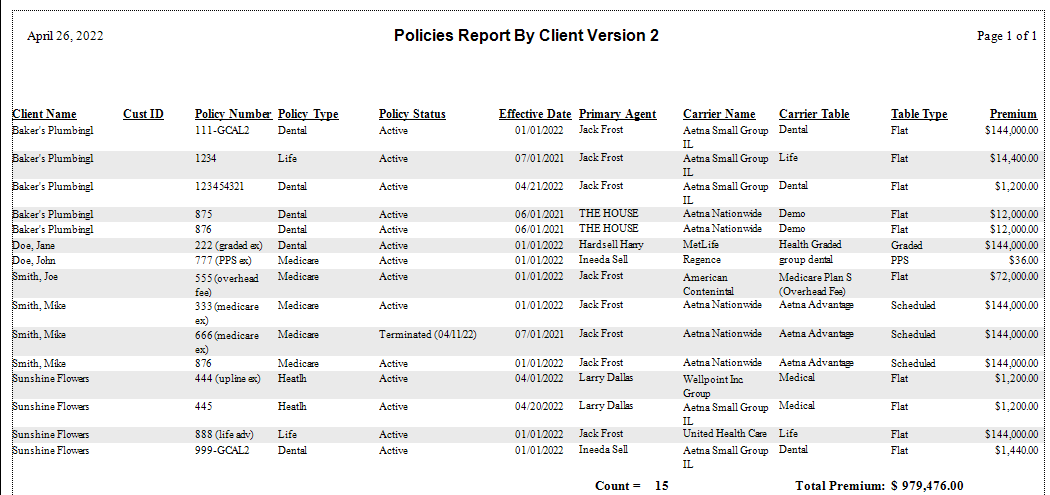
- Termination Tracking: Use "Client Name version 2" to see Termination Dates for inactive policies.
📋 Format Samples
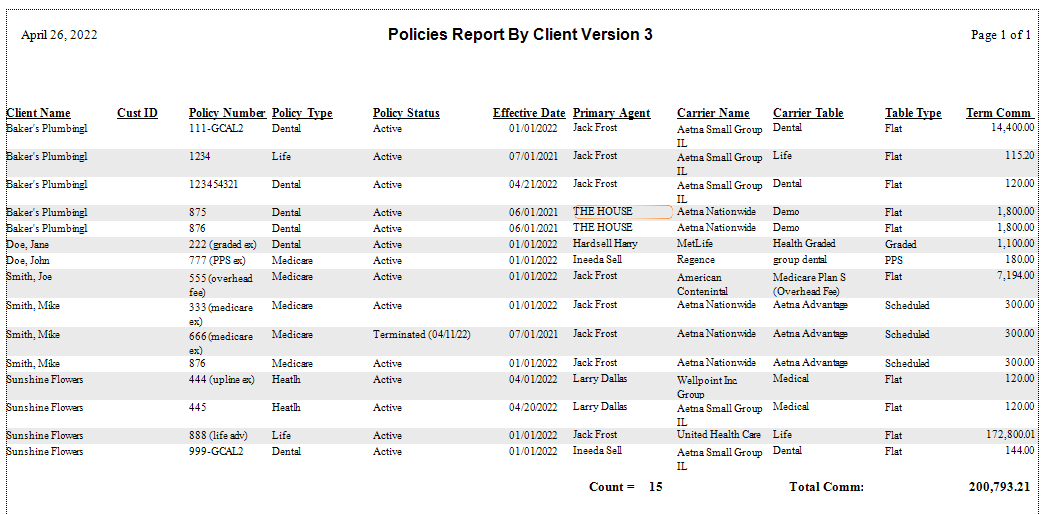
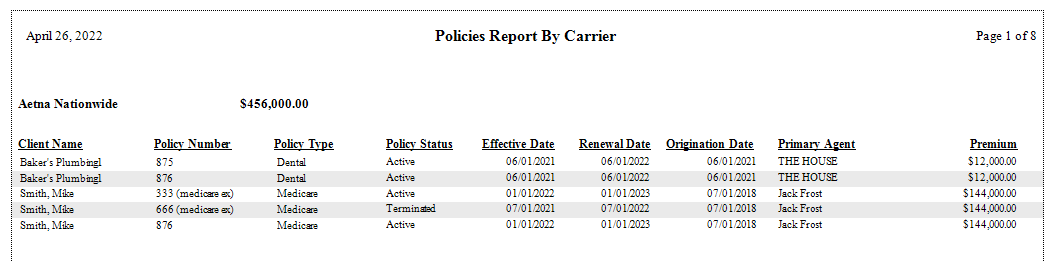
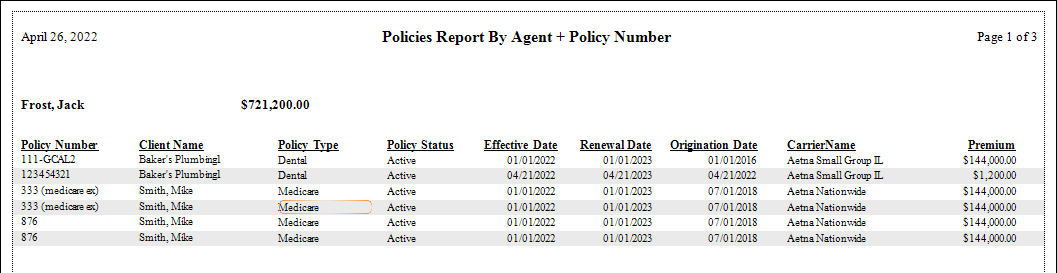
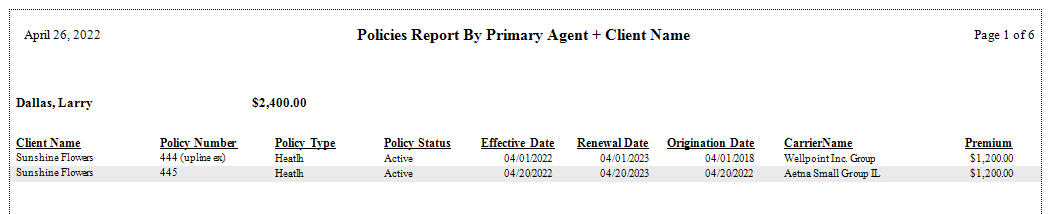
The report offers multiple views depending on whether you need a simple list or detailed premium totals.
🖼️ Report Previews
💡 Best Practices
- ✅ Monitor Renewals: Run this report regularly using the "Renewal Date" filter to manage your retention efforts.
- ✅ Verify Imports: Always run this report after a policy import to ensure all data mapped correctly.
- ✅ Summary Totals: Select formats that offer Premium Totals to get a quick snapshot of the book value for a specific carrier or agent.